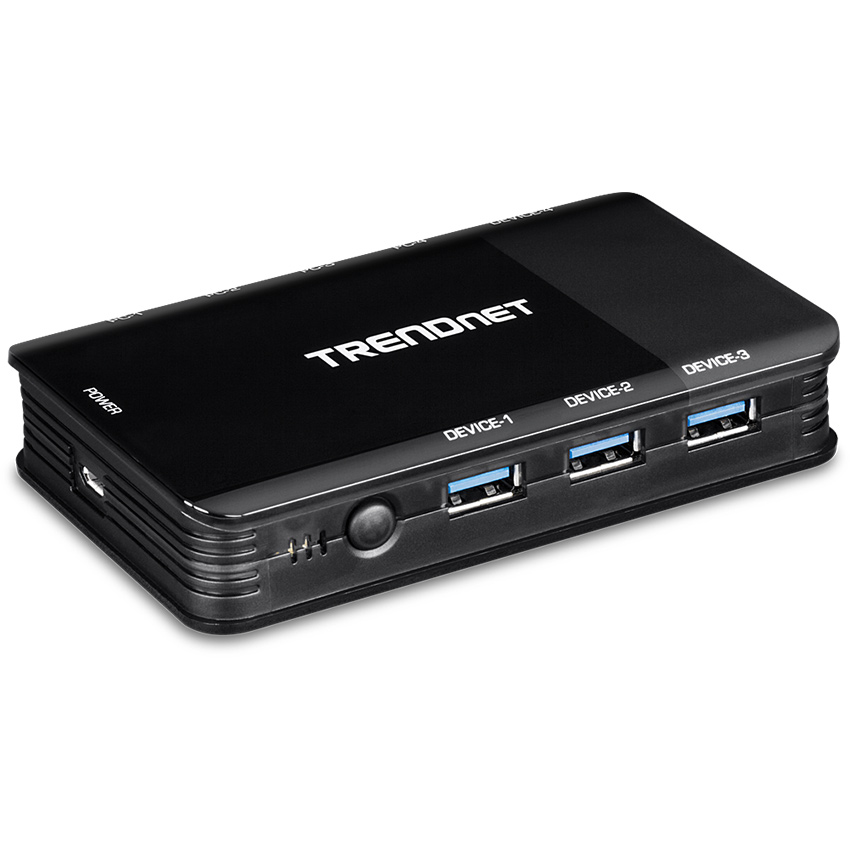

TRENDnet's Multi-Computer 4-Port USB 3.1 Sharing Switches each feature a switchable 4-port USB 3.1 hub that you can share between multiple computers.
These USB switches are easy to install - simply plug in your mouse, keyboard, flash drives, or scanners, and then share those devices with multiple computers.
The 4-port USB 3.1 share switches support a wide variety of USB peripherals with USB 3.0, 2.0, and 1.1 backwards compatibility.
Key Features:
4 x USB 3.1 Gen 1 (Type-A) ports for PC connections
4 x USB 3.1 Gen 1 (Type-A) ports for peripheral devices
1 x Micro-B USB port for power
Simple setup with a driverless installation
Powered via USB - no external power adapter required
Required cabling included
Backwards compatible with USB 3.0, 2.0, and 1.1 devices
Compatible with Windows and Mac operating systems
LED indicator shows active computer
Datasheets / User Manuals / Quick Start Guides can be downloaded from our Documentation tab (above)
Unboxing - TRENDnet 4 Computer 4-Port USB 3.1 Sharing Switch, TK-U404:
.jpg)
The 2-Port USB Audio KVM Switch lets you control multimedia PCs with just one keyboard, monitor, mouse, microphone, and a set of speakers.
The KVM switch not only allows you to share your monitor, keyboard and mouse but you can also share microphone and speakers.
With just a simple press of a button, this KVM switch eliminates the hassle of cable swapping and switching between 2 PCs.
With it's Hot-Plug, Auto-Scan and Hot-Key operating features, the TK-209K is the perfect choice for managing 2 PCs.
Separate KVM cables are included.
TRENDnet 2-Port USB KVM Switch Kit with Audio TK-209K:
Key Features:
2-port KVM switch with VGA and USB connections to computers and audio devices
Listen to music from one computer while working on the other
High quality 2048x1536 resolution for a crisp display
Supports most operating systems and advance mouse designs
All required cabling included
Control up to 2 computers/servers with one set of console device
USB keyboard/mouse emulation with 2 sets of detachable KVM cables
Compliant with Windows and Linux
High video quality, up to 2048 x 1536 VGA resolution
Listen to music from one computer while working on the other
Auto-Scan & LED display for computer monitoring
Computer selection by face panel push buttons, keyboard hot key commands or Windows-based client switching software*
User definable hot key (Windows only)
Plug & Play and hot-pluggable
USB interface power method
2-year limited warranty
*For optimal performance, we recommend using a wired keyboard and mouse. Please go to http://www.trendnet.com/downloads to download the client switching software.
Datasheets / User Manuals / Quick Start Guides can be downloaded from our Documentation tab (above)
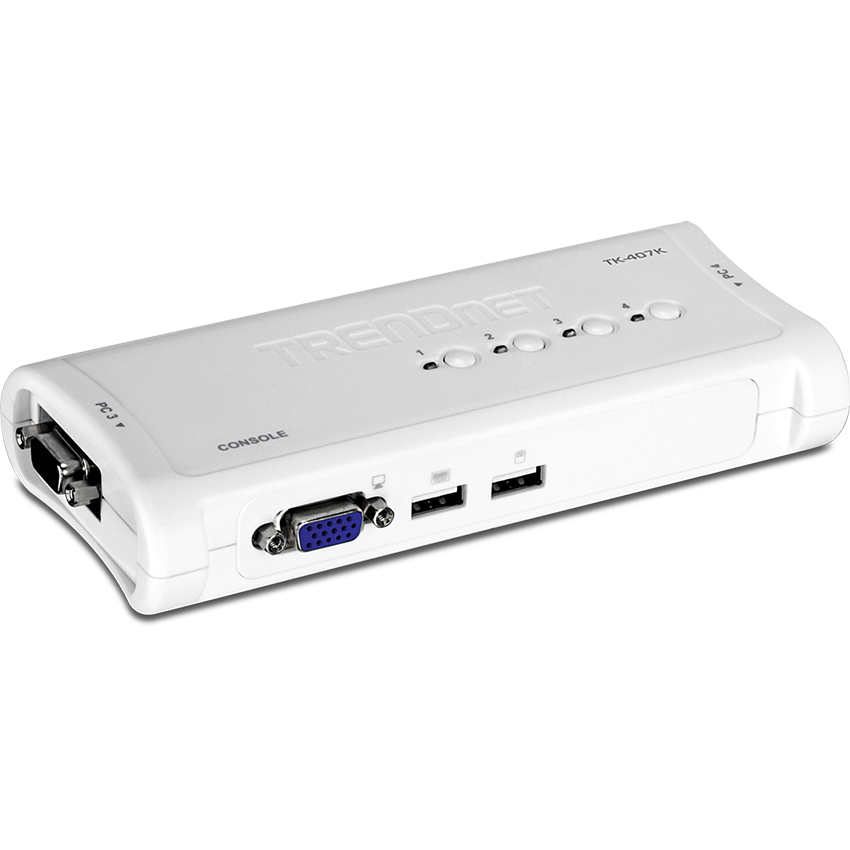
The 4-Port USB KVM Switch lets you manage four PC's with just one set of keyboard, monitor, and mouse.
Switch between 4 PC's with a simple press of a button! Separate sets of KVM cables are included with the KVM Switch, so users can start controlling 4 PC's instantly.
The KVM cables also provide power to the KVM Switch, eliminating the need for a power adapter.
Hot Key operations provide immediate access to features such as computer switching, and auto-scanning.
With its Hot-Plug, and Audible Feedback, the 4-Port USB KVM Switch is the perfect choice for managing multiple PC's.
TRENDnet 4-Port USB KVM Switch Kit TK-407K:
Key Features:
4-Port KVM switch with VGA and USB connections to computers
Device monitoring with Auto-Scan and audible feedback
High quality 2048 x 1536 resolution for a crisp display
Supports most operating systems and advanced mouse designs
All required cabling included
Control up to 4 computers / servers with one set of console devices
USB keyboard / mouse emulation with 4 sets of detachable KVM cables
Compliant with Windows, Linux, and Mac OS
High video quality, up to 2048 x 1536 VGA resolution
Auto-Scan and LED display for computer monitoring
Keyboard status restored when switching between computers
Computer selection by front panel push buttons, keyboard hot key commands or Windows-based client switching software *
User definable hot key (Windows only)
Plug & Play and hot-pluggable
USB interface power method
2-year limited warranty
* For optimal performance, we recommend using a wired keyboard and mouse
Please go to https://www.trendnet.com/support/TK-407K-v1.3 to download the client switching software
Datasheets / User Manuals / Quick Start Guides can be downloaded from our Documentation tab (above)
.jpg)
TRENDnet's 2-Port HDMI KVM Switch, model TK-215i, controls two computers (with an available HDMI port) with one set of console controls.
No driver installation required, simply plug in the integrated cables to share two computers with a full HD 1080p display.
The TK-215i supports HDMI and 3.5 mm analogue audio and features an ergonomic computer toggle switch.
Key Features:
Control two computers with one set of console controls
Works with displays with an HDMI port
Full HD 1080p resolution
HDMI and 3.5 mm analogue audio
Fully integrated cabling
Ergonomic computer toggle switch
No CD installation
USB Powered - No external power adapter
Datasheets / User Manuals / Quick Start Guides can be downloaded from our Documentation tab (above)
TRENDnet 2-Port HDMI KVM Switch TK-215i:
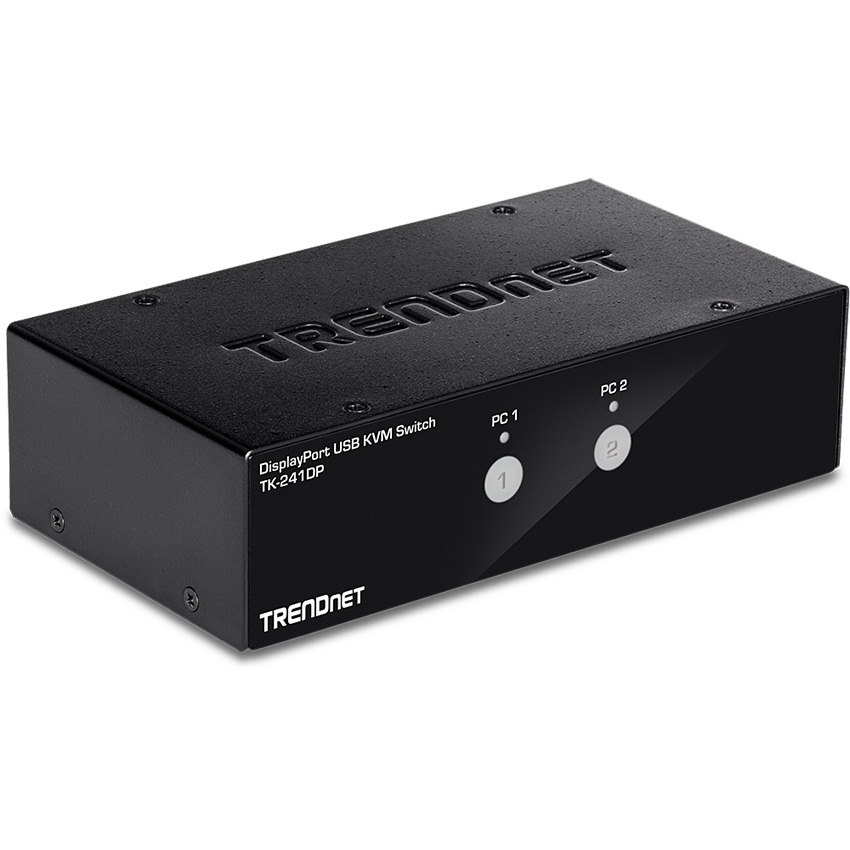
TRENDnet's 2-Port DisplayPort KVM Switch, model TK-241DP, allows you to control two computers with one set of console controls.
The TK-241DP DisplayPort KVM switch is designed for systems with DisplayPort, USB mouse and keyboard connections, and features a two-port USB hub to share storage devices or other USB peripherals between computers.
Experience up to 4K UHD resolution with this DisplayPort KVM switch, no driver installation required.
Key Features:
DisplayPort™ 1.2 KVM
3.5mm speaker and microphone connections
Designed for use with DisplayPort systems
Resolutions & refresh rates
Up to 1920 x 1080 @ 144Hz
Up to 1920 x 1200 @ 144Hz
Up to 1920 x 1440 @ 144Hz
Up to 2560 x 1440 @ 144Hz
Up to 3440 x 1440 @ 60Hz
Up to 3840 x 2160 @ 60Hz
2-Port USB 2.0 hub for storage devices and other USB peripherals
Required cabling sold separately (2x TK-CP06)
No CD installation required
Datasheets / User Manuals / Quick Start Guides can be downloaded from our Documentation tab (above)