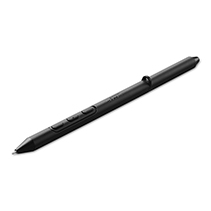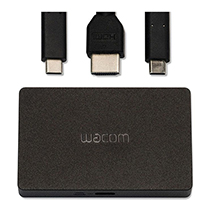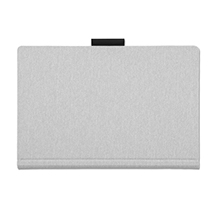









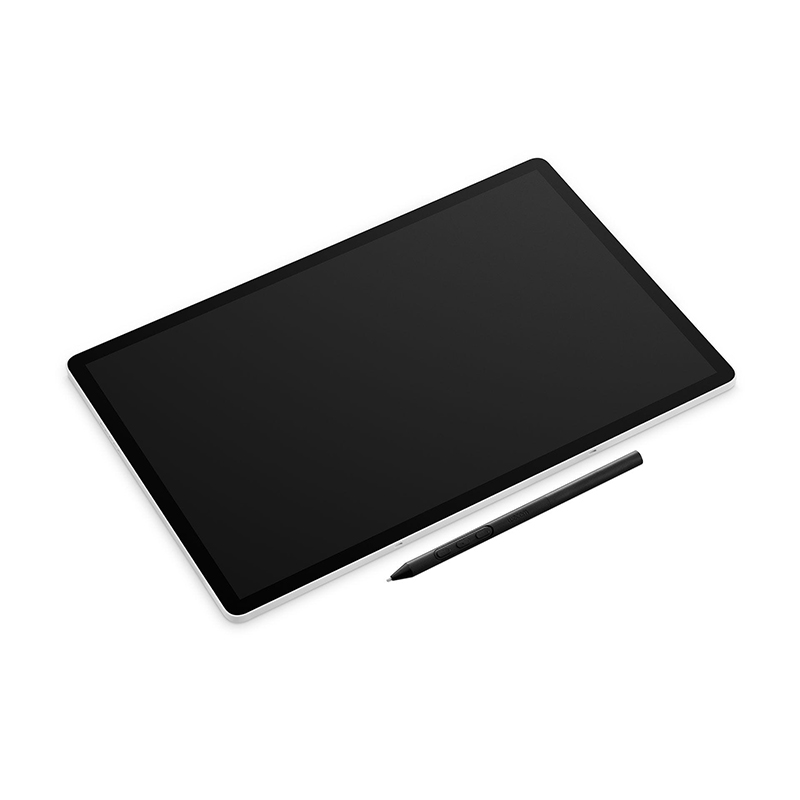

The Wacom MovinkPad Pro 14 (DTHA140L0B) is a standalone 14-inch creative pen display designed for digital artists who want a direct drawing experience without relying on a desktop computer. It combines an OLED panel, Wacom's Pro Pen 3 system, and a textured glass surface to create a natural drawing feel that closely mimics paper. Built as a portable creative workstation, it supports illustration, animation, sketching, and photo editing in a single device with Android 15 at its core.
Key Features of Wacom DTHA140L0B
Natural, lag-free pen-on-screen drawing with Wacom Pro Pen 3
Large 14" OLED workspace for detailed illustration and animation
Desktop-level power for multitasking, rendering, and editing
Works seamlessly indoors, outdoors, or on the move
Capture ideas instantly with Wacom Canvas and continue in Clip Studio Paint
Use as a wireless or wired second screen with Instant Pen Display
Wacom Premium Textured Glass - anti-reflection, anti-glare, anti-fingerprint
Supports 2D illustration, 3D modeling, photo editing, and more
Compatible with multiple pens from Wacom EMR ecosystem (Staedtler, Lamy, Samsung S Pen, etc.)
Portable, lightweight design that travels with you everywhere
Display Experience
The OLED panel is a central part of the device, delivering deep contrast, strong brightness, and vivid colour accuracy. Combined with Wacom's textured glass, the surface provides controlled resistance under the pen, giving strokes a more traditional drawing feel. The direct bonding layer reduces the gap between pen tip and image, making line placement more precise and immediate.
Instant Pen Display (Beta)*
Extend your workflow with Instant Pen Display mode. Connect the MovinkPad Pro 14 to your PC either wired or wirelessly and use it as a high-quality pen display. This allows the device to function as both a portable creative tablet and an additional screen for desktop-based work.
Note: *This feature is still in beta and performance is not guaranteed.
Pen Interaction
The Pro Pen 3 is designed for precision work, offering high pressure sensitivity and tilt recognition without requiring charging. It detects even the lightest strokes thanks to best-in-class Initial Activation Force (IAF) and provides 300 reports per second for precision drawing. The pen system is built for long creative sessions, with consistent tracking and minimal lag thanks to the 120Hz refresh rate and Wacom's electromagnetic resonance technology.
Performance and Workflow
Powered by a mobile flagship-class processor, the MovinkPad Pro 14 supports demanding creative workloads including layered illustration, animation, and photo editing. Running on Android 15, it allows users to install creative applications directly on the device, making it suitable as a standalone digital workspace. Storage expansion via microSD also supports larger project libraries.
Design and Portability
The device is slim and lightweight for a 14-inch class tablet, making it practical for travel or flexible working environments. Its minimal design focuses on screen space and drawing comfort, with a clean front surface and durable build intended for frequent use in both studio and mobile settings.
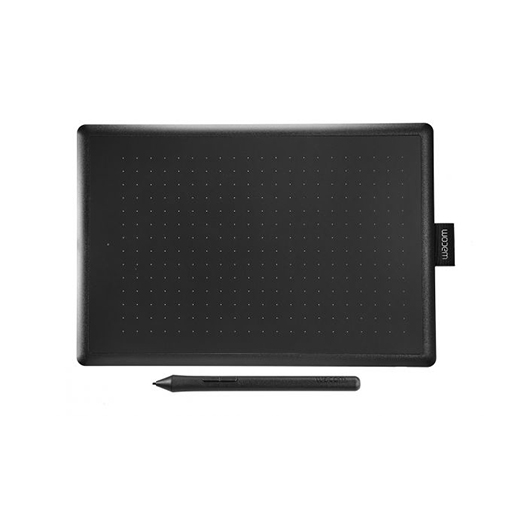
The Wacom CTL-672-N One by Wacom Medium is a pen tablet designed for users who want a larger drawing surface for sketching, editing, and writing directly into digital workflows. It provides a natural pen-on-paper feel through pressure-sensitive input, allowing controlled line variation for illustration, design work, and general creative tasks. With its medium-sized active area and simple USB connectivity, it fits comfortably into home setups, classrooms, and remote working environments where straightforward digital input is required.
Key Features of Wacom CTL-672-N
Medium active drawing area (approx. 216 x 135 mm) for broader hand movement
Battery-free pen with pressure sensitivity for controlled strokes
USB plug-and-play connection for quick setup on computer systems
Compatible with Windows, macOS, and ChromeOS platforms
Lightweight and slim design suitable for desk use or portability
Works with major creative and productivity software applications
You and your computer in creative harmony
Sketch, draw and edit photos with the natural-feel pen. This tablet has everything you need, so it's easy to get started on your next project. Just connect the USB cable to your Mac or PC, download and install the driver and you're ready to go. It couldn't be easier.
Digital creativity made easy
You and your computer in creative harmony. Sketch, draw and edit photos with a simply natural pen experience. It couldn't be easier.
The natural pen experience
A responsive, ergonomic, pressure-sensitive pen gives you a natural way to sketch, draw, paint or edit photos. The pen doesn't need batteries, so it's lightweight, perfectly balanced and comfortable enough to use as long as you like. The drawing experience immediately feels familiar - like pen on paper.
Take your creativity to a new level
Sketch and paint with more precision. Advanced electro-magnetic pen technology gives you excellent control and accuracy. One by Wacom helps your art projects come out the way you've always wanted, by perfectly matching the movement of your pen. Editing photos becomes easier, from detailed cut-outs to subtle colour adjustments, helping your work stand out.
Your choice of versatile digital canvas
Choose the size to suit you. Small takes up a tiny amount of your desk, but still gives enough workspace to create. Medium offers a larger area for broader strokes of the pen - and more room to express yourself. Both are compact enough to fit easily into your laptop bag too.
So simple to set up
Whatever you want to create, it's easy with One by Wacom. The tablet has everything you need, and nothing that you don't, so it's easy to get started on your next project. Just connect the USB cable to your Mac or PC, download and install the driver and you're ready to go. Starting on that project really is that simple.
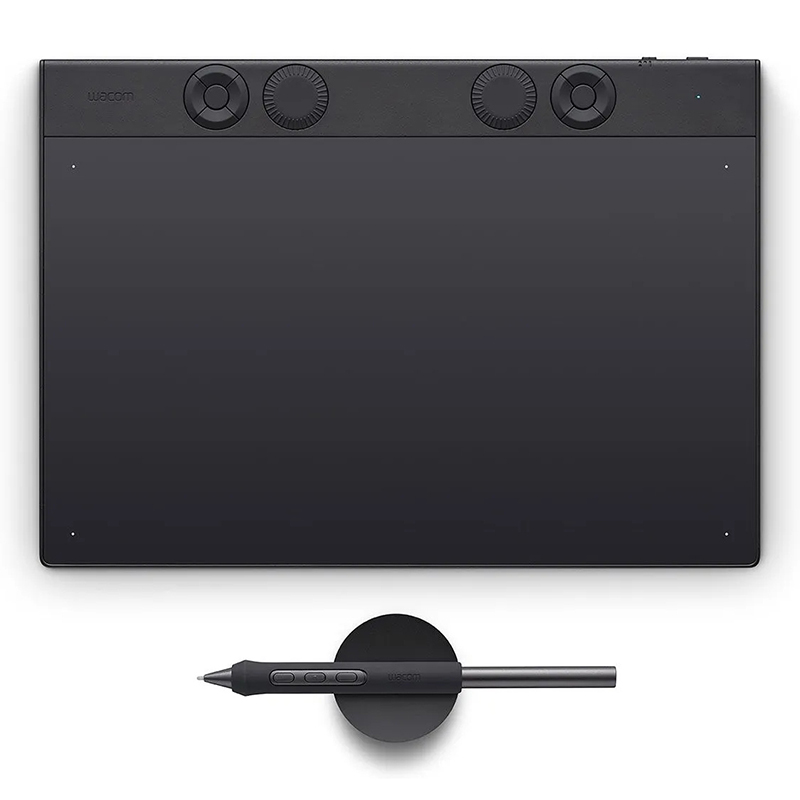
The Wacom Intuos Pro Medium PTK670K0B is a professional pen tablet built for creators who prefer working with a separate display while maintaining direct pen input control. It offers a refined drawing surface paired with Wacom's advanced pen technology, delivering precise input for illustration, photo editing, and design work. The medium size provides a balanced working area suitable for detailed projects without occupying excessive desk space, while Bluetooth and USB-C connectivity support flexible studio or mobile setups.
Key Features of Wacom Intuos Pro Medium PTK670K0B
Wacom Pro Pen 3 with high precision and pressure response
8,192 levels of pressure sensitivity for detailed input control
Customisable ExpressKeys and mechanical control dial
Wireless Bluetooth and USB-C connectivity options
Textured drawing surface designed for natural pen feedback
Ambidextrous layout suitable for left or right-handed users
Battery-free pen operation for uninterrupted use
Medium active area suited for balanced workspace setups
Design and Build
The tablet features a slim profile with a durable matte finish surface that provides consistent friction for pen movement. Its compact footprint allows it to sit comfortably alongside multi-monitor or laptop-based setups.
Workflow Integration
It integrates smoothly with major creative applications, supporting custom shortcut mapping and pen gestures to streamline editing, drawing, and navigation tasks within professional software environments.
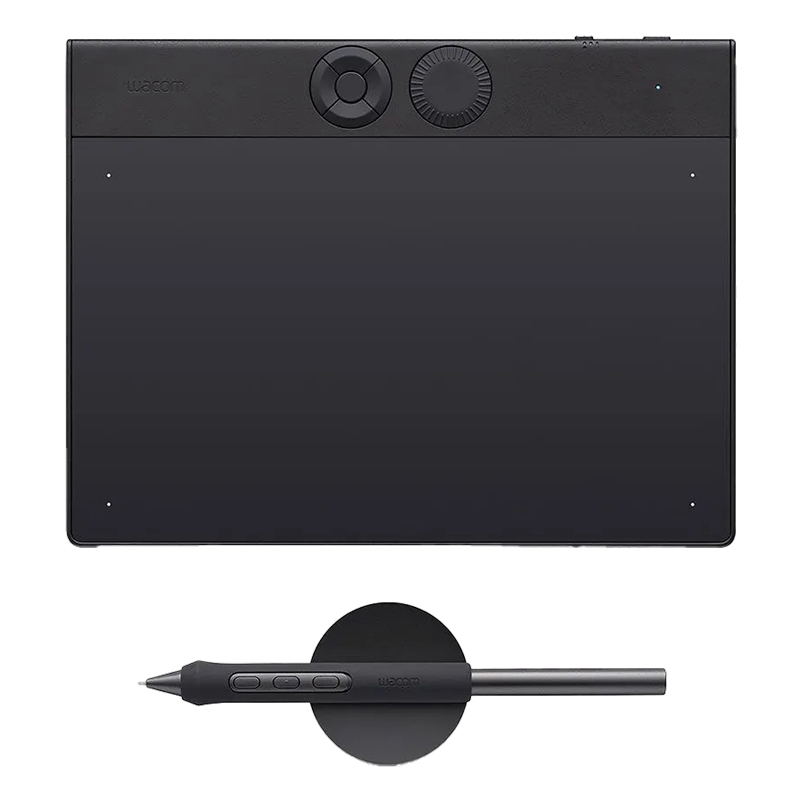
The Wacom Intuos Pro Small (PTK470K0B) 2025 edition is a compact creative tablet built for precise pen input and smooth workflow control. It connects to a computer and provides a natural drawing experience through Wacom's latest pen technology, making it suitable for illustration, photo editing, and design work where accuracy and responsiveness matter.
Key Features of Wacom PTK470K0B
Wacom Pro Pen 3 with high pressure sensitivity and tilt support
Compact active drawing area designed for focused creative work
Customisable ExpressKeys and control dial for workflow shortcuts
USB-C wired connection plus Bluetooth wireless connectivity
Thin, lightweight design for desktop or mobile setups
Switchable orientation for left- or right-handed use
Works across Windows and macOS environments
Tabelt Size 215 x 163 mm
Active Area 187 x 105 mm
Compact Professional Design
The Intuos Pro Small is designed for users who prefer a tighter drawing space without losing precision. Its slim profile makes it easy to position on any desk, while still offering enough room for detailed pen movements.
Pen Input Experience
The Pro Pen 3 delivers responsive input with natural stroke control. It reacts to subtle pressure changes and tilt angles, allowing detailed line work, shading, and smooth transitions across creative applications.
Workflow Control
Customisable buttons and a tactile control dial allow quick access to tools and shortcuts. This helps streamline repetitive actions and keeps focus on the creative process without constant keyboard use.
Connectivity and Flexibility
With both USB-C and Bluetooth support, the tablet can be used in a fixed workstation setup or wirelessly for a cleaner desk layout. It also supports multiple device pairing for switching between systems.
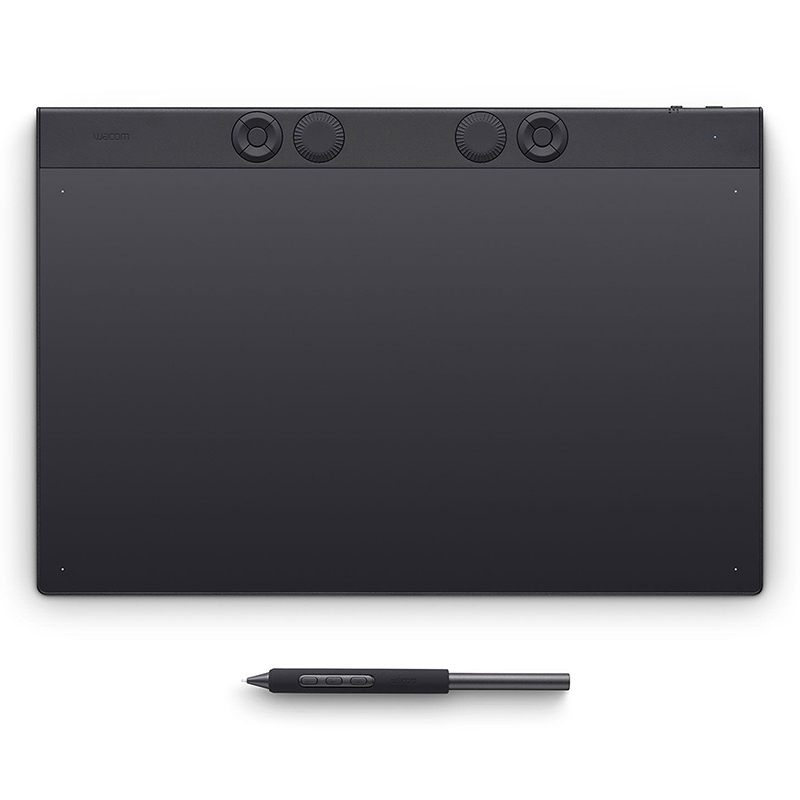
The Wacom PTK870K0B Intuos Pro Large is a professional pen tablet built for creators who work with detailed digital content. It offers a wide drawing surface paired with precise pen tracking, giving artists and designers room to work comfortably across complex illustrations, photo edits, and multi-layer compositions. Its slim profile and wireless capability make it suitable for both studio setups and flexible desk environments.
Key Features of Wacom PTK870K0B
Large active drawing area for broad, natural pen movement
Wacom Pro Pen 3 with high pressure sensitivity and tilt support
Customisable ExpressKeys and control dials for workflow shortcuts
USB and Bluetooth connectivity for wired or wireless use
Ultra-slim magnesium body designed for desk comfort and portability
Battery-free pen operation for uninterrupted use
Tablet Size 377 x 253 mm
Active Area 349 x 195 mm
Spacious Creative Surface
The large active area gives users more freedom to draw with full arm movement, making it suitable for detailed illustration work, long editing sessions, and tasks that benefit from a wider input range. It helps maintain precision even during complex strokes and layered compositions.
Precision Pen Input
The Pro Pen 3 delivers consistent tracking with fine control over pressure and tilt. It responds naturally to different drawing styles, whether sketching, inking, or performing detailed photo adjustments. The pen is designed to feel balanced and responsive without requiring charging.
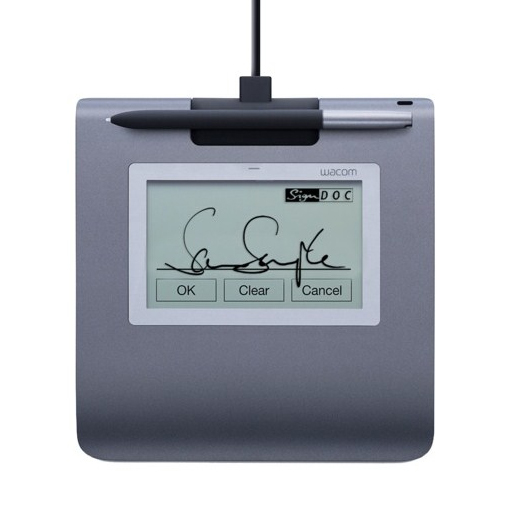
The Wacom STU-430 is a compact signature pad designed for capturing handwritten signatures in digital workflows with clarity and accuracy. It features a dedicated LCD display that allows users to view documents and sign directly on the screen, making it suitable for fast-paced environments where secure signature capture is required. The device connects via USB and uses a battery-free pen for consistent input without maintenance.
Key Features of Wacom STU-430
4.5-inch monochrome LCD display for clear signature visibility
Battery-free EMR pen for consistent input and low maintenance use
Secure USB connection for stable data transfer
Supports encrypted signature capture for secure workflows
Compact design suitable for counters and reception desks
Real-time display of signing content for user confirmation
Compact Signing Interface
The device provides a focused signing surface that keeps interactions simple and direct, making it easy for users to confirm details before signing.
Pen Input Accuracy
The included pen operates without batteries and delivers steady tracking for handwritten signatures, supporting consistent input quality across repeated use.
Secure Integration
Designed for controlled environments, it supports encrypted data handling and direct connection to compatible systems for reliable signature capture.
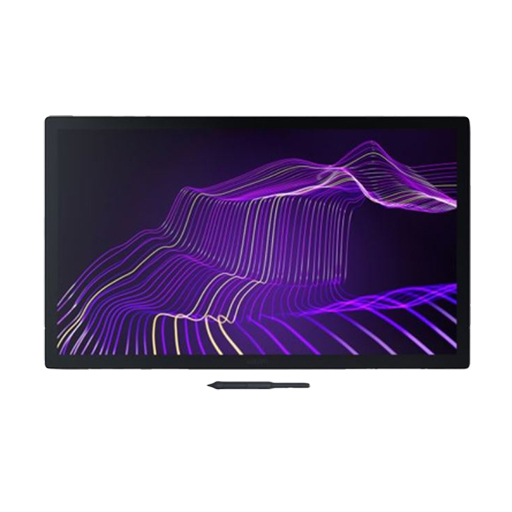
Wacom DTH271K0B Cintiq Pro 27 is a large-format 27-inch pen display designed for detailed creative work, combining a 4K canvas with precise pen input and strong colour accuracy. Built for studio environments, it delivers a wide workspace for illustration, design, and visual production, while requiring a separate stand or VESA mount due to its no-stand configuration.
Key Features of Wacom DTH271K0B
26.9-inch 4K UHD display (3840 x 2160 resolution)
Wacom Pro Pen 3 with 8192 pressure levels
10-bit colour support with over 1 billion colours
120Hz refresh rate for smoother pen response
Multi-touch gesture support
Etched anti-glare glass surface for reduced reflections
USB-C, HDMI, and DisplayPort connectivity options
Effortlessly Connected
Thanks to a feat of design, engineering, technology and advice from leading professionals, creating with Wacom Cintiq Pro 27 is an effortless, harmonious experience. Everything about Wacom's most advanced pen display plunges you into your inspiration.
Bring Power to Your Palettes
Dive into an astonishing breadth and depth of color, with realistic accuracy of 99% Adobe RGB and 98% DCI-P3 coverage and the capability to display over 1 billion colors. Our Pantone™ Validated and Pantone SkinTone™ Validated display lets you choose from presets for all relevant color spaces used in web design, print design, photography, and video. Combined with HDR Gamma support, beautiful 4K resolution, and 120HZ refresh rate, your eyes will fall in love with Wacom Cintiq Pro 27 over and over again.
Morphs to the Way You Create
From the inside out, Wacom Pro Pen 3 can be configured to your favorite feel. With customizable weight, grip thickness, pen buttons and center of balance, find the configuration that suits your style. This tailor-made approach to design delivers an unforgettable creative experience.
Bring Your Ideas to Life with a Wave of Your Hand
Intuitive multi-touch gestures, like panning, zooming and rotating, allow you to completely immerse yourself in your creative process. Seamlessly switching between touch gestures and pen strokes in a single move
Settings as Unique as Your Art
Your great taste doesn't stop at your creations, it expands to the way you create too. The all new driver interface provides many new options to speed up and simplify your creative experience, including customizable pen gestures and on-screen pen and touch controls. With this, you have a degree of control never before seen on a Wacom pen display.
Create at the Speed of Imagination
Never break your flow with the freedom of ExpressKeysTM. Repositioned in the new rear grip of the display, each key is a shortcut of your choosing. This intuitive design gives you access to your favorite shortcuts before you realize you need them.
Space for Yourself
The Wacom Cintiq Pro 27 Extension Table* is ideal for placing your keyboard, phone or sketchbook and mounts into the 1/4-inch UNC thread holes along the top of the display. These threaded screw holes can also be used to mount devices like high resolution cameras**, high fidelity microphones** or LED lights** allowing you to fully customize your workspace.
Thoughtful Design Inside and Out
Wacom is striving to make our products more environmentally friendly. From product design materials to packaging, the new generation uses recycled materials wherever possible to produce the most sustainable Cintiq ever. Because crafting better worlds starts with caring for ours.
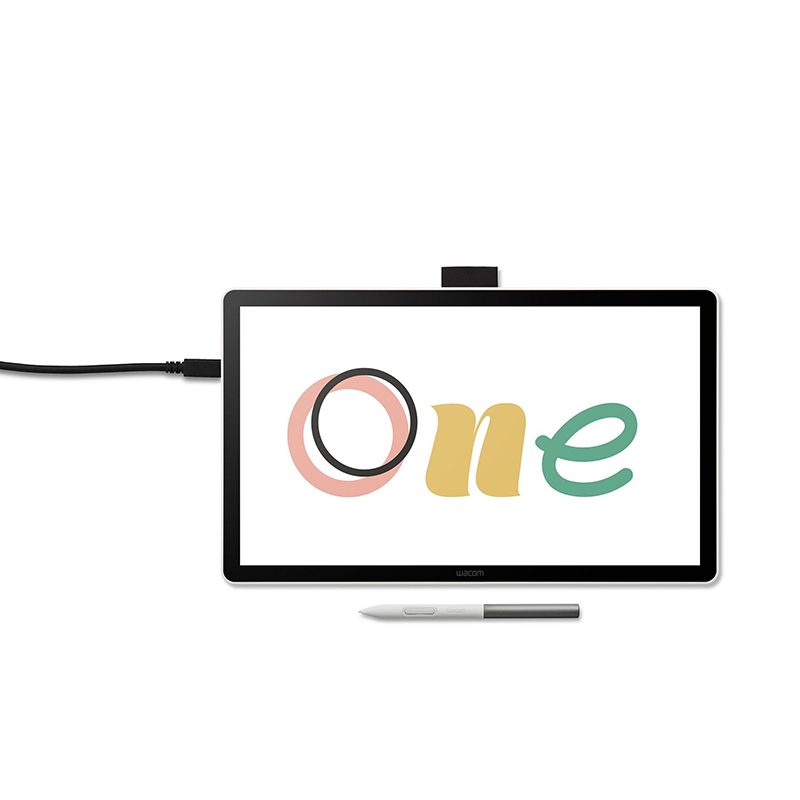
The Wacom DTC141W0Z Wacom One 14.0 Inch pen display is designed for digital drawing, sketching, and visual note work on a compact screen format. It brings pen-on-screen interaction into a portable form factor, making it suitable for creative tasks across illustration, design practice, and everyday annotation on supported computers.
Key Features of Wacom DTC141W0Z
14-inch Full HD (1920 x 1080) IPS display for clear visual output
Battery-free Wacom EMR pen with 4,096 pressure levels
Tilt support for natural stroke variation and shading control
Anti-glare etched glass surface for reduced reflections
USB-C connectivity for simplified single-cable setup on compatible devices
Lightweight and portable design for flexible workspace use
Display Experience
The 14-inch screen provides a balanced working area that supports drawing, editing, and annotation without taking up excessive desk space. The Full HD resolution keeps visuals sharp enough for detail-oriented creative tasks.
Pen Interaction
The included Wacom pen operates without batteries, relying on electromagnetic resonance technology. This allows consistent pressure sensitivity and tilt response, giving smoother control when sketching lines, shading, or writing notes directly on the screen.
Connectivity and Setup
The device connects through USB-C on compatible systems, supporting display, power, and data through a single cable where available. It is also compatible with Windows, macOS, and ChromeOS environments, depending on system support.
Use Case Focus
This pen display is positioned for users working on illustration practice, digital sketching, document markup, and general creative input tasks. Its compact form makes it suitable for both desk setups and mobile creative workflows.
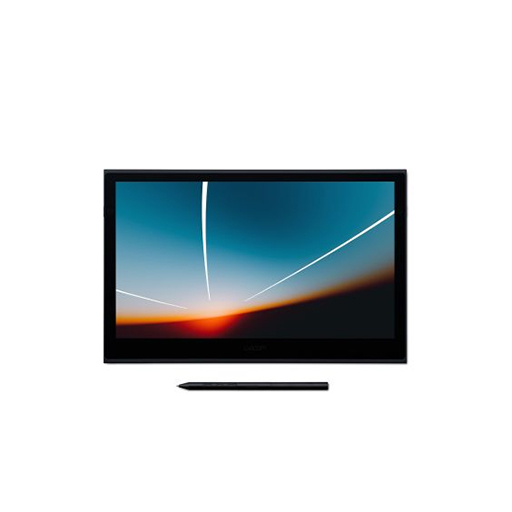
The Wacom Movink 13 (DTH135K0B) brings together precision, portability, and striking visual clarity in a compact pen display built for modern creative work. Its ultra-slim form and lightweight design make it easy to carry, while the vibrant OLED screen delivers rich contrast and accurate colour for detailed illustration, editing, and design. With responsive pen input, it offers a seamless way to move between ideas and execution whether working at a desk or on the go.
Key Features of DTH135K0B
13.3-inch Full HD OLED display with deep contrast and vivid colour
Wacom Pro Pen 3 with 8192 pressure levels and tilt support
Ultra-thin and lightweight design for easy portability
Single USB-C connection for power, display, and data
Multi-touch support for intuitive gestures and navigation
Compatible with Windows, macOS, Android, and ChromeOS
Supports a range of compatible third-party pens
Brilliance Awaits: Wacom Movink with OLED
Experience creativity in its purest form with the OLED Samsung Display. Dive into deeper blacks, richer contrasts, and vibrant colors that ignite your imagination and bring your creations to life with unmatched precision.
Crafted for the modern creator, the Wacom Movink's OLED technology provided by Samsung Display offers lightning-fast response times, zero distractions from excess heat or noise, and a seamless pen-on-screen experience. Elevate your artistry with unparalleled visual brilliance and unlock new levels of inspiration, wherever your creativity takes you.
Experience Visual Brilliance
Featuring a state-of-the-art 13.3” OLED display, the Wacom Movink delivers breathtaking visuals with high contrasts and pure blacks, surpassing the capabilities of traditional LCD screens. With DCI-P3 coverage of 100% and Adobe RGB at 95%, the Movink ensures that every hue is faithfully reproduced, offering a spectrum of over 1.07 billion colors in stunning 10-bit depth.
Factory calibrated and Pantone Validated, this display guarantees proven high color accuracy, meeting the stringent demands of professional workflows. Additionally, with the ability to store two custom color profiles, the Movink empowers you to tailor your color settings to suit your specific preferences, ensuring consistency across your projects. Experience the same quality as the new generation of Wacom Cintiq Pro, where every shade is rendered with unmatched precision and vibrancy.
This pen display is made for you
This pen display is tailored to meet the needs of today's dynamic creatives. As professionals increasingly work beyond traditional office settings, and with one in three creatives utilizing multiple professional devices, versatility is paramount. Many professionals and creative students alike carry their tools wherever they go, adapting to flexible work environments.
That's why the Wacom Movink stands out as our most portable creative pro pen display yet. With no limitations to professional use cases, it seamlessly integrates with various workflows, allowing for effortless attachment to the same notebook and usage of familiar applications as in the studio. Enhanced with the latest Wacom pen technology and compatibility with many other EMR pens, the Movink ensures a fluid and intuitive creative experience wherever inspiration strikes.
Ultra-Light Design, High-Class Performance
The Wacom Movink 13 features an ultralight casing with magnesium alloy and, thanks to OLED technology, is thinner than any Wacom pen display before. Its high-quality construction makes the Wacom Movink your sturdy everyday companion, bringing professional display quality wherever you go. With a maximum width of 6.5mm and only 420gr. in total the Movink can join every journey - even without any extra luggage. The modern look of the Movink reflects its premium internals and makes the display a real eye-catcher.
Easy use
Convenience-enhancing elements of the Wacom Movink extend to its accessories, such as the robust USB-C to USB-C cable boasting a flexible design and an L-shaped jack, ensuring effortless connectivity. Moreover, the tablet features customizable buttons on both sides, allowing users to personalize their functionality. These buttons can be easily toggled between different functions, from activating touch functions to serving as ExpressKey™ shortcuts. With its perfect transportability, the device can be used quickly and effortlessly anywhere, enabling seamless creativity on the go.
Durability Meets Creativity
The Wacom Movink 13 boasts the resilience of Corning Gorilla Glass, ensuring durability without compromising on style or functionality. Crafted with precision, this innovative pen display merges sleek design with robust materials, making it an ideal companion for your creative endeavors. With the strength of Corning Gorilla Glass, the Movink 13 withstands the rigors of daily use, offering peace of mind as you bring your ideas to life. Whether you're working on-the-go or in the comfort of your studio, rest assured that your Movink 13 is built to last. Enjoy the ultimate blend of form and function with a display that not only performs flawlessly but also adds a touch of sophistication to your workspace.
Forget about Parallax
Experience creativity like never before with minimal parallax, ensuring your pen strokes are accurately translated onto the screen with unmatched precision. The Movink's ultra-thin display enhances your workflow, providing a seamless canvas for your artistic endeavors. Say goodbye to distracting glare and fingerprints with the Anti-Glare (AG) Glass and Anti-Fingerprint (AF) Coating, allowing you to focus solely on your creativity without any interruptions. With the Wacom Movink, every stroke is fluid, every detail is precise, and every creation is brought to life with unparalleled clarity.
Pen compatibility
Introducing a breakthrough in versatility, the Wacom Movink proudly introduces Dual Pen Technology, marking Wacom's inaugural professional creative pen display to embrace this innovation. Seamlessly adaptable, it welcomes your preferred digital tool, whether it's the groundbreaking Wacom Pro Pen 3, sold alongside the Wacom Movink, the esteemed Wacom Pro Pen 2, or a stylus crafted with universal digital pen technology from esteemed brands like LAMY, Kaweco, or STAEDTLER.
Maximize Efficiency with Wacom Movink
Elevate your enterprise and B2B workflows with the Wacom Movink, delivering superior efficiency and performance for both personal and team endeavors. Experience the pinnacle of professional pen-on-screen performance, ensuring precise and responsive interaction with every stroke. Seamlessly manage colors with professional-grade accuracy, guaranteeing consistency and fidelity across projects. Enjoy unrestricted app usage on your host device, eliminating any limitations to your creative process.
With time and cost savings resulting from streamlined proofing and correction processes, the Movink proves to be a wise investment for your business. Its future-proof, modern design ensures longevity and durability, while its seamless integration with desktop studio solutions like the Wacom Cintiq Pro enhances workflow synergy and productivity. With the Wacom Movink, empower your enterprise to achieve new heights of creativity and collaboration.
Professional Creatives on the go
Designers and artists who operate beyond their traditional workspace - whether on set locations, in partner studios, collaborating with various teams, or working remotely from home - can rely on the Wacom Movink. This full-fledged, high-end display, despite its compact form factor, seamlessly integrates with multiple PCs, ensuring versatility and productivity regardless of the setting.
Freelancer in various creative industries
Juggling multiple clients and transitioning between one's own studio, a client's set, or another studio is seamless with the Wacom Movink. This portable display ensures effortless transitions between workspaces, while maintaining professional studio-quality visuals at all times.
Creative student
As creative students navigate between different work environments, they require reliable performance to support their growth. The Wacom Movink offers unparalleled pen performance while remaining compact enough to fit into backpacks. Plus, it doesn't need an additional power supply when connected to a PC, ensuring flexibility and convenience wherever they go.
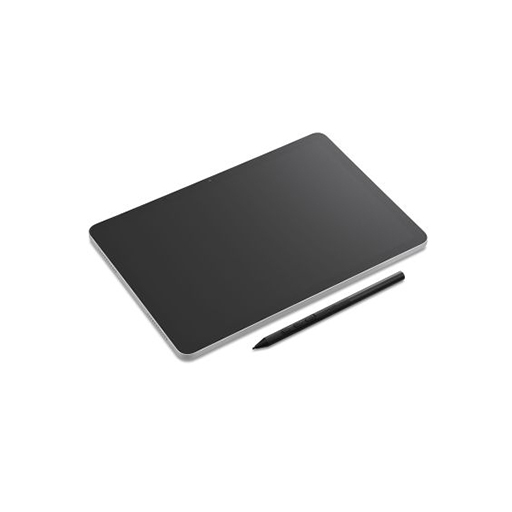
The Wacom MovinkPad 11 (DTHA116CL0B) is a compact standalone drawing tablet built for creative work on the move. Running on Android, it removes the need for a connected computer and brings sketching, illustration, and note-style drawing into a single lightweight device. With its textured display surface and precise pen input, it is designed to feel close to drawing on paper while keeping workflows digital and flexible.
Key Features of Wacom DTHA116CL0B
Standalone Android system with access to creative apps via Google Play
Wacom Pro Pen 3 with high pressure sensitivity and tilt recognition
Anti-glare etched glass surface for a natural drawing feel
Portable build designed for drawing anywhere without external devices
8GB RAM and 128GB storage for everyday creative workflows
Long-life battery supporting extended sketching sessions
Creative Mobility
The device is designed for users who want to capture ideas quickly without setting up a full workstation. It allows sketches, concepts, and illustrations to be created in different environments with minimal interruption.
Pen Precision Experience
The Pro Pen 3 delivers responsive input with natural tracking across the display surface. Its pressure sensitivity and tilt response support detailed line work and shading control for varied artistic styles.
Display and Surface Feel
The 11-inch screen combines clarity with a lightly textured surface, helping reduce glare while giving a controlled resistance that resembles traditional drawing materials.
Workflow Flexibility
With Android integration and app support, users can move from quick sketches to more developed artwork within the same environment, without transferring files between devices.
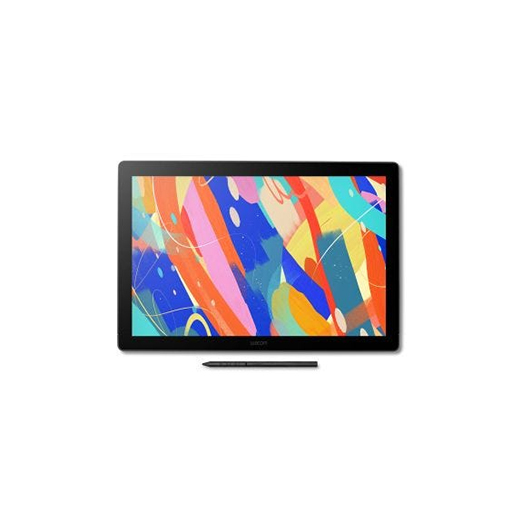
The Wacom Cintiq 16 DTK168K0B is a 16-inch pen display built for creators who want direct on-screen drawing with clear visual detail and responsive pen input. It combines a high-resolution laminated display with Wacom's Pro Pen technology to deliver precise control for illustration, design, and editing workflows in a compact desktop-friendly form.
Key Features: Wacom Cintiq 16 DTK168K0B
16-inch 2.5K IPS display (2560 x 1600 resolution)
Wide colour coverage with accurate visual output
Anti-glare etched glass for reduced reflections
Wacom Pro Pen 3 with 8,192 pressure levels
Tilt support for natural brush and line variation
Near-laminated screen for reduced parallax
USB-C connectivity with flexible setup options
Compact build with integrated foldable stand
Creative Display Experience
The display is designed to provide a direct drawing surface where pen movement closely matches on-screen response. The laminated glass reduces the gap between pen and cursor, helping maintain precision across detailed work such as illustration and digital painting.
Pen Interaction and Control
The Pro Pen 3 delivers responsive input with high pressure sensitivity and tilt recognition. It supports varied stroke control, allowing fine detail work as well as broader brush-style input depending on creative requirements.
Workspace Integration
The compact 16-inch format is suited to smaller desk setups while still providing enough working space for professional creative tasks. Connectivity options allow integration with different system setups through USB-C or adapter-based configurations.
Wacom Cintiq 16
Perfect for illustrators, students, and serious hobbyists ready to upgrade - ideal for design and pre-production on smaller workspaces.
Designed to Fit, Built to Impress
The Wacom Cintiq 16 packs a high-resolution 2.5K display—1.8x sharper than Full HD—into a slim, space-saving form. Perfect for smaller desks or mobile setups without compromising visual quality.
Built-In Comfort, Designed for You
Built-in foldable feet provide a steady 20° working angle right out of the box. For added ergonomic flexibility, the optional Wacom Adjustable Stand lets you fine-tune the angle silently and smoothly—so you can work in comfort, your way.
Plug In. Power Up. Create More.
Designed for modern and flexible workspaces, the Wacom Cintiq 16 supports a streamlined USB-C single-cable connection*—ideal for clean setups with minimal clutter. For added compatibility, it also supports an HDMI** + USB-A connection using optional cables. Just plug in the way that works for you and start creating with ease.
Seamless Integration with Industry Tools
The new Wacom Cintiq fits effortlessly into professional creative pipelines across pre-production, where compact tools need to deliver big results. Ideal for concept art, character design, visual development, and storyboarding, it supports industry-standard software like Adobe Photoshop, Clip Studio Paint, and Storyboard Pro. With full compatibility across Windows, macOS and Android™, it's made to support professional pipelines—even in smaller spaces.
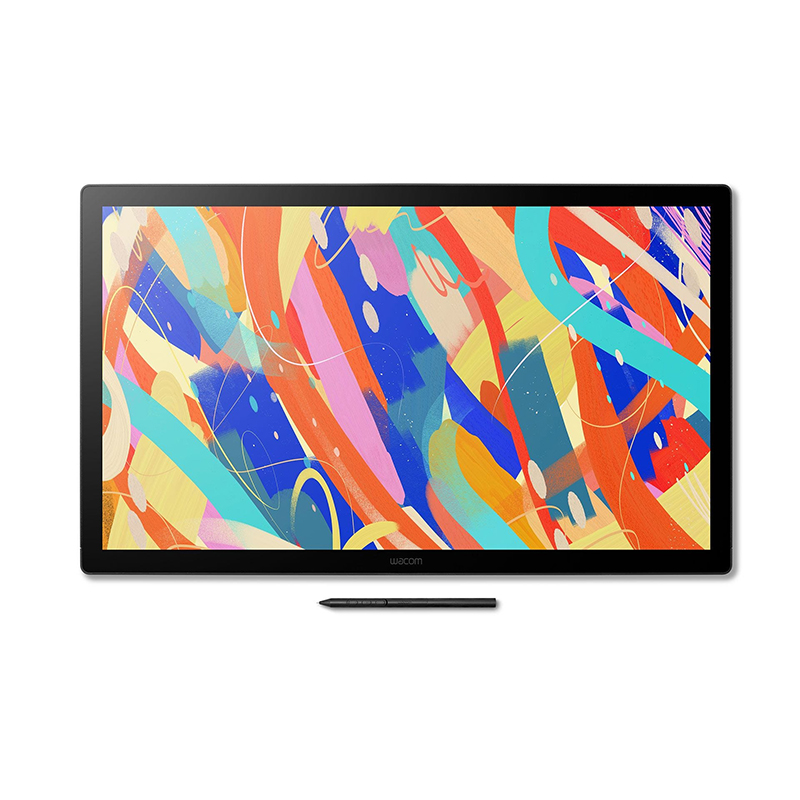
The Wacom DTK246K0B Cintiq 24 is a large-format pen display built for creators who want a spacious, direct drawing surface for illustration, animation, and design work. It delivers a 23.8-inch screen that supports detailed visual work with a natural pen-on-screen feel, making it suitable for extended creative sessions where precision and comfort matter.
Key Features of Wacom DTK246K0B
23.8-inch 2.5K (2560 x 1440) IPS display
Anti-glare etched glass for reduced reflections
100% sRGB colour coverage
Wacom Pro Pen 3 with 8,192 pressure levels
Tilt support for expressive line control
USB-C (DisplayPort Alt Mode) and HDMI connectivity
Adjustable stand with 16°-69° viewing angles
VESA mount compatibility for flexible setups
Spacious Creative Display
The 24-inch working area provides ample room for detailed drawing, layered compositions, and multi-window workflows. The display size supports a more natural hand movement range, which is useful for illustration and design projects that require precision across a wide canvas.
Pen Interaction and Control
The included Wacom Pro Pen 3 offers high pressure sensitivity and tilt recognition, allowing for varied line work and shading control. The pen operates without batteries, maintaining a consistent feel during long creative sessions.
Flexible Studio Setup
The adjustable stand allows the display to be positioned at different angles to match working preferences, while VESA compatibility provides additional mounting options for arms or custom studio arrangements. This makes it adaptable to both desktop and studio environments.
Wacom Cintiq 24
Designed for 2D workflows like concept art, storyboarding, and illustration in studio environments that demand a spacious, high-resolution canvas.
Wacom Cintiq 24 Touch
Optimized for interactive work like VFX, 3D sculpting, and animation - where touch and pen input enhance precision and flow.
Designed to Fit, Built to Impress
A refined edge-to-edge design houses a 2.5K display—nearly twice the resolution of Full HD. With the generous 24" screen, you'll enjoy a clear, comfortable workspace built to elevate your craft.
Built-In Comfort, Designed for You
Included with the 24" models, the Wacom Adjustable Stand offers smooth, silent angle control to support your ideal posture. Whether sitting or standing, you can quickly reposition the screen to match your workflow and line of sight.
Seamless Integration with Industry Tools
The Wacom Cintiq 24 is a natural fit for professional illustration, layout, and graphic design workflows. Whether you're working in Photoshop, Illustrator, or CLIP STUDIO PAINT, it offers the screen space and color precision needed for serious 2D production. Compatible with Windows, macOS and Android™, it's ready for any modern creative environment.
Stability Meets Flexibility - Now Built In
The Wacom Cintiq 24 is equipped with a fully integrated stand that supports a wide range of angles—from 16° to 69°—giving you complete control over your working posture. Whether seated, standing, or switching positions, you can create in comfort with smooth, stable adjustments that keep your workflow uninterrupted.
And thanks to VESA mount compatibility (75 x 75 mm), the Cintiq 24 also integrates easily into studio arms or ergonomic mounts—ensuring your display moves with your process.
Precision Evolved: The Wacom Pro Pen 3
The Wacom Pro Pen 3 comes standard with your Wacom Cintiq, offering a refined, responsive drawing experience. Powered by Wacom's evolved pen technology, it delivers precise pressure sensitivity and a natural feel for effortless control and accuracy. The included pen features a slim barrel, interchangeable nibs, and a 3-button side switch.
Built for Long-Term Value
Engineered for reliability in high-usage environments, the new Cintiq features a fanless, durable design that minimizes maintenance and extends device lifespan. This ensures reduced downtime, consistent performance, and a lower total cost of ownership—perfect for organizations managing multiple devices across departments.
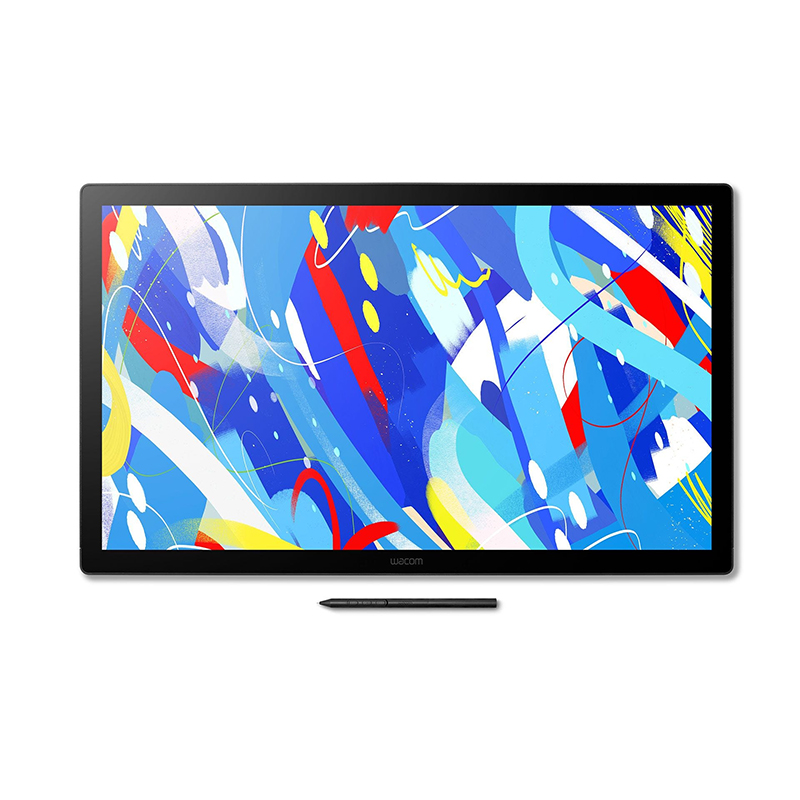
The Wacom Cintiq 24 Touch is a large pen display built for creators who want a direct drawing surface combined with gesture control. Its 23.8-inch screen provides a spacious working area for illustration, animation, and design work, while the Pro Pen 3 delivers precise input with a natural feel. The addition of multi-touch input allows users to navigate canvases using intuitive hand gestures, making it suitable for detailed and fast-moving creative workflows.
Key Features of Wacom DTH246K0B
23.8-inch WQHD (2560 x 1440) IPS display
Wacom Pro Pen 3 with 8192 pressure levels
Multi-touch gesture support for navigation and control
Anti-glare etched glass surface for reduced reflections
Factory-calibrated colour accuracy with wide sRGB coverage
Adjustable stand with ergonomic viewing angles
USB-C, HDMI, and USB-A connectivity options
VESA mount compatibility for flexible setup
Creative Workspace Experience
The wide 24-inch display offers ample room for complex artwork, layered compositions, and multitasking with tool palettes. It supports long creative sessions with a comfortable viewing surface that reduces visual strain.
Pen and Touch Interaction
The Pro Pen 3 provides responsive and accurate input for drawing and sketching, while the touch functionality allows quick canvas adjustments such as zooming, rotating, and panning using natural hand movements.
Display Quality and Detail
The WQHD resolution delivers clear image detail, supporting precise line work and colour accuracy. The anti-glare etched surface helps maintain visibility in different lighting conditions, making it suitable for studio environments.
Build and Setup Flexibility
The device includes an adjustable stand and supports VESA mounting, allowing users to tailor their workspace setup. Its connectivity options make it compatible with a wide range of creative systems.
Wacom Cintiq 24
Designed for 2D workflows like concept art, storyboarding, and illustration in studio environments that demand a spacious, high-resolution canvas.
Wacom Cintiq 24 Touch
Optimized for interactive work like VFX, 3D sculpting, and animation - where touch and pen input enhance precision and flow.
Designed to Fit, Built to Impress
With a generous 24" 2.5K display and responsive multi-touch support, the Cintiq 24 Touch blends sharp visuals with seamless navigation—wrapped in a clean, space-conscious design that keeps you focused.
Built-In Comfort, Designed for You
Included with the 24" models, the Wacom Adjustable Stand offers smooth, silent angle control to support your ideal posture. Whether sitting or standing, you can quickly reposition the screen to match your workflow and line of sight.
Seamless Integration with Industry Tools
With multi-touch support and pen precision, the Wacom Cintiq 24 Touch integrates effortlessly into hybrid 2D/3D workflows—from animation and matte painting to sculpting and compositing. It works flawlessly with tools like Adobe Photoshop, Toon Boom Harmony, Blender, and Maya. Fully compatible with Windows, macOS and Android™, it's tailored for studios that demand flexibility and performance.
Stability Meets Flexibility - Now Built In
With a fully integrated stand that adjusts from 16° to 69°, the Wacom Cintiq 24 Touch gives you total control over your workspace—whether you're sculpting in 3D, animating frame by frame, or storyboarding with both pen and touch. Easily find the perfect angle for any task, and stay focused with a rock-solid, wobble-free design.
Touch and pen input work seamlessly from every angle, and VESA mount compatibility (75 x 75 mm) adds even more flexibility—supporting advanced studio setups with arms or rotating mounts.
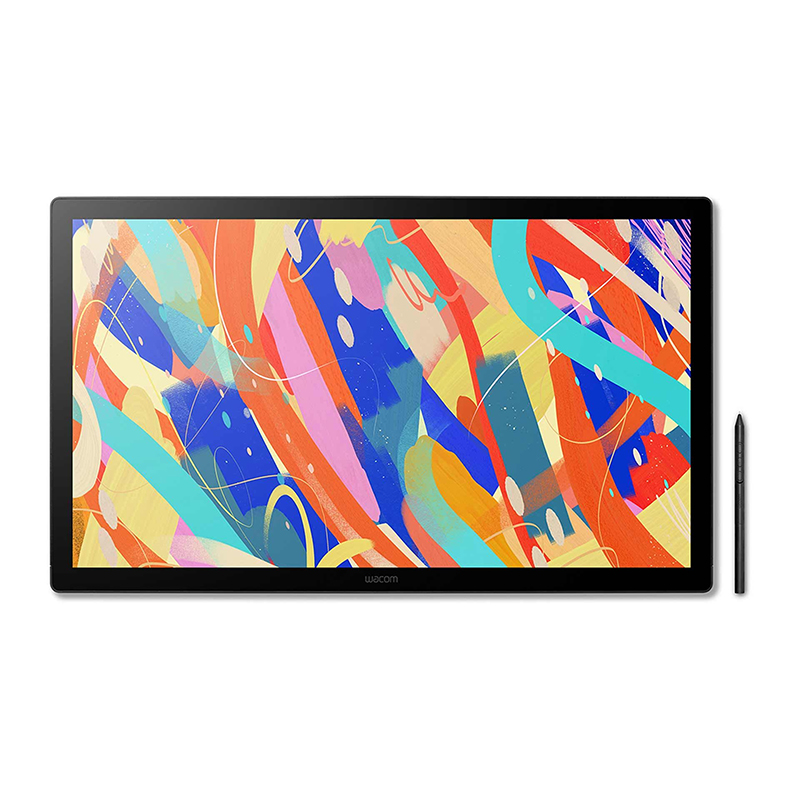
The Wacom Cintiq 24 Pen Display (DTK246EK0B) delivers a spacious and responsive canvas built for detailed creative work, combining a 23.8-inch screen with crisp 2.5K resolution to give artwork the clarity it deserves. Its anti-glare etched glass surface provides a natural drawing feel, closely mirroring traditional media, while the included Pro Pen 3 brings precision and control with every stroke. Designed for long sessions, the slim, fanless build keeps distractions to a minimum, and the adjustable stand supports comfortable positioning for a variety of workflows, making it a dependable choice for artists who need consistency, accuracy, and room to create.
Key Features of Wacom DTK246EK0B
23.8-inch display with 2560 x 1440 resolution for detailed visuals
Anti-glare etched glass surface for a natural pen-on-screen feel
Wacom Pro Pen 3 with 8192 pressure levels and tilt support
100% sRGB colour coverage for reliable colour work
Adjustable stand with a wide range of working angles
Fanless design for quiet, uninterrupted use
USB-C, HDMI, and USB-A connectivity for flexible setup
Expansive Creative Workspace
The large 23.8-inch display provides generous room for sketching, editing, and multitasking, allowing users to work on complex compositions without feeling restricted. The 2.5K resolution keeps lines sharp and details clear across the entire screen.
Natural Pen Performance
With the Pro Pen 3, every stroke feels accurate and controlled, offering high levels of pressure sensitivity and tilt recognition. The pen’s customisable design allows artists to tailor grip and balance to suit their preferences.
Comfortable, Distraction-Free Design
The slim, fanless construction ensures quiet operation, while the adjustable stand makes it easy to find a comfortable working angle. This thoughtful design supports extended sessions without unnecessary noise or strain.
Flexible Connectivity
Multiple connection options, including USB-C, HDMI, and USB-A, make it easy to integrate the display into a range of setups, whether working from a desktop or compatible mobile device.
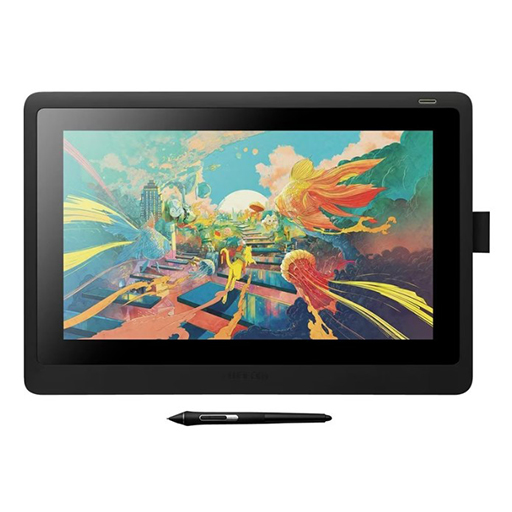
*Product may differ in appearance; Images used are for illustrative purposes only
The Wacom DTK168E Cintiq 16 for business use brings precise pen interaction and a refined display into environments where accuracy and clarity matter. Built around a 16-inch 2.5K screen, it delivers a natural writing and annotation experience that feels immediate and controlled, making it well suited to document handling, digital signing, and day-to-day professional workflows. With its clean design, dependable performance, and seamless pen response, it fits comfortably into deskside setups where efficiency and consistency are key.
Key Features of Wacom DTK168E
16-inch 2.5K display for clear, detailed visuals
Wacom Pro Pen 3 with 8192 pressure levels
Battery-free pen technology for uninterrupted use
Anti-glare etched glass surface for reduced reflections
Accurate pen tracking with minimal parallax
Flexible connectivity with USB-C and HDMI options
Compact design with integrated fold-out stand
Natural Pen Performance
The included Pro Pen 3 delivers a smooth and responsive feel, closely matching traditional pen-on-paper interaction. With high pressure sensitivity and tilt recognition, it allows for precise control whether signing documents or adding detailed annotations.
Clear and Comfortable Display
The 16-inch screen provides sharp resolution and consistent colour, while the anti-glare surface reduces distractions from reflections. This creates a comfortable viewing experience during extended use across various professional tasks.
Designed for Daily Workflows
Its slim profile and integrated stand make it easy to position on a desk without taking up excessive space. The layout supports efficient use in environments where reliability and ease of use are essential.
Flexible Connectivity
With support for USB-C and HDMI connections, the device can be integrated into a range of systems. This flexibility allows it to adapt to different setups without unnecessary complexity.
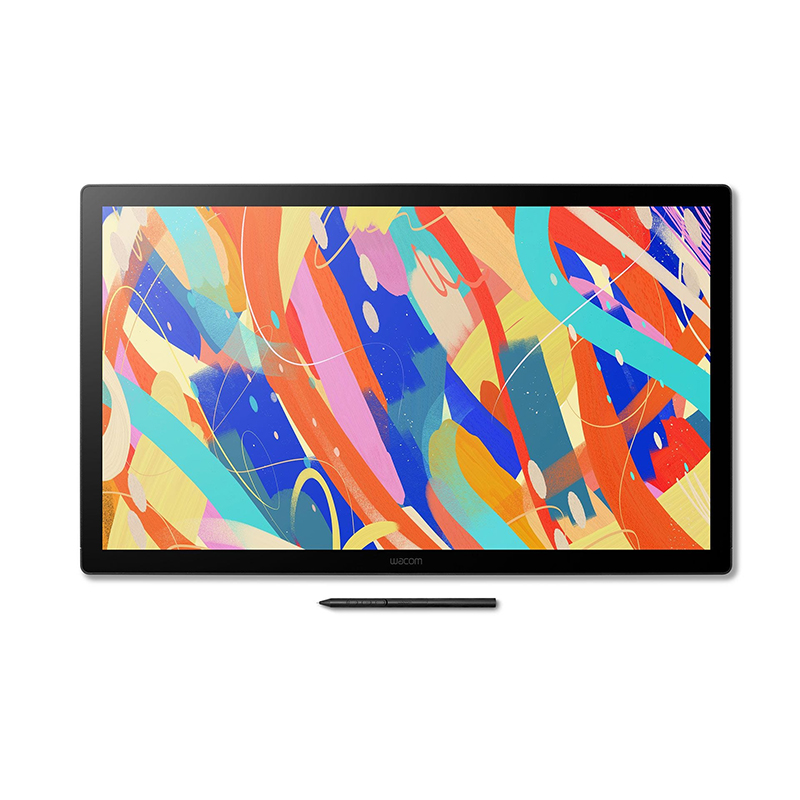
The Wacom DTK246K0B Cintiq 24 is a large-format pen display built for creators who want a spacious, direct drawing surface for illustration, animation, and design work. It delivers a 23.8-inch screen that supports detailed visual work with a natural pen-on-screen feel, making it suitable for extended creative sessions where precision and comfort matter.
Key Features of Wacom DTK246K0B-5Y
23.8-inch IPS display with 2560 × 1440 resolution
100% sRGB colour coverage for accurate visual output
Wacom Pro Pen 3 with 8192 pressure levels
Battery-free pen with tilt recognition up to ±60°
Anti-glare etched glass surface for reduced reflection
Fully laminated screen to reduce parallax
USB-C, HDMI, and USB-A connectivity options
Adjustable stand included with multiple viewing angles
VESA mount compatibility for flexible setups
Spacious Creative Display
The 24-inch working area provides ample room for detailed drawing, layered compositions, and multi-window workflows. The display size supports a more natural hand movement range, which is useful for illustration and design projects that require precision across a wide canvas.
Pen Interaction and Control
The included Wacom Pro Pen 3 offers high pressure sensitivity and tilt recognition, allowing for varied line work and shading control. The pen operates without batteries, maintaining a consistent feel during long creative sessions.
Flexible Studio Setup
The adjustable stand allows the display to be positioned at different angles to match working preferences, while VESA compatibility provides additional mounting options for arms or custom studio arrangements. This makes it adaptable to both desktop and studio environments.
Wacom Cintiq 24
Designed for 2D workflows like concept art, storyboarding, and illustration in studio environments that demand a spacious, high-resolution canvas.
Wacom Cintiq 24 Touch
Optimized for interactive work like VFX, 3D sculpting, and animation - where touch and pen input enhance precision and flow.
Designed to Fit, Built to Impress
A refined edge-to-edge design houses a 2.5K display—nearly twice the resolution of Full HD. With the generous 24" screen, you'll enjoy a clear, comfortable workspace built to elevate your craft.
Built-In Comfort, Designed for You
Included with the 24" models, the Wacom Adjustable Stand offers smooth, silent angle control to support your ideal posture. Whether sitting or standing, you can quickly reposition the screen to match your workflow and line of sight.
Seamless Integration with Industry Tools
The Wacom Cintiq 24 is a natural fit for professional illustration, layout, and graphic design workflows. Whether you're working in Photoshop, Illustrator, or CLIP STUDIO PAINT, it offers the screen space and color precision needed for serious 2D production. Compatible with Windows, macOS and Android™, it's ready for any modern creative environment.
Stability Meets Flexibility - Now Built In
The Wacom Cintiq 24 is equipped with a fully integrated stand that supports a wide range of angles—from 16° to 69°—giving you complete control over your working posture. Whether seated, standing, or switching positions, you can create in comfort with smooth, stable adjustments that keep your workflow uninterrupted.
And thanks to VESA mount compatibility (75 x 75 mm), the Cintiq 24 also integrates easily into studio arms or ergonomic mounts—ensuring your display moves with your process.
Precision Evolved: The Wacom Pro Pen 3
The Wacom Pro Pen 3 comes standard with your Wacom Cintiq, offering a refined, responsive drawing experience. Powered by Wacom's evolved pen technology, it delivers precise pressure sensitivity and a natural feel for effortless control and accuracy. The included pen features a slim barrel, interchangeable nibs, and a 3-button side switch.
Built for Long-Term Value
Engineered for reliability in high-usage environments, the new Cintiq features a fanless, durable design that minimizes maintenance and extends device lifespan. This ensures reduced downtime, consistent performance, and a lower total cost of ownership—perfect for organizations managing multiple devices across departments.
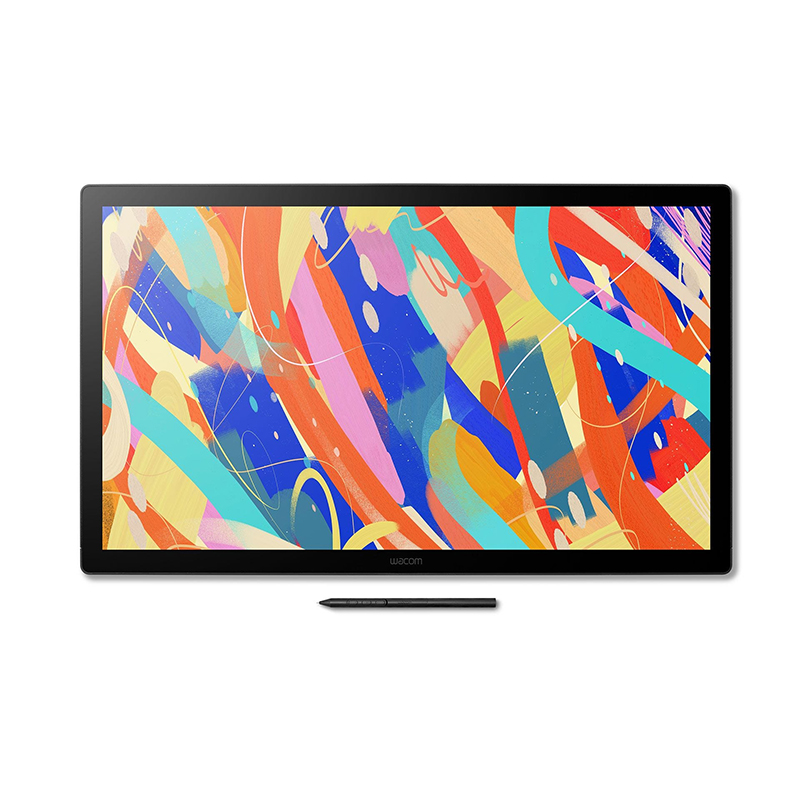
*Product may differ in appearance; Images used are for illustrative purposes only
The Wacom Cintiq 24 Touch (DTH246EK0B) is a large-format pen display built for direct creative interaction, combining a high-resolution screen with pen and touch input in a single workspace. It is designed to support detailed visual work such as illustration, animation, photo editing, and 3D modelling, where precision and fluid navigation on screen are important. The display size and interaction methods allow for a more direct working approach compared to traditional tablet and monitor setups.
Key Features of Wacom Cintiq 24 Touch
23.8-inch WQHD (2560 × 1440) IPS display with wide colour coverage
Pro Pen 3 with 8192 pressure levels and tilt recognition
10-point multi-touch support for gesture-based navigation
Etched anti-glare surface for reduced reflection and natural drawing feel
Adjustable stand with flexible viewing angles for studio setups
USB-C, HDMI, and USB-A connectivity for flexible integration
Fanless design for quieter operation during extended use
Display Quality
The 24-inch QHD screen delivers sharp detail and consistent colour output, supporting accurate visual work across design and illustration tasks. The anti-glare etched surface helps maintain clarity under varied lighting conditions while offering a tactile drawing response closer to traditional media.
Pen and Touch Interaction
The Pro Pen 3 provides precise tracking with pressure and tilt sensitivity, enabling controlled line work and shading. Touch functionality adds another layer of interaction, allowing users to pan, zoom, and rotate directly on the display for faster navigation across projects.
Build and Setup
Designed for studio environments, the unit supports adjustable positioning and VESA mounting options. Its slim profile helps it integrate into professional desks without occupying excessive space, while maintaining stability during intensive drawing sessions.