
Galaxy AI is Here
Galaxy AI is now pre-installed on the Tab S10 Series for the first time, giving you access to a huge, AI-powered studio canvas.
Galaxy AI Highlights
AI-enhanced Note-taking
Sketch to Image
Galaxy AI Key
Anti-reflection Tech
Iconic design. Iconic feel
There's a touch of innovation in every detail — with all new design accents on the S pen, charging area and camera
deco. And each one feels amazing to the touch.
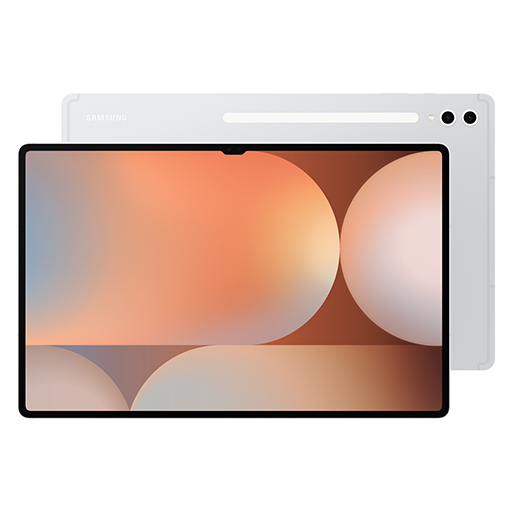
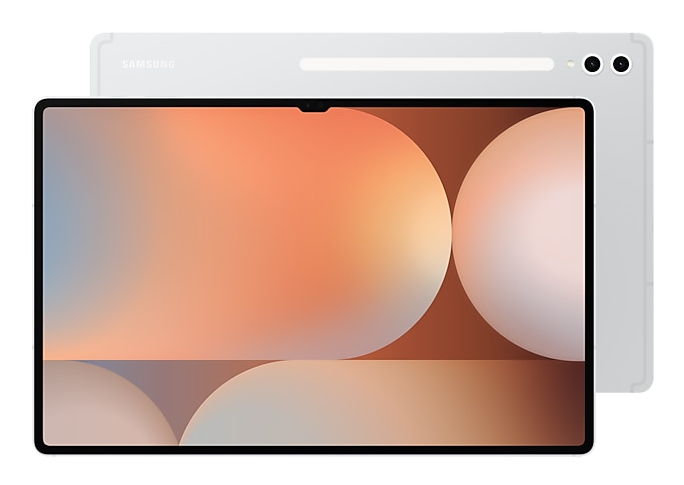
Pick from two bold colourways
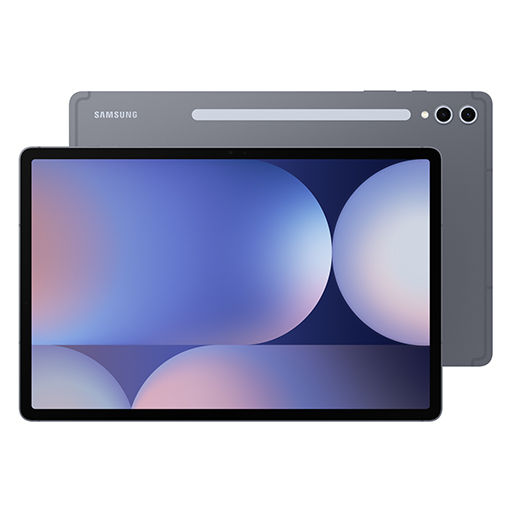
Choose between Moonstone Grey and Platinum Silver — each with a matching S Pen and available for Tab S10+ or the
massive Tab S10 Ultra.
Galaxy AI optimised for the big screen
You've seen Galaxy AI, but not like this. This massive screen brings Galaxy AI features to life in a big way to
maximise your productivity and fun.
Your personal note-taking assistant
Get meeting notes while staying completely engaged in the meeting — just record the meeting then transcribe audio to
text. Galaxy AI can then format and summarise those notes, making note-taking effortlessly easy.
Edit in Split View
Formatting your notes gets even easier in Split View — helping you format while keeping track of the original.
*This feature requires a network connection and Samsung Account login. This feature is
activated when a certain number of characters is met. Service availability may vary by language. Accuracy of
results is not guaranteed.
Translate Whole PDFs
Need to read a PDF in a language you don't know? Now you can. Get instant translations in an easy-to-read overlay.
Rocket science just got easier
Solve Math makes calculation a cinch — automatically calculating complex formulas. And with Handwriting Help, it can
even decipher your handwriting.
Circle to Search with Google on the big screen
Experience the power of Circle to Search with Google on a larger screen. Just circle, highlight, or tap an image or
text to get Google Search results. You can even get instant translations.
*Sequences shortened and simulated. Results for illustrative purposes only. Service
availability may vary by country, language, device model. Requires internet connection. Users may need to
update Android and Google app to the latest version. Works on compatible apps and surfaces. Results may vary
depending on visual matches. Accuracy of results is not guaranteed.
Dream it. Draw it. Done
Use Sketch to Image to turn your rough sketches and doodles into artwork with the help of AI and S Pen wizardry.
Drawing is more powerful than ever.
*S Pen included.
**Sketch to Image feature requires a network connection and Samsung Account login.
Editing with Sketch to Image may result in a resized photo up to 12MP. A visible watermark is overlaid on
the image output upon saving in order to indicate that the image is generated by AI. Sequences shortened and
simulated. The accuracy and reliability of the generated output is not guaranteed.
***The inbox S Pen for the Galaxy Tab S10 Series is water and dust-resistant S Pen
with an IP68 rating. Based on lab test conditions for submersion in up to 1.5 meters of freshwater for up to
30 minutes. Not advised for beach or pool use. Water and dust resistance of the S Pen is not permanent and
may diminish over time because of normal wear and tear.
****Dust resistance rating is tested under lab conditions by a third party: 2kg of
talc powder (max. diameter of 0.05mm) per cubic meter was blown into a test chamber housing the device (air
pressure within device kept below surrounding air) for 2 hours. Rated IP6X. Dust-resistance may vary by
actual usage conditions.
*****Remove any excess water from the S Pen with a dry cloth or towel before using
or attaching it to tablet.
Launch AI with a single tap
Press the Galaxy AI Key to unleash Galaxy AI to search what you want. Your keyboard is now highkey amazing.
*Book Cover Keyboard Slim sold separately. The product is available for Galaxy Tab S10 Series.
**Features and keyboard layout may vary by country, language and device model. Backlit feature available only on Galaxy Tab S10 Ultra Book Cover Keyboard by pressing Fn + F12.
***App shortcuts can be assigned for select apps only.
****Pressing Alt + Galaxy AI Key provides the option to switch the AI assistant to Bixby or Gemini.
*****A network connection is required to use Bixby or Gemini. To launch Gemini using the Galaxy AI Key, Google Assistant needs to be updated to Gemini.
The Power of Galaxy AI Across Devices
Your Galaxy AI arsenal only grows the more Galaxy AI products you own. PLus, all the Galaxy AI features you love on other Galaxy devices are also ohere on Tab S10 Series
Go large or ultra large
Dive in to deeper colours and truer blacks all optimised for the Dynamic AMOLED 2X display. Immerse yourself in a cinematic experience with incredible resolution and ultra smooth interactions on what many consider the ultimate display.
Less glare everywhere
Reduce glare from and improve visibility with anti-reflection technology and the powerful Vision Booster.
Keeps cool when gaming heats up
Rev up the excitement with an ultra fast, powerful processor. When the action really heats up, it keeps cool with the larger Vapor Chamber cooling system — built to more efficiently cool the longer you game, or binge videos.
Save more of what you love
Store more. From creative projects, to movies, to games to even just photos with tons of available internal storage.
Busts dust. Withstands water
A little water won't hurt you. In fact, you're in the clear in up to 1.5 meters of fresh water for up to 30 mins.
Durability that can't be beat
The Enhanced Armor Aluminum frame is more durable than ever and ready to take all kinds of drops.
More battery. More games. More video
Put all that battery life to good use. Game for hours and hours, binge your favorite shows, then Super Fast Charge back to 100% just like that.
An ultra-wide camera to capture more of your world
An ultra-wide camera to capture more of your world
Amazing alone. Better together
Get the most out of your Tab S10 Series by pairing with other Galaxy products. They work seamlessly together, so whatever you're doing simply flows naturally.
Capacity: | |
Colour: |
Galaxy AI is Here
Galaxy AI is now pre-installed on the Tab S10 Series for the first time, giving you access to a huge, AI-powered studio canvas.
Galaxy AI Highlights
AI-enhanced Note-taking
Sketch to Image
Galaxy AI Key
Anti-reflection Tech
Iconic design. Iconic feel
There's a touch of innovation in every detail — with all new design accents on the S pen, charging area and camera
deco. And each one feels amazing to the touch.
Pick from two bold colourways
Choose between Moonstone Grey and Platinum Silver — each with a matching S Pen and available for Tab S10+ or the
massive Tab S10 Ultra.
Galaxy AI optimised for the big screen
You've seen Galaxy AI, but not like this. This massive screen brings Galaxy AI features to life in a big way to
maximise your productivity and fun.
Your personal note-taking assistant
Get meeting notes while staying completely engaged in the meeting — just record the meeting then transcribe audio to
text. Galaxy AI can then format and summarise those notes, making note-taking effortlessly easy.
Edit in Split View
Formatting your notes gets even easier in Split View — helping you format while keeping track of the original.
*This feature requires a network connection and Samsung Account login. This feature is
activated when a certain number of characters is met. Service availability may vary by language. Accuracy of
results is not guaranteed.
Translate Whole PDFs
Need to read a PDF in a language you don't know? Now you can. Get instant translations in an easy-to-read overlay.
Rocket science just got easier
Solve Math makes calculation a cinch — automatically calculating complex formulas. And with Handwriting Help, it can
even decipher your handwriting.
Circle to Search with Google on the big screen
Experience the power of Circle to Search with Google on a larger screen. Just circle, highlight, or tap an image or
text to get Google Search results. You can even get instant translations.
*Sequences shortened and simulated. Results for illustrative purposes only. Service
availability may vary by country, language, device model. Requires internet connection. Users may need to
update Android and Google app to the latest version. Works on compatible apps and surfaces. Results may vary
depending on visual matches. Accuracy of results is not guaranteed.
Dream it. Draw it. Done
Use Sketch to Image to turn your rough sketches and doodles into artwork with the help of AI and S Pen wizardry.
Drawing is more powerful than ever.
*S Pen included.
**Sketch to Image feature requires a network connection and Samsung Account login.
Editing with Sketch to Image may result in a resized photo up to 12MP. A visible watermark is overlaid on
the image output upon saving in order to indicate that the image is generated by AI. Sequences shortened and
simulated. The accuracy and reliability of the generated output is not guaranteed.
***The inbox S Pen for the Galaxy Tab S10 Series is water and dust-resistant S Pen
with an IP68 rating. Based on lab test conditions for submersion in up to 1.5 meters of freshwater for up to
30 minutes. Not advised for beach or pool use. Water and dust resistance of the S Pen is not permanent and
may diminish over time because of normal wear and tear.
****Dust resistance rating is tested under lab conditions by a third party: 2kg of
talc powder (max. diameter of 0.05mm) per cubic meter was blown into a test chamber housing the device (air
pressure within device kept below surrounding air) for 2 hours. Rated IP6X. Dust-resistance may vary by
actual usage conditions.
*****Remove any excess water from the S Pen with a dry cloth or towel before using
or attaching it to tablet.
Launch AI with a single tap
Press the Galaxy AI Key to unleash Galaxy AI to search what you want. Your keyboard is now highkey amazing.
*Book Cover Keyboard Slim sold separately. The product is available for Galaxy Tab S10 Series.
**Features and keyboard layout may vary by country, language and device model. Backlit feature available only on Galaxy Tab S10 Ultra Book Cover Keyboard by pressing Fn + F12.
***App shortcuts can be assigned for select apps only.
****Pressing Alt + Galaxy AI Key provides the option to switch the AI assistant to Bixby or Gemini.
*****A network connection is required to use Bixby or Gemini. To launch Gemini using the Galaxy AI Key, Google Assistant needs to be updated to Gemini.
The Power of Galaxy AI Across Devices
Your Galaxy AI arsenal only grows the more Galaxy AI products you own. PLus, all the Galaxy AI features you love on other Galaxy devices are also ohere on Tab S10 Series
Go large or ultra large
Dive in to deeper colours and truer blacks all optimised for the Dynamic AMOLED 2X display. Immerse yourself in a cinematic experience with incredible resolution and ultra smooth interactions on what many consider the ultimate display.
Less glare everywhere
Reduce glare from and improve visibility with anti-reflection technology and the powerful Vision Booster.
Keeps cool when gaming heats up
Rev up the excitement with an ultra fast, powerful processor. When the action really heats up, it keeps cool with the larger Vapor Chamber cooling system — built to more efficiently cool the longer you game, or binge videos.
Save more of what you love
Store more. From creative projects, to movies, to games to even just photos with tons of available internal storage.
Busts dust. Withstands water
A little water won't hurt you. In fact, you're in the clear in up to 1.5 meters of fresh water for up to 30 mins.
Durability that can't be beat
The Enhanced Armor Aluminum frame is more durable than ever and ready to take all kinds of drops.
More battery. More games. More video
Put all that battery life to good use. Game for hours and hours, binge your favorite shows, then Super Fast Charge back to 100% just like that.
An ultra-wide camera to capture more of your world
An ultra-wide camera to capture more of your world
Amazing alone. Better together
Get the most out of your Tab S10 Series by pairing with other Galaxy products. They work seamlessly together, so whatever you're doing simply flows naturally.
Capacity: | |
Colour: |
Galaxy AI is Here
Galaxy AI is now pre-installed on the Tab S10 Series for the first time, giving you access to a huge, AI-powered studio canvas.
Galaxy AI Highlights
AI-enhanced Note-taking
Sketch to Image
Galaxy AI Key
Anti-reflection Tech
Iconic design. Iconic feel
There's a touch of innovation in every detail — with all new design accents on the S pen, charging area and camera
deco. And each one feels amazing to the touch.
Pick from two bold colourways
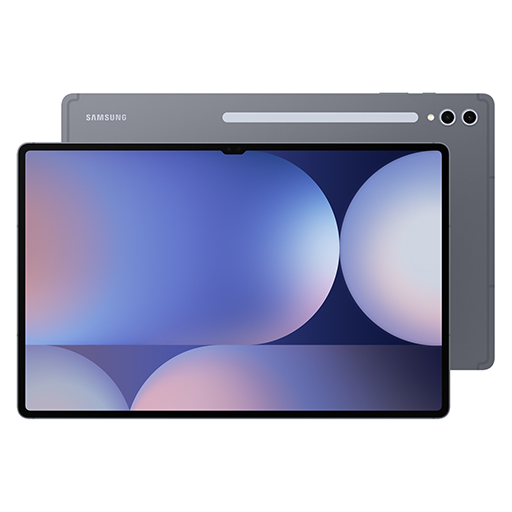
Choose between Moonstone Grey and Platinum Silver — each with a matching S Pen and available for Tab S10+ or the
massive Tab S10 Ultra.
Galaxy AI optimised for the big screen
You've seen Galaxy AI, but not like this. This massive screen brings Galaxy AI features to life in a big way to
maximise your productivity and fun.
Your personal note-taking assistant
Get meeting notes while staying completely engaged in the meeting — just record the meeting then transcribe audio to
text. Galaxy AI can then format and summarise those notes, making note-taking effortlessly easy.
Edit in Split View
Formatting your notes gets even easier in Split View — helping you format while keeping track of the original.
*This feature requires a network connection and Samsung Account login. This feature is
activated when a certain number of characters is met. Service availability may vary by language. Accuracy of
results is not guaranteed.
Translate Whole PDFs
Need to read a PDF in a language you don't know? Now you can. Get instant translations in an easy-to-read overlay.
Rocket science just got easier
Solve Math makes calculation a cinch — automatically calculating complex formulas. And with Handwriting Help, it can
even decipher your handwriting.
Circle to Search with Google on the big screen
Experience the power of Circle to Search with Google on a larger screen. Just circle, highlight, or tap an image or
text to get Google Search results. You can even get instant translations.
*Sequences shortened and simulated. Results for illustrative purposes only. Service
availability may vary by country, language, device model. Requires internet connection. Users may need to
update Android and Google app to the latest version. Works on compatible apps and surfaces. Results may vary
depending on visual matches. Accuracy of results is not guaranteed.
Dream it. Draw it. Done
Use Sketch to Image to turn your rough sketches and doodles into artwork with the help of AI and S Pen wizardry.
Drawing is more powerful than ever.
*S Pen included.
**Sketch to Image feature requires a network connection and Samsung Account login.
Editing with Sketch to Image may result in a resized photo up to 12MP. A visible watermark is overlaid on
the image output upon saving in order to indicate that the image is generated by AI. Sequences shortened and
simulated. The accuracy and reliability of the generated output is not guaranteed.
***The inbox S Pen for the Galaxy Tab S10 Series is water and dust-resistant S Pen
with an IP68 rating. Based on lab test conditions for submersion in up to 1.5 meters of freshwater for up to
30 minutes. Not advised for beach or pool use. Water and dust resistance of the S Pen is not permanent and
may diminish over time because of normal wear and tear.
****Dust resistance rating is tested under lab conditions by a third party: 2kg of
talc powder (max. diameter of 0.05mm) per cubic meter was blown into a test chamber housing the device (air
pressure within device kept below surrounding air) for 2 hours. Rated IP6X. Dust-resistance may vary by
actual usage conditions.
*****Remove any excess water from the S Pen with a dry cloth or towel before using
or attaching it to tablet.
Launch AI with a single tap
Press the Galaxy AI Key to unleash Galaxy AI to search what you want. Your keyboard is now highkey amazing.
*Book Cover Keyboard Slim sold separately. The product is available for Galaxy Tab S10 Series.
**Features and keyboard layout may vary by country, language and device model. Backlit feature available only on Galaxy Tab S10 Ultra Book Cover Keyboard by pressing Fn + F12.
***App shortcuts can be assigned for select apps only.
****Pressing Alt + Galaxy AI Key provides the option to switch the AI assistant to Bixby or Gemini.
*****A network connection is required to use Bixby or Gemini. To launch Gemini using the Galaxy AI Key, Google Assistant needs to be updated to Gemini.
The Power of Galaxy AI Across Devices
Your Galaxy AI arsenal only grows the more Galaxy AI products you own. PLus, all the Galaxy AI features you love on other Galaxy devices are also ohere on Tab S10 Series
Go large or ultra large
Dive in to deeper colours and truer blacks all optimised for the Dynamic AMOLED 2X display. Immerse yourself in a cinematic experience with incredible resolution and ultra smooth interactions on what many consider the ultimate display.
Less glare everywhere
Reduce glare from and improve visibility with anti-reflection technology and the powerful Vision Booster.
Keeps cool when gaming heats up
Rev up the excitement with an ultra fast, powerful processor. When the action really heats up, it keeps cool with the larger Vapor Chamber cooling system — built to more efficiently cool the longer you game, or binge videos.
Save more of what you love
Store more. From creative projects, to movies, to games to even just photos with tons of available internal storage.
Busts dust. Withstands water
A little water won't hurt you. In fact, you're in the clear in up to 1.5 meters of fresh water for up to 30 mins.
Durability that can't be beat
The Enhanced Armor Aluminum frame is more durable than ever and ready to take all kinds of drops.
More battery. More games. More video
Put all that battery life to good use. Game for hours and hours, binge your favorite shows, then Super Fast Charge back to 100% just like that.
An ultra-wide camera to capture more of your world
An ultra-wide camera to capture more of your world
Amazing alone. Better together
Get the most out of your Tab S10 Series by pairing with other Galaxy products. They work seamlessly together, so whatever you're doing simply flows naturally.
Capacity: | |
Colour: |
Galaxy AI is Here
Galaxy AI is now pre-installed on the Tab S10 Series for the first time, giving you access to a huge, AI-powered studio canvas.
Galaxy AI Highlights
AI-enhanced Note-taking
Sketch to Image
Galaxy AI Key
Anti-reflection Tech
Iconic design. Iconic feel
There's a touch of innovation in every detail — with all new design accents on the S pen, charging area and camera
deco. And each one feels amazing to the touch.
Pick from two bold colourways
Choose between Moonstone Grey and Platinum Silver — each with a matching S Pen and available for Tab S10+ or the
massive Tab S10 Ultra.
Galaxy AI optimised for the big screen
You've seen Galaxy AI, but not like this. This massive screen brings Galaxy AI features to life in a big way to
maximise your productivity and fun.
Your personal note-taking assistant
Get meeting notes while staying completely engaged in the meeting — just record the meeting then transcribe audio to
text. Galaxy AI can then format and summarise those notes, making note-taking effortlessly easy.
Edit in Split View
Formatting your notes gets even easier in Split View — helping you format while keeping track of the original.
*This feature requires a network connection and Samsung Account login. This feature is
activated when a certain number of characters is met. Service availability may vary by language. Accuracy of
results is not guaranteed.
Translate Whole PDFs
Need to read a PDF in a language you don't know? Now you can. Get instant translations in an easy-to-read overlay.
Rocket science just got easier
Solve Math makes calculation a cinch — automatically calculating complex formulas. And with Handwriting Help, it can
even decipher your handwriting.
Circle to Search with Google on the big screen
Experience the power of Circle to Search with Google on a larger screen. Just circle, highlight, or tap an image or
text to get Google Search results. You can even get instant translations.
*Sequences shortened and simulated. Results for illustrative purposes only. Service
availability may vary by country, language, device model. Requires internet connection. Users may need to
update Android and Google app to the latest version. Works on compatible apps and surfaces. Results may vary
depending on visual matches. Accuracy of results is not guaranteed.
Dream it. Draw it. Done
Use Sketch to Image to turn your rough sketches and doodles into artwork with the help of AI and S Pen wizardry.
Drawing is more powerful than ever.
*S Pen included.
**Sketch to Image feature requires a network connection and Samsung Account login.
Editing with Sketch to Image may result in a resized photo up to 12MP. A visible watermark is overlaid on
the image output upon saving in order to indicate that the image is generated by AI. Sequences shortened and
simulated. The accuracy and reliability of the generated output is not guaranteed.
***The inbox S Pen for the Galaxy Tab S10 Series is water and dust-resistant S Pen
with an IP68 rating. Based on lab test conditions for submersion in up to 1.5 meters of freshwater for up to
30 minutes. Not advised for beach or pool use. Water and dust resistance of the S Pen is not permanent and
may diminish over time because of normal wear and tear.
****Dust resistance rating is tested under lab conditions by a third party: 2kg of
talc powder (max. diameter of 0.05mm) per cubic meter was blown into a test chamber housing the device (air
pressure within device kept below surrounding air) for 2 hours. Rated IP6X. Dust-resistance may vary by
actual usage conditions.
*****Remove any excess water from the S Pen with a dry cloth or towel before using
or attaching it to tablet.
Launch AI with a single tap
Press the Galaxy AI Key to unleash Galaxy AI to search what you want. Your keyboard is now highkey amazing.
*Book Cover Keyboard Slim sold separately. The product is available for Galaxy Tab S10 Series.
**Features and keyboard layout may vary by country, language and device model. Backlit feature available only on Galaxy Tab S10 Ultra Book Cover Keyboard by pressing Fn + F12.
***App shortcuts can be assigned for select apps only.
****Pressing Alt + Galaxy AI Key provides the option to switch the AI assistant to Bixby or Gemini.
*****A network connection is required to use Bixby or Gemini. To launch Gemini using the Galaxy AI Key, Google Assistant needs to be updated to Gemini.
The Power of Galaxy AI Across Devices
Your Galaxy AI arsenal only grows the more Galaxy AI products you own. PLus, all the Galaxy AI features you love on other Galaxy devices are also ohere on Tab S10 Series
Go large or ultra large
Dive in to deeper colours and truer blacks all optimised for the Dynamic AMOLED 2X display. Immerse yourself in a cinematic experience with incredible resolution and ultra smooth interactions on what many consider the ultimate display.
Less glare everywhere
Reduce glare from and improve visibility with anti-reflection technology and the powerful Vision Booster.
Keeps cool when gaming heats up
Rev up the excitement with an ultra fast, powerful processor. When the action really heats up, it keeps cool with the larger Vapor Chamber cooling system — built to more efficiently cool the longer you game, or binge videos.
Save more of what you love
Store more. From creative projects, to movies, to games to even just photos with tons of available internal storage.
Busts dust. Withstands water
A little water won't hurt you. In fact, you're in the clear in up to 1.5 meters of fresh water for up to 30 mins.
Durability that can't be beat
The Enhanced Armor Aluminum frame is more durable than ever and ready to take all kinds of drops.
More battery. More games. More video
Put all that battery life to good use. Game for hours and hours, binge your favorite shows, then Super Fast Charge back to 100% just like that.
An ultra-wide camera to capture more of your world
An ultra-wide camera to capture more of your world
Amazing alone. Better together
Get the most out of your Tab S10 Series by pairing with other Galaxy products. They work seamlessly together, so whatever you're doing simply flows naturally.
Capacity: | |
Colour: |
Galaxy AI is Here
Galaxy AI is now pre-installed on the Tab S10 Series for the first time, giving you access to a huge, AI-powered studio canvas.
Galaxy AI Highlights
AI-enhanced Note-taking
Sketch to Image
Galaxy AI Key
Anti-reflection Tech
Iconic design. Iconic feel
There's a touch of innovation in every detail — with all new design accents on the S pen, charging area and camera
deco. And each one feels amazing to the touch.
Pick from two bold colourways
Choose between Moonstone Grey and Platinum Silver — each with a matching S Pen and available for Tab S10+ or the
massive Tab S10 Ultra.
Galaxy AI optimised for the big screen
You've seen Galaxy AI, but not like this. This massive screen brings Galaxy AI features to life in a big way to
maximise your productivity and fun.
Your personal note-taking assistant
Get meeting notes while staying completely engaged in the meeting — just record the meeting then transcribe audio to
text. Galaxy AI can then format and summarise those notes, making note-taking effortlessly easy.
Edit in Split View
Formatting your notes gets even easier in Split View — helping you format while keeping track of the original.
*This feature requires a network connection and Samsung Account login. This feature is
activated when a certain number of characters is met. Service availability may vary by language. Accuracy of
results is not guaranteed.
Translate Whole PDFs
Need to read a PDF in a language you don't know? Now you can. Get instant translations in an easy-to-read overlay.
Rocket science just got easier
Solve Math makes calculation a cinch — automatically calculating complex formulas. And with Handwriting Help, it can
even decipher your handwriting.
Circle to Search with Google on the big screen
Experience the power of Circle to Search with Google on a larger screen. Just circle, highlight, or tap an image or
text to get Google Search results. You can even get instant translations.
*Sequences shortened and simulated. Results for illustrative purposes only. Service
availability may vary by country, language, device model. Requires internet connection. Users may need to
update Android and Google app to the latest version. Works on compatible apps and surfaces. Results may vary
depending on visual matches. Accuracy of results is not guaranteed.
Dream it. Draw it. Done
Use Sketch to Image to turn your rough sketches and doodles into artwork with the help of AI and S Pen wizardry.
Drawing is more powerful than ever.
*S Pen included.
**Sketch to Image feature requires a network connection and Samsung Account login.
Editing with Sketch to Image may result in a resized photo up to 12MP. A visible watermark is overlaid on
the image output upon saving in order to indicate that the image is generated by AI. Sequences shortened and
simulated. The accuracy and reliability of the generated output is not guaranteed.
***The inbox S Pen for the Galaxy Tab S10 Series is water and dust-resistant S Pen
with an IP68 rating. Based on lab test conditions for submersion in up to 1.5 meters of freshwater for up to
30 minutes. Not advised for beach or pool use. Water and dust resistance of the S Pen is not permanent and
may diminish over time because of normal wear and tear.
****Dust resistance rating is tested under lab conditions by a third party: 2kg of
talc powder (max. diameter of 0.05mm) per cubic meter was blown into a test chamber housing the device (air
pressure within device kept below surrounding air) for 2 hours. Rated IP6X. Dust-resistance may vary by
actual usage conditions.
*****Remove any excess water from the S Pen with a dry cloth or towel before using
or attaching it to tablet.
Launch AI with a single tap
Press the Galaxy AI Key to unleash Galaxy AI to search what you want. Your keyboard is now highkey amazing.
*Book Cover Keyboard Slim sold separately. The product is available for Galaxy Tab S10 Series.
**Features and keyboard layout may vary by country, language and device model. Backlit feature available only on Galaxy Tab S10 Ultra Book Cover Keyboard by pressing Fn + F12.
***App shortcuts can be assigned for select apps only.
****Pressing Alt + Galaxy AI Key provides the option to switch the AI assistant to Bixby or Gemini.
*****A network connection is required to use Bixby or Gemini. To launch Gemini using the Galaxy AI Key, Google Assistant needs to be updated to Gemini.
The Power of Galaxy AI Across Devices
Your Galaxy AI arsenal only grows the more Galaxy AI products you own. PLus, all the Galaxy AI features you love on other Galaxy devices are also ohere on Tab S10 Series
Go large or ultra large
Dive in to deeper colours and truer blacks all optimised for the Dynamic AMOLED 2X display. Immerse yourself in a cinematic experience with incredible resolution and ultra smooth interactions on what many consider the ultimate display.
Less glare everywhere
Reduce glare from and improve visibility with anti-reflection technology and the powerful Vision Booster.
Keeps cool when gaming heats up
Rev up the excitement with an ultra fast, powerful processor. When the action really heats up, it keeps cool with the larger Vapor Chamber cooling system — built to more efficiently cool the longer you game, or binge videos.
Save more of what you love
Store more. From creative projects, to movies, to games to even just photos with tons of available internal storage.
Busts dust. Withstands water
A little water won't hurt you. In fact, you're in the clear in up to 1.5 meters of fresh water for up to 30 mins.
Durability that can't be beat
The Enhanced Armor Aluminum frame is more durable than ever and ready to take all kinds of drops.
More battery. More games. More video
Put all that battery life to good use. Game for hours and hours, binge your favorite shows, then Super Fast Charge back to 100% just like that.
An ultra-wide camera to capture more of your world
An ultra-wide camera to capture more of your world
Amazing alone. Better together
Get the most out of your Tab S10 Series by pairing with other Galaxy products. They work seamlessly together, so whatever you're doing simply flows naturally.