
The Plugable UD-3900H-EU USB 3.0 Docking Station expands a single USB connection into a full workstation setup with dual monitors, multiple USB ports, wired networking, and audio support. It is built for users who need a stable desktop-style environment from a laptop, using a single cable connection to manage displays and peripherals together.
Key Features of Plugable UD-3900H-EU
Supports dual external displays through HDMI and DVI outputs
USB 3.0 connection to the host laptop for data and display handling
Includes multiple USB ports for keyboards, mice, and external devices
Built-in Gigabit Ethernet port for wired internet access
Integrated audio ports for headphone and microphone support
Horizontal docking station design for stable desk placement
Compatible with Windows, macOS, and ChromeOS via DisplayLink drivers
Expand Your Workstation
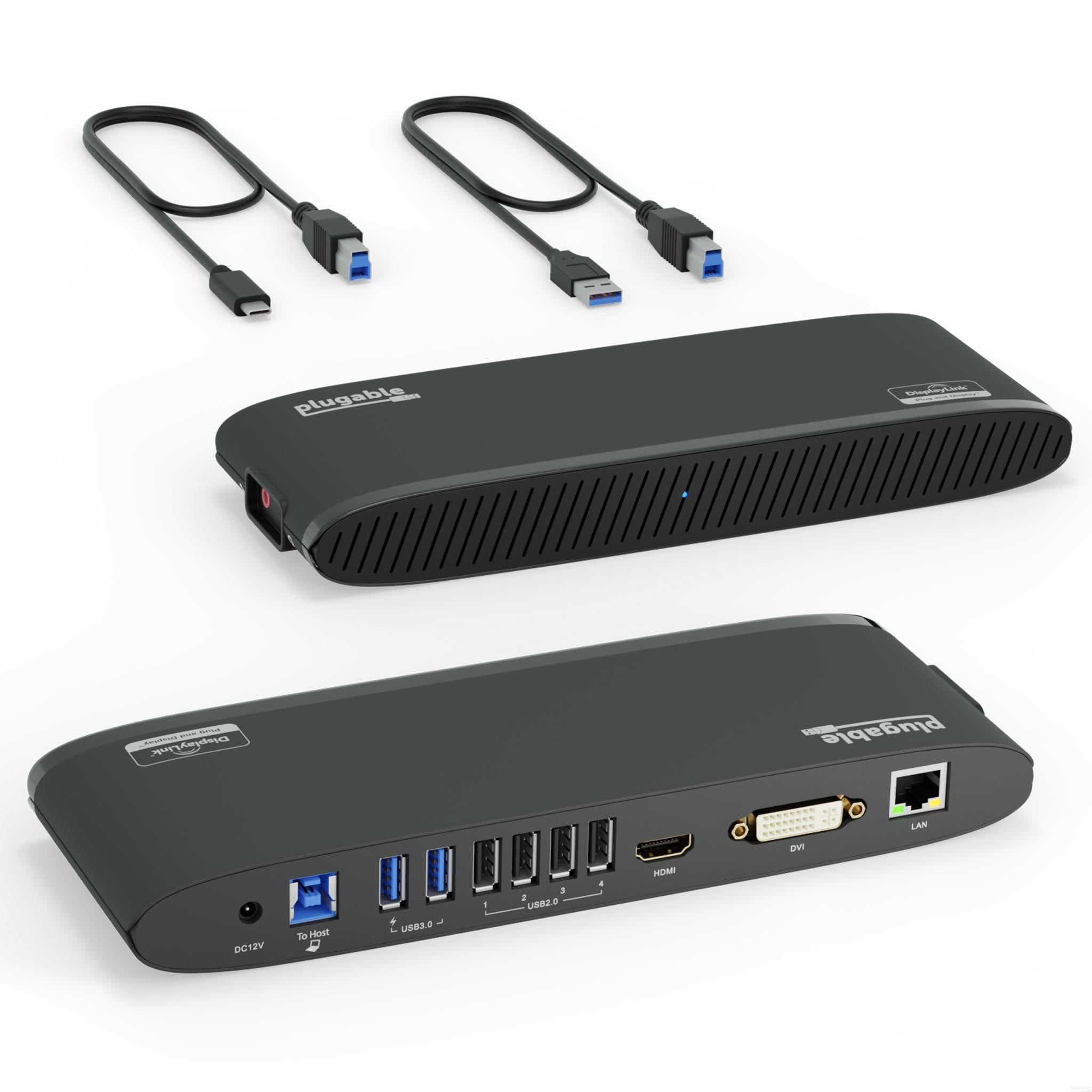
Designed for those who want a one-stop upgrade for your USB 3.0 laptop. The Plugable USB 3.0 Universal Laptop Horizontal Docking Station for Windows, ChromeOS, and Mac (UD-3900H) allows you to add dual monitors, and connect your peripherals, all through a single cable back to your laptop. Quickly come and go from your desk with ease. By connecting one cable to your laptop, you gain 11 extra ports of connectivity, making it easier to do more work in less time.
Power users with dual monitors: The UD-3900H is the dock you need to maximize your productivity and your workspace. Great for business uses such as email, web applications, Microsoft office, and more. Featuring a vertical design, you can easily slip this dock between your monitors and save valuable desk space.
Note: The UD-3900H will not charge your laptop and will need your external charger to provide power to your system. The UD-3900H has one HDMI port and one DVI port and we include both a DVI to VGA adapter and a DVI to HDMI adapter if needed (not compatible with DisplayPort displays). This docking station also includes both USB 3.0 and USB-C cables for compatibility with the widest range of systems.
High-Resolution Displays
Get more screen space for more productivity. High resolution displays (HDMI, DVI or VGA) will change the way you manage your out of control tabs and your workflow.
No more grainy visuals and tiny screens. Watch videos on clear and sharp 2K 60Hz screens (1920x1200 @ 60Hz). Expand your screen real estate with this dock and cut down the time it takes to work on those highly productive tasks.
Dynamic Design
Not only does this dock expand your connectivity, it also brings a whole new level of performance and flexibility.
Featuring DisplayLink graphic technology, you can connect this dock to a USB 3.0 Windows or Mac laptop. So whether you're hoteling at a desk for work, or sharing your dock at home, this dock provides the flexibility you need.
The horizontal orientation is designed to fit under the edge of your display and to give you more room on your desk for the things that matter most. With easily accessible ports on the side of the dock, you can plug and unplug your headphones with ease.
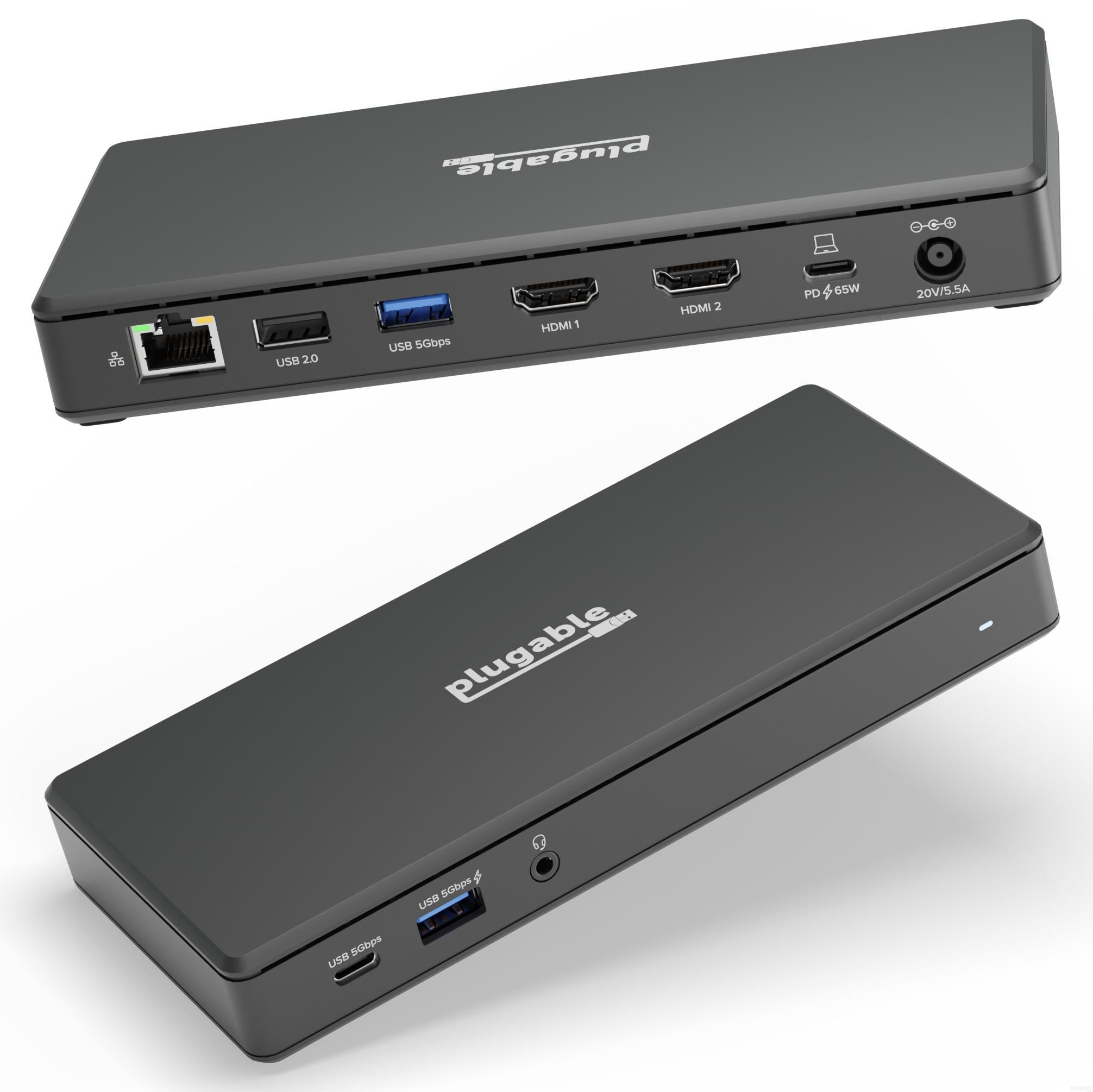
The Plugable UD-MSTH2-UK USB-C docking station brings a streamlined way to connect a laptop to multiple desktop peripherals through a single cable. It supports dual HDMI displays, wired networking, data transfer, and laptop charging, making it suitable for work setups that rely on extended screen space and stable wired connections.
Key Features of Plugable UD-MSTH2-UK
Dual HDMI outputs supporting up to 4K resolution at 60Hz per display
65W USB-C Power Delivery for laptop charging during use
Gigabit Ethernet port for stable wired internet access
USB-A and USB-C ports for connecting peripherals and storage devices
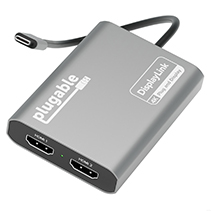
Walk up to this docking station for laptop, plug in, and get to work. The Plugable USB-C computer hub docking station with 65W Power Delivery (UD-MSTH2) has everything you need for productivity. Starting with 2x HDMI ports, each ready for a 4K 60hz monitor so you can give a screen to your email and still dedicate a screen to your spreadsheets (or scrolling). You can even connect your iPhone 15, of course, it'll only extend to one display.
Screens aren't the only thing you'll be connecting to this Plugable USB docking station dual monitor. A USB-C port (5 Gbps) for your modern devices, 2x USB (5 Gbps), and a USB 2.0 (480Mbps) for your legacy devices. And of course, ethernet and an audio jack - between flaky Wi-Fi and wireless headphones that never seem to be charged, sometimes it's best to have a backup.
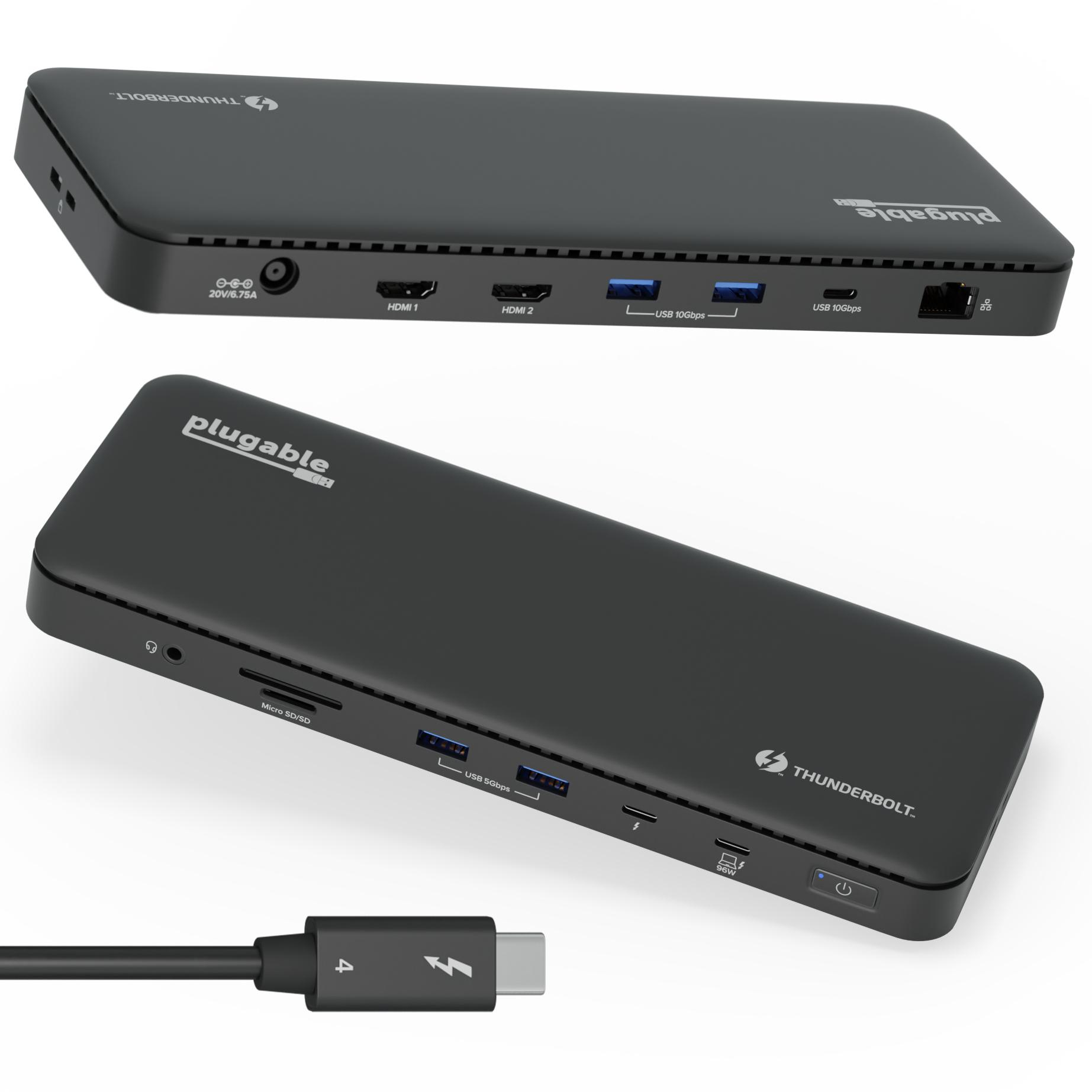
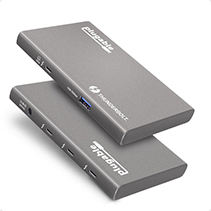
The Plugable TBT4-UD5-UK Thunderbolt 4 docking station brings a compact way to connect a laptop to a full desktop workspace, combining high-speed data transfer, multi-display support, and power delivery through a single cable. It is designed for users who regularly switch between mobile and desk setups, allowing multiple peripherals, external displays, and network connections to be accessed instantly without repeated plugging and unplugging.
Key Features of Plugable TBT4-UD5-UK
Thunderbolt Certified & Award-Winning Performance: Officially recognized as the Best Thunderbolt Dock 2025 by Wirecutter, this Thunderbolt docking station is Intel Evo certified. With 13 high-performance ports, dual 4K 60Hz HDMI, 100W Power Delivery (96W Certified), and 40Gbps Thunderbolt 4 speed.
Dual 4K or Single 8K Display Support: This Thunderbolt 4 laptop docking station connects two 4K 60 Hz HDMI displays or one 8K monitor when used with Thunderbolt 4, Thunderbolt 5, or USB4 laptops. Thunderbolt 3 and non-Thunderbolt USB-C ports can only output a single external display. On macOS, base M1 and M2 systems support a single external display. Base M3 supports dual display in clamshell mode.
Thunderbolt 4 Performance: This premium Thunderbolt dock delivers ultra-fast 40Gbps speeds, 15W charging via the downstream Thunderbolt 4 port, and robust performance for USB-C peripherals, high-speed storage, and dual displays.
Compatibility: A top-tier Mac docking station and perfect for modern setups. This USB C dock works seamlessly with Thunderbolt 4, Thunderbolt 5, or USB4 systems running Windows 10+. On macOS, dual display is only supported on M4, M5, M3 Pro/Max, M2 Pro/Max and M1 Pro/Max models, as well as base M3 models in clamshell mode. Single display is supported on Windows Thunderbolt 3 and non-Thunderbolt USB-C ports, as well as base M1 and M2 MacBooks.
Comprehensive 13-Port Design: 2x HDMI, 1x Thunderbolt 4 downstream (40Gbps, 15W charging, 8K), 4x USB (10Gbps and 5Gbps), 1x USB-C (10Gbps), SD/microSD, audio combo jack, Gigabit Ethernet, and K-lock slot.
A “do-it-all” dock, the Thunderbolt Certified TBT4-UD5 Plugable Docking Station stands out as a versatile and powerful hub for modern workspaces. Its robust design includes an array of 13 ports, catering to a wide range of connectivity needs.
Starting with the 40Gbps Thunderbolt 4 host port, this HDMI docking station offers plenty of bandwidth to support two HDMI ports, each capable of driving dual 4K 60Hz displays. A downstream 40Gbps Thunderbolt 4 port is also included to provide high-speed connectivity for advanced Thunderbolt-based applications, such as fast storage devices. Use it to alternatively charge your phone or tablet with up to 15W of power or power an external display such as a USB-C monitor at up to 8K.
In addition to Thunderbolt 4 to HDMI display options, the TBT4-UD5 boasts a USB-C port with a 10Gbps transfer rate, ideal for quick file transfers and efficient data management. There are also 4x USB ports (2x 10Gbps, 2x 5Gbps), perfect for connecting a variety of peripherals like keyboards, mice, and external drives. Throw in SD and Micro SD slots, a combo audio jack, Gigabit Ethernet, and a slot for a K lock, and this setup ensures that users can create a powerful and integrated workstation.
Speaking of power, the TBT4-UD5 Thunderbolt and USB4 dock packs it in with up to 100W Power Delivery (96W certified) — more than enough for most power-hungry laptops. Especially useful in business and education environments, the Plugable TBT4-UD5 Docking Station delivers exceptional functionality and convenience.
It's worth noting on Mac systems, dual display is only supported on M1 Pro/Max, M2 Pro/Max, and M3 Pro/Max systems. Base model M1, M2, and M3 systems will only support one extended display.

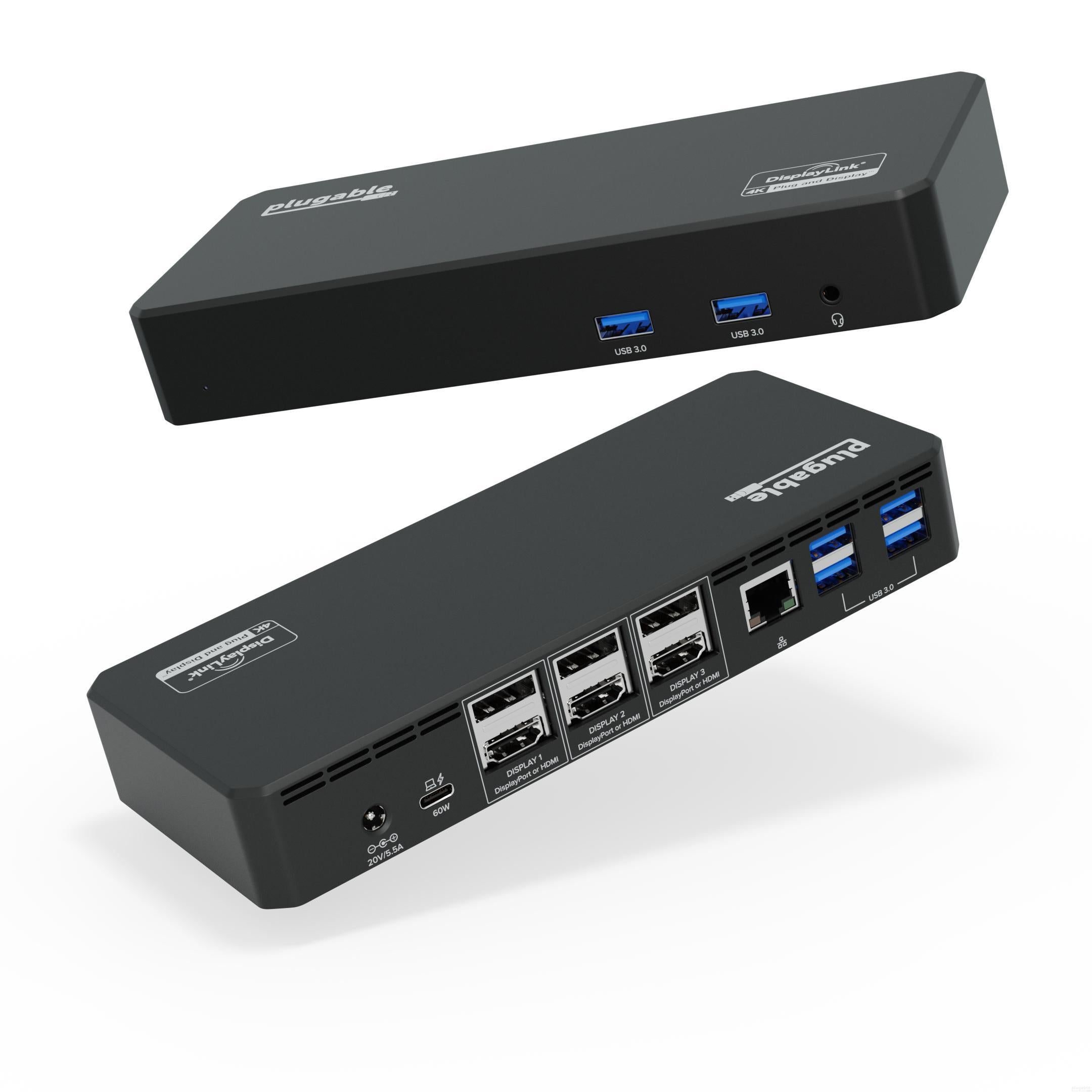
The Plugable UD-6950PDZ-UK USB-C docking station expands a single laptop connection into a wide desktop workspace, supporting multiple external displays and a full set of peripherals through one hub. Built with DisplayLink technology, it allows flexible multi-monitor use across different laptop types, making it suitable for users who need expanded screen space without relying on native multi-display hardware limits.
Key Features of Plugable UD-6950PDZ-UK
Supports up to three external displays for expanded workstation setups
Dual video output options using HDMI and DisplayPort connections
Up to 4K resolution at 60Hz per display depending on system support
12-in-1 connectivity layout for displays, data, and accessories
60W USB-C Power Delivery for compatible laptops
Six USB-A ports for peripherals such as keyboards, mice, and storage devices
Gigabit Ethernet port for stable wired network access
3.5mm audio jack for headsets and external speakers
Plugable's 12-in-1 USB-C Triple 4K Docking Station Gives You Access to 3x 4K Screens—All Through a Single USB-C Port.
Instantly turn your Windows, ChromeOS, or Mac laptop into a multi-monitor desktop—by connecting a single cable—with the Plugable USB-C Triple 4K HDMI and DisplayPort Docking Station.
The Plugable UD-6950PDZ Triple Display Docking Station connects to a supported system using the included USB-C cable and provides the ability to connect up to three additional HDMI or DisplayPort displays, provides up to 60W of USB-C Power Delivery, six USB 3.0 ports, a wired Gigabit Ethernet port, and 3.5mm combination analog audio input/output jack.
When attached to a fully compatible USB-C, USB4 or Thunderbolt system, the UD-6950PDZ supports Windows 10 and 11+, macOS 11+, and Intel or AMD Chromebooks with ChromeOS 100+. Linux is not supported.
HDMI or DisplayPort for Each Display
With one USB-C cable connected to the dock, overcome the limited number of display outputs and ports on your device. This dock connects up to three external displays on supported host computers. Three pairs of DisplayPort and HDMI outputs, each supporting a single display up to a 4K resolution. This docking station provides both DisplayPort and HDMI outputs, no need for an external adapter or confusing one-way adapter cables, use the video cables provided with your display to connect to this DisplayPort or HDMI docking station.
Will It Charge My Laptop
The UD-6950PDZ provides 60W charging to laptops that support Power Delivery via their USB-C / Thunderbolt ports. Typically 60W is sufficient for charging compatible systems. While most laptops will charge seamlessly, some models may benefit from using their original power cord if they require higher charging rates.
A Powerful Performer
With the UD-6950PDZ, you're not just adding three displays, you're also getting a whole host of extra ports. Starting with the three Display outputs enabling up to three 4K displays at 60Hz in any configuration of HDMI and/or DisplayPort. For computers that only support one display like the M1, M2 and M3 MacBooks, the UD-6950PDZ laptop dock has you covered with DisplayLink technology. Just a heads up, you'll need to download a DisplayLink driver to get full functionality.
Compatibility
Compatible with: Windows 11 & 10; Intel, M1, M2, M3 Macs with macOS 11 or newer and USB Type-C; ChromeOS 100.x or newer with Intel or AMD based Chromebooks. And it doesn't matter which connection you're using, this laptop docking station is compatible with: USB-C with Alternate Mode and Power Delivery, USB4, Thunderbolt 3, or Thunderbolt 4. This docking station will work with your notebook computer setup.
DisplayLink Driver installation required
HDCP (High-bandwidth Digital Content Protection) required for streaming copy-protected content from Netflix, iTunes, etc, is not supported.
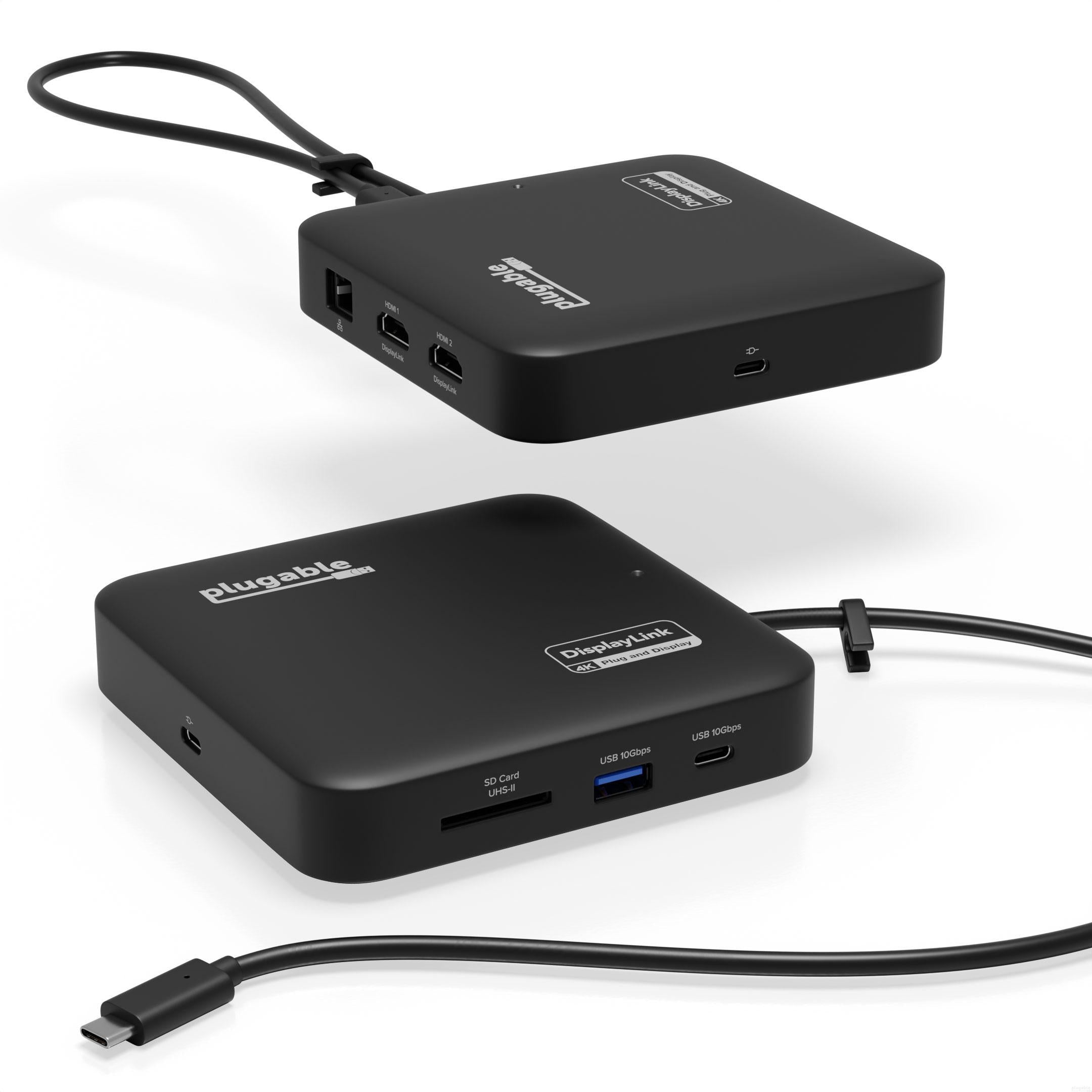
The Plugable USBC-6950PDZ-UK USB-C docking station turns a single laptop connection into a dual-screen workstation with charging and peripheral access handled through one cable. It is designed for users who want a simple way to extend their display space while keeping desk setups tidy and consistent across different work environments, including home and office use.
Key Features of Plugable USBC-6950PDZ
7-in-1 Compact Docking Station: Simplify your workspace with the Plugable DisplayLink docking station designed for Windows and macOS. This laptop docking station adds 2x HDMI outputs, USB-A, USB-C, Gigabit Ethernet, and an SD slot with dual-lane SDR104/DDR support via the GL3232S chipset for quick file transfers. All in a compact, travel-ready design. Supports up to 82W pass-through charging for laptops via USB-C.
Dual 4K Extended Displays: This DisplayLink dock uses DisplayLink technology to output two extended 4K 60Hz HDMI displays, even on systems without native dual video support. Ideal for productivity, presentations, and multitasking across two screens. A DisplayLink driver is required for dual display functionality (automatically installed on Windows; manual software installation required on macOS).
USB-C Power Delivery: For systems that charge via USB-C, plug your laptop’s power adapter directly into the dock to keep your system powered while connected. The dock accepts up to 100W from a power adapter, providing up to 82W pass-through to the host. Compatible with USB-C power adapters from 45W to 100W. Charging performance depends on both your laptop and charger capabilities.
Compatibility: Works with Windows 10+, macOS 11+, Thunderbolt 3-5, and USB4 systems. Fully compatible with MacBooks, including Apple Silicon (M1-M5) and MacBook Neo. Supports dual extended displays through DisplayLink technology. The DisplayLink driver required. Works with HDMI portable monitors using separate USB-C power; USB-C-only portable displays are not supported. Not compatible with HDCP protected video playback, gaming, or 3D rendering.
HDMI, DisplayPort or Both
Three HDMI monitors, three DisplayPort Monitors, or a combination of both. The Plugable USB-C Triple 4K HDMI and DisplayPort Docking Station (UD-6950PDZ) offers three 4K HDMI Ports, and three 4K DisplayPort ports so you can mix and match up to three monitors —no adapters necessary. Of course, the UD-6950PDZ lets you connect more than screens. With an Ethernet port, an audio jack, and 6x USB-A ports, this USB-C Docking Station has room to pair all of your peripherals with a single connection back to your computer.
A Powerful Performer
With the UD-6950PDZ, you’re not just adding screens, you’re also getting a whole host of extra ports. Starting with the innovative display array, you can add up to three 4K displays in any configuration of HDMI and/or DisplayPort. For computers that only support one display, the UD-6950PDZ laptop dock has you covered with DisplayLink technology. Just a heads up, you’ll need to download a DisplayLink driver to get full functionality.
Will It Charge My Laptop
The UD-6950PDZ provides 60W charging to laptops that support PowerDelivery. You’ll want to take a look at your laptop’s power requirements. If it came with a USB-C power cord, the docking station can provide up to 60W to power the computer, replacing a manufacturer's USB-C power supply rated up to 65W. If your laptop supports a higher charging rate, you may still need to use the laptop’s power cord."
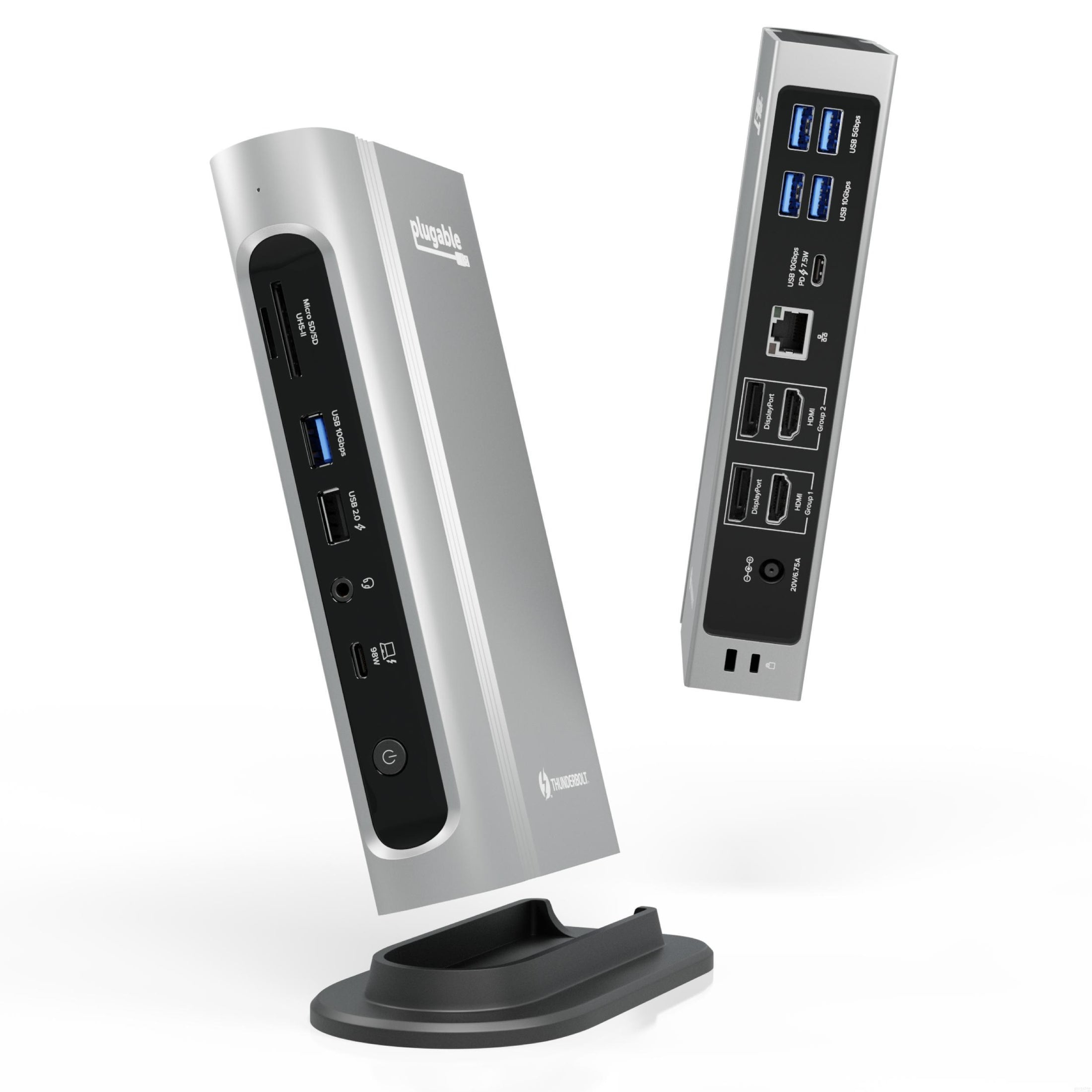
The Plugable TBT4-UDZ-UK 16-in-1 Thunderbolt 4 Quad Dock transforms a laptop into a fully connected workstation through a single cable connection.
The innovation starts with our display connections. Connect your 4K screens through 2x HDMI ports and 2x DisplayPort ports — a rare level of display flexibility in a Thunderbolt dock. But the real expansion picks up at the ports. Offering sixteen total ports to park your peripherals, including 7x USB ports, SD and microSD card readers, Audio, and 2.5Gbps Ethernet. It even adapts to your desk with an included stand for vertical or horizontal orientation options.
Key Features of Plugable TBT4-UDZ-UK
16-in-1 Thunderbolt 4 docking station
Supports up to four 4K displays at 60Hz on compatible systems
Up to 100W laptop charging capability
40Gbps Thunderbolt 4 bandwidth
Dual HDMI and dual DisplayPort outputs
2.5 Gigabit Ethernet connectivity
USB-C and multiple USB-A expansion ports
Integrated UHS-II SD and microSD card readers
Vertical stand included for reduced desk footprint
Quad Display
With this Thunderbolt 4 docking station Windows computers can use the 2x HDMI ports, and 2x DisplayPort ports to connect as many as 4x screens at up to 4K 60Hz. Can also be used a single, dual, or triple display docking station.
On Mac (Intel, M1 Pro/Max CPU), extend your desktop to 2x screens using any combination of HDMI and/or DisplayPort. Macs with an M1 or M2 CPU only support one external display.
100W Power Delivery
The laptop Thunderbolt docking station offers USB Power Delivery up to 100W (98W certified) — no more climbing under the desk to get plugged in.
Not all laptop docking stations handle power the same. With the TBT4-UDZ, if your laptop needs less power, the docking station adjusts and only sends the optimal wattage.
And with 6x available USB ports, and one USB-C port, your devices will always have a place to connect.
Compatibility
The TBT4-UDZ is compatible with *Windows 10 and later and **macOS 11+.
Actual number of screens that can be extended depends on capabilities of the host computer. Be sure to see the Display Compatibility Chart below.
*On some Windows laptops, enabling four displays may require a Windows settings change to disable the internal screen.
**On Macs, additional monitors beyond specs below may not function, and/or will “mirror” rather than extend.
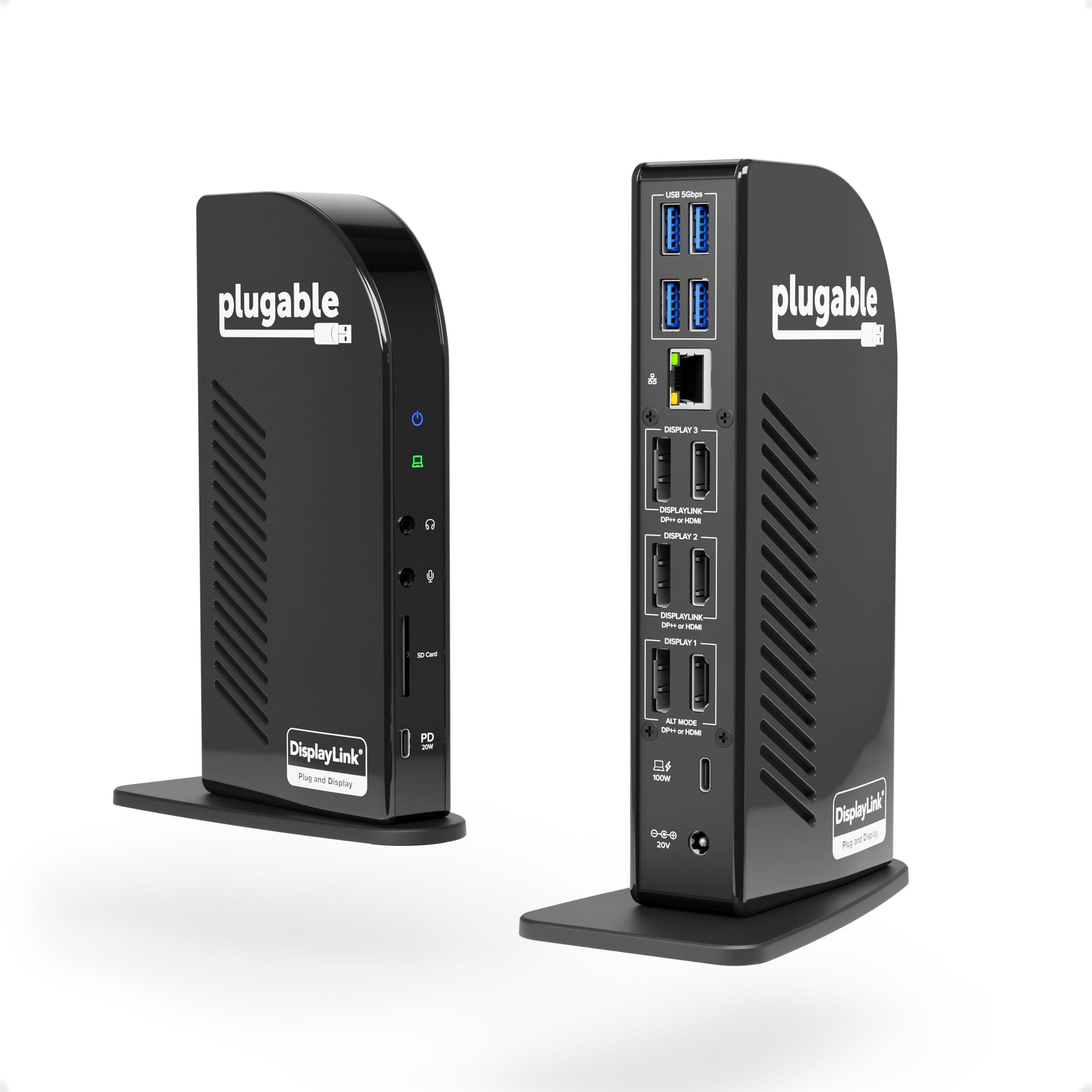
Bring desktop-level connectivity to your laptop with the Plugable UD-ULTC4K-EU USB-C Docking Station. This second-generation dock provides a better customer experience with 3x DisplayPort ports and 3x HDMI ports to match your monitors. And of course, whichever you choose—HDMI or DisplayPort—you'll get resolutions up to 4K @ 60Hz on all three monitors with USB4 / Thunderbolt 4 hosts via Alt Mode.
But monitor ports weren't the only thing to get a boost. The UD-ULTC4K comes with 100W charging to better accommodate larger laptops. This docking station is a one-stop shop for all peripherals users may need, connecting all 13 ports to the laptop with a powerful 10Gbps USB-C cable.
Note: New and innovative products aren't without compatibility concerns, it is important to read the information below for details regarding display output types and system requirements.
Not all USB-C ports offer DP Alt Mode or PD charging. Having a fully compatible USB-C, USB4, Thunderbolt 3, or Thunderbolt 4 port is required for this docking station, it will not work properly when adapted to USB 3.0. The UD-ULTC4K supports Windows 11, 10, 8.x, and 7, ChromeOS 100+, and macOS 10.14+. Linux, and some older macOS versions are not supported.
Key Features of Plugable UD-ULTC4K-EU
Supports up to three external 4K displays at 60Hz
Up to 100W USB-C Power Delivery for laptop charging
Multiple video outputs with HDMI and DisplayPort connectivity
10Gbps host connection for fast data transfer
Gigabit Ethernet for stable wired networking
USB-A and USB-C ports for accessories and storage devices
Integrated SD card reader and audio connectivity
Compatible with USB-C, USB4, and Thunderbolt laptops
4K Your Way
Compatible with Windows, ChromeOS, and Mac, the Plugable USB-C Triple 4K Display Docking Station (UD-ULTC4K) is the computer docking station built for adding monitors.
Featuring 3x DisplayPort ports, and 3x HDMI ports, now you can standardize on one or use a mix of both. And HDMI or DisplayPort will give you resolutions up to 4K @ 60Hz on all three monitors when connected to a compatible host computer with USB4 / Thunderbolt 4 hosts via Alt Mode.
Ports a Plenty
This Displaylink docking station has a front-facing USB-C port for 10Gbps data transfer and 20W charging to accommodate your phone or other devices.
Speaking of peripherals, the UD-ULTC4K also has 4x USB 3.0 ports for 5Gbps data transfer rates, an SD Card Reader, a Gigabit Ethernet port, and separate audio in and audio out ports.
Power Delivered
Power Delivery—charging your laptop through a USB-C port—can get confusing. How much power is enough? How much is too much?
The UD-ULTC4K has you covered. With 100W charging (96W certified), you have enough power to charge just about any laptop—even under a heavy workload. And if your laptop needs less power, the dock communicates with your computer to negotiate the perfect charge level.
To strictly comply with 100W regulatory limits with margin, certification limits to charging to 96W.
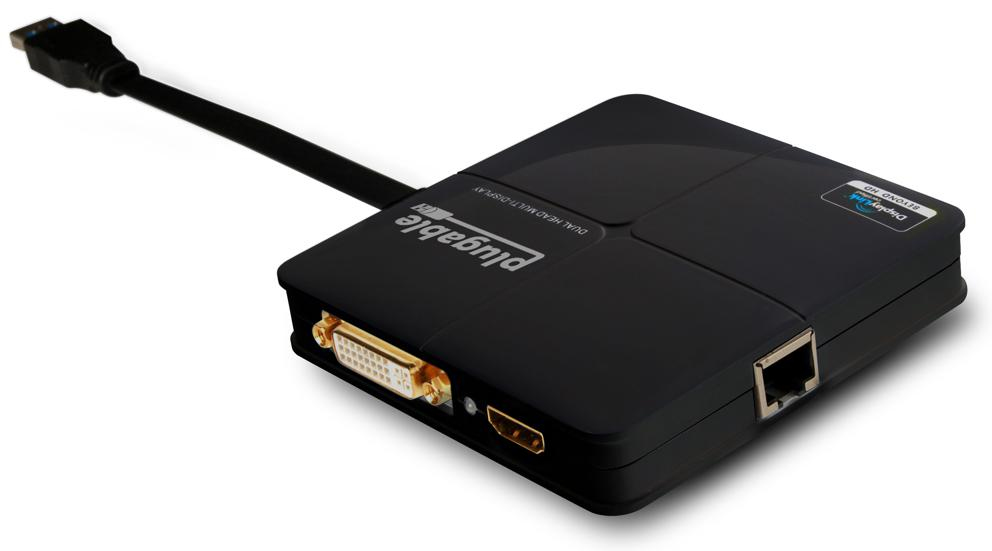
The Plugable USB3-3900DHE USB 3.0 Docking Station brings additional workspace flexibility to laptops and desktops through a compact design that makes everyday connectivity simple. Built for office environments and multitasking setups, this dock adds dual-display capability, wired networking, and expanded connectivity through a single USB connection.
Power users with dual monitors: This is the dock you need to maximize your productivity and your workspace. Great for business uses such as email, web applications, Microsoft office, and more. Featuring a compact design, you can easily slip this dock between your monitors and save valuable desk space.
Note: This dock will not charge your laptop and will need your external charger to provide power to your system. The dock has one HDMI port and one DVI port, no DVI to VGA adapter or DVI to HDMI adapter if included (not compatible with DisplayPort displays).
Key Features of Plugable USB3-3900DHE
Expand Your Workspace: Transform a single USB 3.0 port into a powerful workstation. This DisplayLink adapter enables dual monitor setups (HDMI + DVI) and a wired Gigabit Ethernet connection, ideal for expanding productivity on laptops and desktops. Perfect as an external graphics card for laptop users.
Dual Monitor Docking Station: Supports up to two Full HD monitors 1920x1200 @ 60Hz via HDMI and DVI. For single display setups, the HDMI port can deliver up to 2560x1440 @ 50Hz. A versatile docking station dual monitor solution.
Compatibility: Compatible with Windows 11, 10, 8.x, 7, XP, and macOS 10.14+. Easy plug-and-play setup via Windows Update or manual driver install required for more restricted environments. Not compatible with Surface RT, Linux, or Windows ARM-based systems. Note— This USB to HDMI adapter does not charge your host PC.
Recommended Use: Designed for productivity software, web browsing, and multitasking - this laptop docking station dual monitor is not recommended for gaming or HDCP-protected media. Cannot be mixed with non-DisplayLink graphics adapters. No DisplayPort support.
High-Resolution Displays
Get more screen space for more productivity. High resolution displays (HDMI, DVI or VGA) will change the way you manage your out of control tabs and your workflow.
No more grainy visuals and tiny screens. Watch videos on clear and sharp 2K 60Hz screens (1920x1200 @ 60Hz). Expand your screen real estate with this dock and cut down the time it takes to work on those highly productive tasks.
Dynamic Design
Not only does this dock expand your connectivity, it also brings a whole new level of performance and flexibility. Featuring DisplayLink graphic technology, you can connect this dock to a USB 3.0 Windows laptop. So whether you're hoteling at a desk for work, or sharing your dock at home, this dock provides the flexibility you need. The horizontal orientation is designed to take up minimal space to give you more room for the things that matter most. With easily accessible ports on the sides of the dock, cable management is easy if mounting the dock to a display.
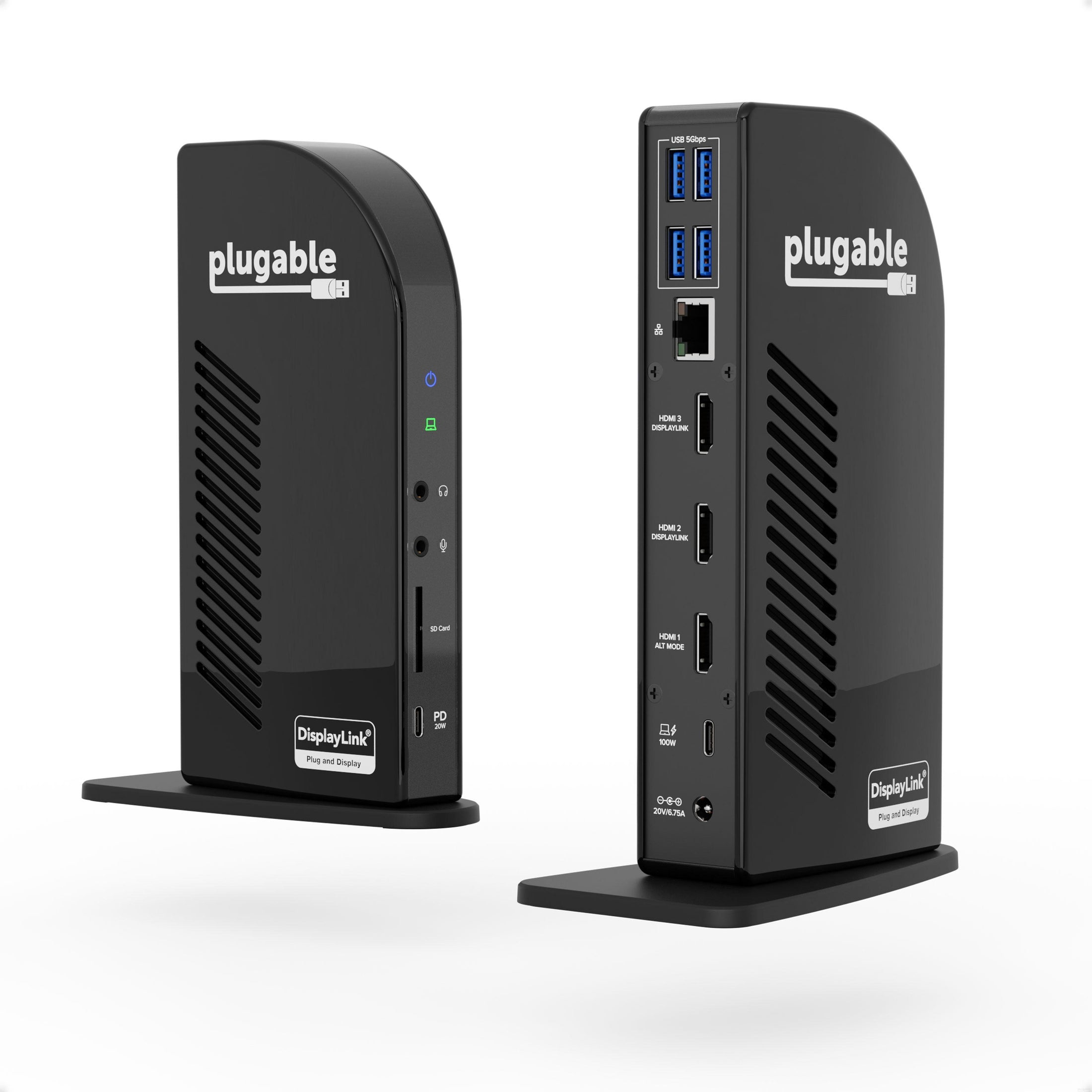
The Plugable UD-ULTCDL-EU USB-C 13-in-1 Docking Station turns a single USB-C connection into a complete desktop workspace built for multitasking. Designed for professionals who work across multiple applications and displays, this dock brings together triple monitor capability, reliable wired networking, expansive peripheral connectivity, and up to 100W laptop charging in one streamlined setup. Whether installed at a permanent workstation or used as part of a flexible desk arrangement, it keeps displays, accessories, and power connected through one convenient cable.
Key Features of Plugable UD-ULTCDL-EU
13-in-1 USB-C docking station design
Supports up to three external displays
Up to 100W USB-C laptop charging
Multiple HDMI outputs for flexible display layouts
Gigabit Ethernet for stable wired connectivity
USB ports for accessories and peripherals
Front USB-C charging port for mobile devices
Integrated SD card reader and audio connections
Compatible with Windows, macOS, and ChromeOS
Crisp Clear Picture
A docking station triple monitor setup gives you ample space to spread out. And when it comes to connecting monitors,
HDMI is arguably the most common connection type. Our pure HDMI port configuration (1x HDMI 1.4, 2x HDMI 1.3) capitalizes on that and eliminates the legacy connections.
In a typical triple monitor setup, the main screen is in the middle with the auxiliary screens placed on either side. This Windows, Chrome, or Mac docking station takes advantage of that, so when setting up a host that supports DisplayPort Alternate Mode, consider connecting your main display to the HDMI 1.4 port for resolutions up to 4k 30Hz. Your two flanking screens will look great with resolutions up to 1920x1200 @ 60Hz (HDMI 1.3).
Ports a Plenty
In addition to the 100W charging to power your laptop—so you can leave the charger it came with in the bag—the UD-ULTCDL has a front-facing USB-C port for 5Gpbs data transfer and 20W charging to accommodate your phone or other devices.
Speaking of peripherals, the UD-ULTCDL has a total of 13 ports including 4x USB 3.0 ports for 5Gbps data transfer rates, an SD Card Reader, a Gigabit Ethernet port, and separate audio in and audio out ports.
Power On
Power Delivery—charging your laptop through a USB-C port—can get confusing. How much power is enough? How much is too much?
This isn’t only designed to be a docking station 3 monitors setup, it also has you covered with 100W charging capability (96W certified) so you have enough power to charge just about any laptop—even under a heavy workload.
And if your laptop needs less power, the dock communicates with your computer to negotiate the right charge level.
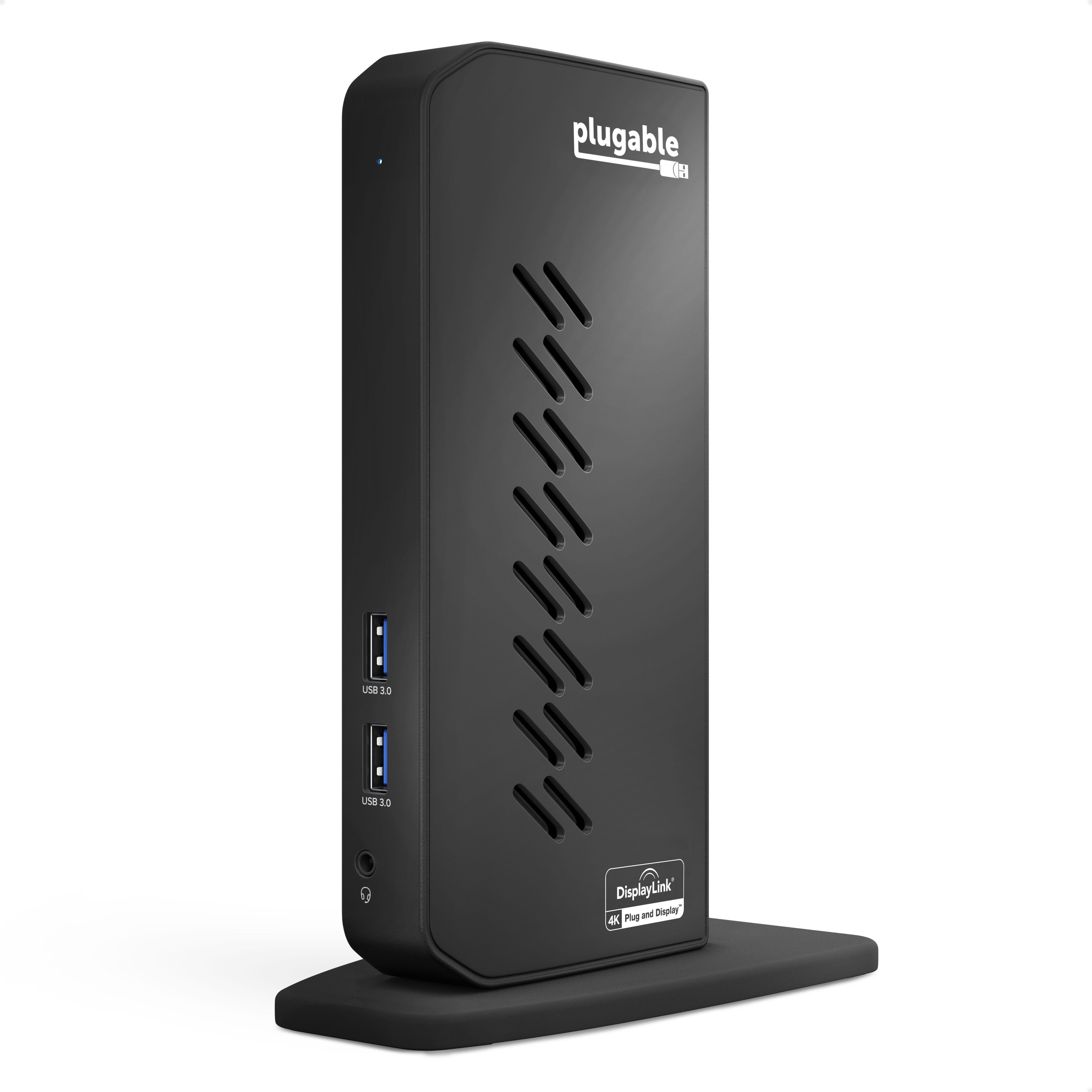
The Plugable UD-6950Z-EUA USB 3 / USB-C Dual 4K Docking Station brings desktop flexibility into a compact vertical design that keeps workspaces tidy while expanding connectivity. Built for Windows and Mac users who rely on multiple displays and connected peripherals, this dock turns a single laptop connection into a complete workstation setup. With support for dual 4K displays, multiple USB ports, wired networking, and audio connectivity, it creates a clean and efficient environment for everyday productivity without taking over valuable desk space.
Note: This dock will not charge your laptop and will need your external charger to provide power to your system. Due to limited USB 3.0 bandwidth and reduced hardware graphics acceleration of the DisplayLink software and hardware used in this docking station we do not recommend it for use with full screen video playback, 2D or 3D graphics applications, or video editing software.
Key Features of Plugable UD-6950Z-EUA
Supports up to dual 4K displays at 60Hz
USB-A and USB-C host compatibility
Vertical space-saving dock design
Multiple USB ports for accessories and peripherals
Gigabit Ethernet for reliable wired networking
DisplayLink graphics technology support
Audio input and output connectivity
High-Resolution Displays
Get more screen space for more productivity. High resolution displays (DisplayPort or HDMI) will change the way you manage your out of control tabs and your workflow.
No more grainy visuals and tiny screens. Expand your screen real estate with this dock and cut down the time it takes to work on those highly productive tasks.
Dynamic Design
Not only does this dock expand your connectivity, it also brings a whole new level of performance and flexibility.
Featuring DisplayLink graphics technology, you can connect this dock to a USB 3.0 or USB-C laptop. So whether you're hoteling at a desk for work, or sharing your dock at home, this dock provides the flexibility you need.
The vertical orientation is designed to reduce its desk footprint to give you more room for the things that matter most. With easily accessible ports on the front of the dock, you can charge your phone and unplug your headphones with ease.