
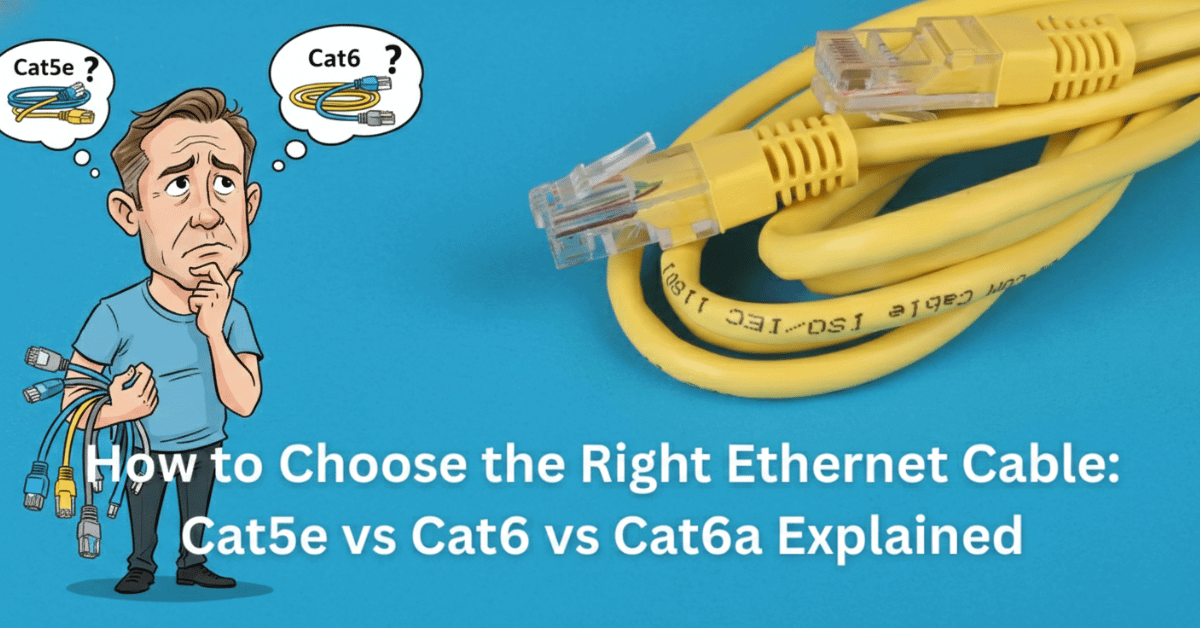
In the world of networking, not all cables are created equal. While they might all look similar with their plastic RJ45 connectors, the copper inside tells a very different story. Choosing the wrong cable can become a bottleneck that throttles your high-speed hardware and leads to frustrating lag. Whether you are wiring a new office or simply upgrading your Patch Leads, understanding the technical differences between Cat5e, Cat6, and Cat6a is essential for a future-proof network.
The Contenders: A Side-by-Side Comparison
Before diving into the details, let’s look at the raw specifications.
| Category | Max Speed | Max Bandwidth | Max Length | 10Gbps Support | Best Use Case |
| Cat5e | 1 Gbps | 100 MHz | 100m | No | Budget SOHO, VoIP & Printers |
| Cat6 | 1 Gbps | 250 MHz | 100m | Up to 55m | Modern Homes & Small Offices |
| Cat6a | 10 Gbps | 500 MHz | 100m | Full 100m | Business & Wi-Fi 7 Backhaul |
| Cat7 | 10 Gbps | 600 MHz | 100m | Full 100m | Industrial / High-EMI Areas |
| Cat8 | 40 Gbps | 2000 MHz | 30m | Full 30m | Data Centres & Server Racks |
Understanding Ethernet Cable Categories
The “Cat” (Category) of a cable determines its speed, frequency, and ability to handle interference. Choosing the right one is about matching the cable to your hardware’s potential.
Cat5e Cable – Speeds, Uses & When to Choose
Cat5e (Enhanced) was the baseline for a decade. It supports speeds up to 1 Gbps at 100 MHz.
- When to choose: Ideal for connecting basic devices like VoIP Phones or printers where high-speed data transfer isn’t the priority.
- Limitation: It is prone to “crosstalk” and is not recommended for new in-wall installations in 2026.
Cat6 Cable – The Most Popular Choice (2026)
Cat6 Cable is the current standard for modern homes and small offices. It handles 1 Gbps at 250 MHz and can even reach 10 Gbps over distances up to 55m.
- Why it’s popular: It features a physical separator (spline) that reduces interference significantly compared to Cat5e.
Cat6a Cable – Enhanced Performance Networks
Cat6a (Augmented) is the “future-proof” choice. It supports 10 Gbps for the full 100m distance and operates at 500 MHz.
- When to choose: Essential for Wi-Fi 7 backhaul, 4K video editing, and high-density office environments.
Cat7 Cable – Professional-Grade Solution
Cat7 is designed for 600 MHz and features individual shielding for each pair.
- When to choose: Best for industrial environments with high electrical noise. Note that it often uses the GG45 connector rather than standard RJ45.
Cat8 Cable – The Future (40 Gbps)
The powerhouse of the group. Cat8 supports a massive 2000 MHz bandwidth and speeds up to 40 Gbps.
- Constraint: It is limited to a maximum length of 30 metres, making it a specialist tool for the server room.
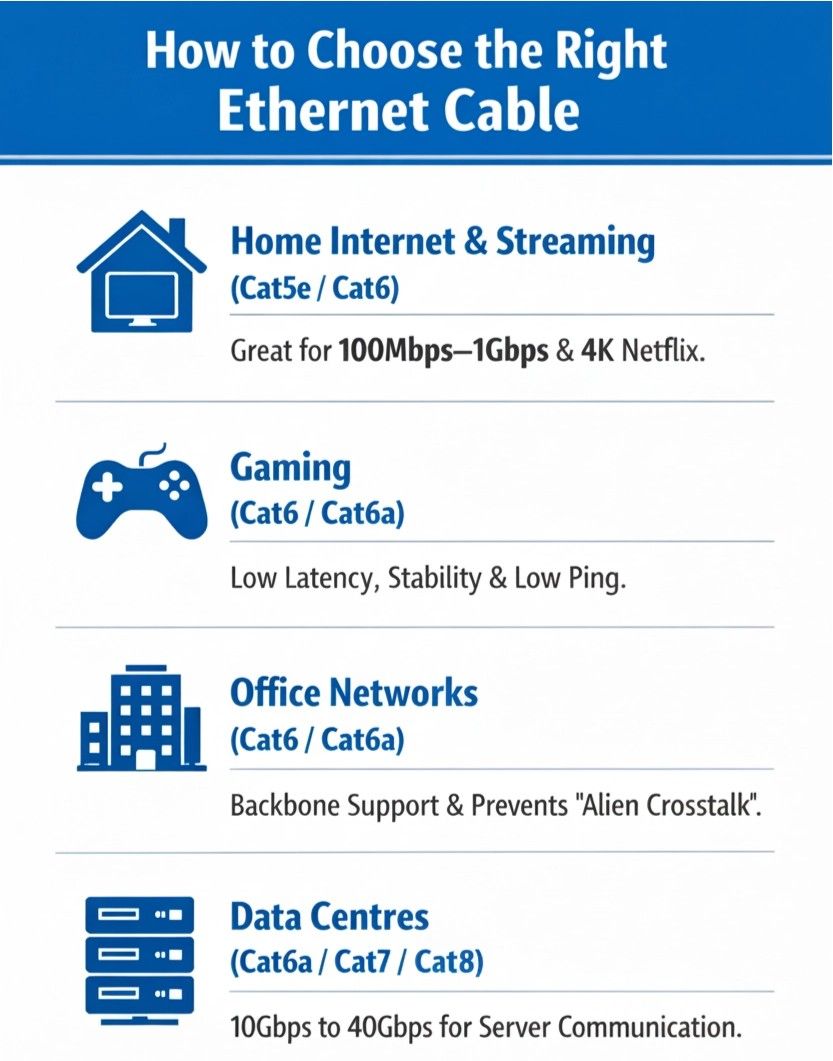 How to Choose the Right Ethernet Cable
For Home Internet & Streaming (Cat5e/Cat6)
For standard 100Mbps to 1Gbps home fibre plans, Cat6 is the sweet spot. It ensures that 4K Netflix streams and cloud backups don’t compete for bandwidth.
For Gaming (Cat6/Cat6a – Low Latency)
Gamers need stability. A Cat6a Patch Lead provides the shielding necessary to prevent packet loss, ensuring the lowest possible ping during competitive play.
For Office Networks (Cat6/Cat6a)
In an office with multiple users, “Alien Crosstalk” becomes an issue. Cat6a is recommended for the backbone to ensure that the dozens of cables running in parallel don’t interfere with each other.
For Data Centres (Cat6a/Cat7/Cat8)
High-speed server-to-server communication requires the 40Gbps capability of Cat8 or the 10Gbps consistency of Cat6a.
Understanding Cable Specifications
Speed & Bandwidth Explained (Mbps vs Gbps)
- Speed (Gbps): Think of this as the “Speed Limit” of the road.
- Bandwidth (MHz): Think of this as the “Number of Lanes.” A higher MHz allows more data to travel simultaneously without signal degradation.
Maximum Cable Length (Why 100m matters)
All copper Ethernet cables are limited to a 100m (328ft) run.
- The Rule: 90m of solid horizontal cable in the wall + 10m of stranded Patch Leads = 100m Total. Beyond this, you need a switch or Fibre Optics.
Shielding Types (UTP, STP, FTP, SFTP)
- UTP (Unshielded): No foil; uses twisted pairs to cancel noise. Best for most offices.
- FTP/STP (Shielded): Features a foil wrap to block external EMI. Essential for cables running near power lines.
- SFTP: Double shielding (braid + foil) for the most extreme interference environments.
| If your goal is… | Recommended Cable | Why? |
| Maximum Future-Proofing | Cat6a | Supports 10Gbps at full 100m distance. |
| Best Value for Offices | Cat6 | Industry standard for Gigabit speeds. |
| Budget/Simple Tasks | Cat5e | Fine for basic 1Gbps internet/browsing. |
| Server-to-Server | Cat8 | Extreme 40Gbps speed for short distances. |
| High Interference Areas | Any (Shielded/FTP) | Blocks electrical noise from power cables. |
Installation Tips & Best Practices
- Avoid Sharp Bends: Never bend an Ethernet cable tighter than a 4x diameter radius. Kinking the cable ruins the internal twists and drops your speed.
- Mind the Power: Keep data cables at least 20cm away from electrical power lines to avoid interference.
- Use the Right Tools: Always use professional Network Test Equipment to verify your runs. A single bad termination can bring a whole 10G network down to 100Mbps.
- Label Everything: Use Labelling Solutions on both the patch panel and the wall outlet. It saves hours of troubleshooting later.
Don’t Forget the Accessories
A cable is only as good as the hardware it connects to. To maintain the integrity of your Cat6 or Cat6a network, you must ensure your Network Accessories match the category:
- Faceplates: Ensure your wall outlets are rated for the same category as your cable.
- Connectors: Cat6a wires are thicker; they require specific RJ45 Plugs designed for larger gauges.
- Cable Management: Use Velcro Cable Ties rather than plastic zip ties to avoid “crushing” the twists in the cable, which can degrade performance.
Expert Verdict: The Comms Express View
“We always advise customers to ‘build for the next decade, not the next week.’ While Cat5e can be cheaper, the labour cost to install it is the same as Cat6a. If you are running permanent link cabling, go for Cat6a. The increased bandwidth (500MHz vs 250MHz) means your network can handle the surge in AI processing and cloud-heavy workloads that are now standard in 2026.”
Frequently Asked Questions (FAQ)
What is the difference between Cat5e and Cat6?
The primary difference is bandwidth and internal construction. Cat5e is rated for 100 MHz and can handle Gigabit speeds (1Gbps). Cat6 is rated for 250 MHz and uses a plastic “spline” (a central separator) to keep wire pairs apart, which significantly reduces crosstalk. While both support 1Gbps, Cat6 can reach 10Gbps speeds over shorter distances (up to 55m).
Do I need Cat7 or Cat8 for home use?
For 99% of homes in 2026, no. Cat7 is a proprietary standard that often requires non-standard connectors (GG45), and Cat8 is designed for ultra-short data centre runs (up to 30m). For a high-end home setup, Cat6a is the best choice—it provides full 10Gbps speeds at 100m and is much easier to install.
How long can an Ethernet cable be?
The official limit for a copper Ethernet “channel” (the total run from switch to device) is 100 metres (328 feet). Beyond this distance, the electrical signal degrades, leading to packet loss. If you need to go further, you must use a network switch as a “repeater” or switch to Fibre Optic Cabling.
What’s the best Ethernet cable for gaming?
The best choice for lag-free gaming is a Cat6 or Cat6a Patch Lead. These offer the best balance of shielding and low latency. While some marketers sell “Gaming Cat8” cables, a high-quality Cat6a lead will provide the same “ping” and reliability at a much fairer price.
Are all Ethernet cables the same?
No. While they look similar, they differ in speed (Cat5e vs Cat6a), shielding (UTP vs STP), and conductor type (Solid vs Stranded). Using a low-category cable like Cat5e on a modern 2Gbps fibre plan will “choke” your speeds to 1Gbps or less.
What does UTP vs STP (or FTP) mean?
- UTP (Unshielded Twisted Pair): The most common type. It relies on the twisting of the wire pairs to stop interference.
- STP/FTP (Shielded/Foiled Twisted Pair): Features a foil or braid shield. You need shielded cables if you are running them near heavy electrical interference, such as power lines or industrial machinery.
Can I mix Cat5e and Cat6 in the same network?
Yes, they are backwards compatible. However, your network will only operate at the speed of the lowest-rated component in that specific link. If you use a Cat5e patch lead on a Cat6a cable run, you have created a 1Gbps bottleneck in a 10Gbps system.
Is Cat7 or Cat8 worth it for businesses?
For the vast majority of businesses, no. Cat7 is not an officially recognised TIA/EIA standard, and Cat8 is strictly for data centres where distances are under 30m. For office-wide wiring, Cat6a Networking remains the gold standard for performance and cost.
Choosing the right infrastructure is the foundation of any high-performing network. At Comms Express, we specialise in a comprehensive range of Network Cables designed to meet every professional requirement, from small office setups to enterprise-level data centres.
Our extensive inventory includes industry-standard RJ45 Ethernet Cables & Patch Leads available in a variety of categories to suit your bandwidth needs. Whether you are looking for cost-effective Cat5e Networking solutions, high-performance Cat6 Networking, or the future-proof speeds of Cat6A Networking, we provide both Booted Patch Leads for added strain relief and high-density PatchSee cables for easy identification.
Beyond copper, we offer advanced Fibre Networking products, including Fibre Optic Patch Leads and Pre-Terminated Fibre Optic Cable for rapid deployment. To complete your installation, explore our essential RJ45 Connectors & Adapters, Network Test Equipment, and Labelling Solutions to ensure your cable management is as professional as your connectivity. For harsh environments, we also stock External Grade Cable to keep your business connected, indoors and out.
Further Reading & Technical Guides
- How to Set Up a Secure Small Business Network
- Ethernet Cables Explained: Complete UK Buyer’s Guide
- Explore our Full Range of Ethernet Cables
Shop the Full Range at Comms Express
Browse the UK’s most trusted brands and high-performance infrastructure solutions.
- Cabling & Racks
- Buy Network Cables
- Shop RJ45 Patch Leads
- Buy Patch Panels
- Shop Cat6 Cable
- Buy Fibre Patch Leads
- Shop Server Racks
- Buy Data Cabinets
- Networking & Power
- Shop Network Switches
- Buy UPS Systems
- Shop Rack PDUs
- Buy IP CCTV & Cameras
- Offers & Savings
- Shop Discounts
- Buy Multi-Buy Offers
- Our Top Brands
- Shop Ubiquiti | Buy TP-Link
- Shop Cisco | Buy Netgear
- Shop DrayTek | Buy D-Link
- Shop HPE Aruba | Buy APC
- Shop Teltonika | Buy Eaton
- Shop Excel | Buy Lindy
- Own Brands
- Shop Datacel | Buy CE Networking
Project Planning? Get expert technical advice and custom quotes for large installations. Contact our expert sales team today.
