
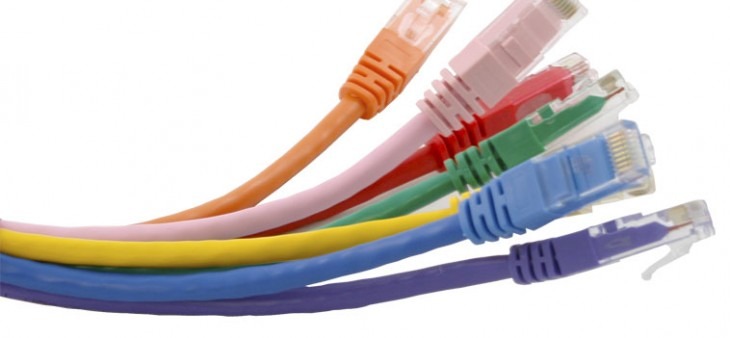
Choosing the right Ethernet cable for your home or business network doesn’t need to be complicated. Whether you’re upgrading your home office, installing a gaming setup, or running cables for a new broadband connection, understanding Ethernet cable types will help you make the right choice. This comprehensive guide explains everything you need to know about Ethernet cables in the UK, from Cat5e to Cat6a, helping you select the perfect cable for your network requirements. Shop Ethernet Cables.
What Is an Ethernet Cable?
An Ethernet cable is a high-speed physical link used to connect devices (computers, consoles, Network Switches) to a local area network (LAN).
Why choose wired over Wi-Fi?
- Minimal Latency: Essential for competitive gaming.
- Maximum Bandwidth: Required for 4K/8K streaming and NAS (Network Attached Storage) systems.
- Stability: Eliminates signal dropouts in home offices and businesses.
Ethernet Category Comparison: Performance & Use Cases
Choosing the correct Ethernet category (Cat) is essential for matching your cable to your hardware’s potential and your ISP’s broadband speed.
2026 Ethernet Speed & Specification Table – Buy Ethernet cables
| Category | Max Speed | Bandwidth | Max Distance | Primary Application |
| Cat5e | 1 Gbps | 100 MHz | 100m | UK Home Broadband (Standard) |
| Cat6 | 10 Gbps* | 250 MHz | 55m / 100m | Gaming, 4K Streaming, SMBs |
| Cat6a | 10 Gbps | 500 MHz | 100m | Data Centres, Enterprise & AI |
| Cat7/7A | 10 Gbps+ | 1000 MHz | 100m | High-Interference Industrial |
| Cat8 | 40 Gbps | 2000 MHz | 30m | Data Centre Switch-to-Switch |
*Cat6 supports 10Gbps speeds up to 55 metres. For 10Gbps runs over 55m, Cat6a is required.
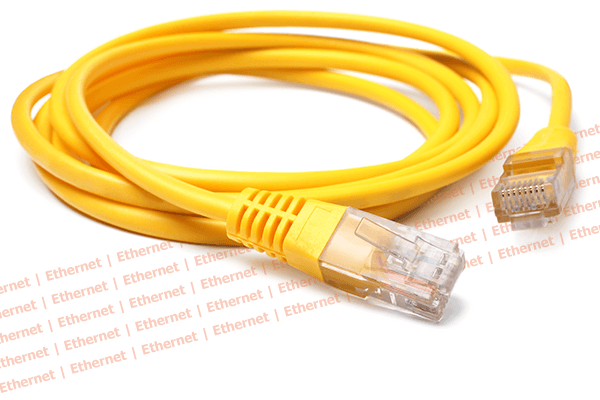
Quick Buying Guide: Which Cable Do You Need?
Shop Cat5e Cables: The Budget Standard
- Best for: Residential users with broadband packages under 1 Gbps.
- Why choose it: It is the most cost-effective solution for everyday internet browsing, HD video calls, and standard office tasks.
Shop Cat6 Cables: The Performance Standard
- Best for: Competitive gaming, 4K/8K video streaming, and future-proofing modern smart homes.
- Why choose it: Cat6 features tighter internal twists and a separator (spline) that reduces signal “crosstalk” and interference, providing a more stable connection than Cat5e.
Shop Cat6a Cables: The Professional Standard
- Best for: Permanent in-wall installations, 10-Gigabit home servers, and commercial networking.
- Why choose it: It supports 10 Gbps speeds over the full 100m distance. Because it is much harder to replace cables once they are inside walls, Cat6a is the recommended minimum for new builds and renovations to ensure 10+ years of relevance.
Solid Core vs. Stranded Construction
The internal copper wiring determines where the cable should be used.
Solid Core Ethernet Cable
- Design: One single solid copper wire per conductor.
- Best Use: Permanent in-wall installations and External/Outdoor runs.
- Pro: Better signal over long distances; more durable for fixed positions.
Stranded Patch Leads
- Design: Multiple thin copper filaments twisted together.
- Best Use: Connecting devices to wall sockets, desk setups, and Server Racks.
- Pro: Highly flexible and resistant to breaking from frequent movement.
UK Installation Tip: Always use Solid Core for the “backbone” of your building (cables you won’t touch again) and Stranded Patch Leads for the “last mile” connection to your devices.
This section breaks down the technical differences between cable shielding types and provides a tailored buyer’s guide for various environments. Each recommendation includes direct links to Comms Express product categories to ensure you get the right equipment for your specific UK installation.
Shielded vs Unshielded Ethernet (UTP vs STP)
Choosing between shielded and unshielded cable depends entirely on your environment and the presence of Electromagnetic Interference (EMI).
UTP (Unshielded Twisted Pair) – The Standard Choice
UTP Ethernet Cables are the most common cables used in the UK. They rely on the precise “twist” of the internal copper pairs to cancel out interference.
- Best For: Standard homes, small offices, and domestic broadband setups.
- Key Benefits: Cost-effective, highly flexible, and the easiest to terminate.
- Verdict: Sufficient for 95% of residential applications.
STP/FTP (Shielded/Foiled Twisted Pair) – The Industrial Choice
Shielded Patch Leads feature an internal metallic foil or braided shield to block external noise and “crosstalk” from other cables.
- Best For: Industrial environments, data centres, and runs placed alongside high-voltage mains power.
- Key Benefits: Maximum data integrity in “noisy” electrical environments.
- UK Regulation Tip: Per BS 7671 wiring regulations, if you cannot maintain the required 50mm separation from mains power cables, you should use shielded cabling.
Are Crossover Cables Still Relevant?
Traditionally, Crossover Cables were required to connect two similar devices (e.g., PC to PC or Switch to Switch) without a router.
- The Modern Reality: Most modern networking hardware features Auto-MDIX (Automatic Medium-Dependent Interface Crossover). This technology automatically detects the connection and configures the port, making crossover cables largely redundant in 2026.
- When you need them: Only for legacy hardware or specific industrial equipment that lacks Auto-MDIX support. For almost all other cases, use standard Straight-Through Patch Leads.
Buyer’s Checklist: Selecting by Use Case
| Use Case | Recommended Cable Category | Key Feature to Look For |
| Home Broadband | Cat5e or Cat6 | Flexible stranded copper |
| Online Gaming | Cat6 Patch Leads | Low latency, high frequency |
| 4K/8K Streaming | Cat6a Ethernet | 500MHz bandwidth support |
| Business/Office | Cat6 Solid Core | Structured cabling infrastructure |
| Outdoor/CCTV | External Grade | UV-resistant PE jacket |
Quick Tips for Specialised Setup:
- Gaming: Minimise cable length. While Ethernet supports 100m, shorter runs (under 5m) reduce the risk of physical damage and cable clutter, maintaining the best possible ping.
- Home Cinema: Use Shielded Cat6a if your cables are bundled behind an entertainment centre with multiple power leads to prevent interference.
- Outdoor Installations: Never use indoor PVC cable outside. UK weather will cause the jacket to crack within months. Use Outdoor-rated PE Cable.
Distance and Performance Limits
A common misconception is that Ethernet cables can run indefinitely.
- The 100-Metre Rule: All copper Ethernet cables (Cat5e, Cat6, Cat6a) have a maximum channel length of 100 metres. Beyond this, the signal degrades, and “packet loss” occurs.
- Long-Distance Solutions: If you need to span more than 100m (e.g., to a garden office or another building), you must use a Network Switch as a repeater or switch to Fibre Optic Cabling.
Next Step: Need to measure your cable performance? Check out our range of Network Testers to ensure your installation meets the required speeds.
Frequently Asked Questions (FAQ): Buying Ethernet & Network Cables
This FAQ addresses the most common concerns for home users and IT professionals when purchasing networking infrastructure in 2026.
Performance & Compatibility
Q: Which Ethernet category should I buy: Cat5e, Cat6, or Cat6a? Answer: It depends on your speed requirements. Cat5e is suitable for basic 1Gbps home broadband. Cat6 is the 2026 “sweet spot,” supporting 10Gbps up to 55m and providing better noise resistance. Cat6a is the gold standard for future-proofing, supporting 10Gbps over the full 100m distance.
Q: Will a “faster” Ethernet cable increase my internet speed? Answer: No. An Ethernet cable cannot exceed the speed provided by your ISP. However, an outdated cable (like Cat5) can bottleneck a high-speed connection. If you have 1Gbps fibre, you must use at least Cat5e or Cat6 to achieve your full package speed.
Q: Can I use Cat6 cables with a Cat5e network? Answer: Yes. Ethernet cables are backward compatible. You can use a Cat6 or Cat6a cable with older routers, switches, and computers that only support Cat5e speeds.
Physical Construction & Quality
Q: What is the difference between Solid Core and Stranded cable? Answer: Solid Core cables are made of a single copper wire and are designed for permanent, in-wall installations. Stranded cables are flexible and made for “patching” devices (like a laptop or console) to a wall socket.
Q: What is CCA cable and why should I avoid it? Answer: CCA stands for Copper Clad Aluminium. These cables are cheaper but perform poorly, break easily, and are a fire hazard when used with Power over Ethernet (PoE). Always ensure you are buying 100% Pure Copper cables for safety and reliability.
Q: Do I need Shielded (STP/FTP) or Unshielded (UTP) cable? Answer: Most homes and offices only require UTP. You only need Shielded cables if you are running wires in industrial environments, outdoors, or directly alongside high-voltage mains power lines to prevent electromagnetic interference.
Installation & Usage
Q: What is the maximum length an Ethernet cable can be? Answer: The maximum reliable distance for all standard copper Ethernet cables (Cat5e through Cat6a) is 100 metres (328 feet). For distances beyond this, you must use a Network Switch as a repeater or switch to Fibre Optic cabling.
Q: Can I run a standard Ethernet cable outdoors? Answer: No. Standard indoor PVC jackets will crack when exposed to UV light and moisture. You must use External Grade Ethernet Cable with a UV-resistant PE (Polyethylene) jacket for any outdoor or underground runs.
Q: Which cable is best for gaming (PS5, Xbox, PC)? Answer: For the lowest latency (ping), use a Cat6 Patch Lead. While Wi-Fi 7 is fast, a physical Cat6 connection provides the most stable “jitter-free” experience for competitive gaming.
Q: What is PoE and which cable do I need for it? Answer: Power over Ethernet (PoE) allows a cable to carry both data and electricity to devices like IP cameras and Access Points. You should use Cat6 or Cat6a Pure Copper cables for PoE to ensure efficient power delivery and prevent overheating.
Installation Best Practice:
Proper installation is as critical as cable category. Following these industry standards ensures your network achieves its rated speed (1Gbps/10Gbps) and complies with UK Building Regulations.
1. Compliance with UK Building & Wiring Regulations
When installing structured cabling in the UK, safety and interference management are paramount.
- EMI Separation: Maintain a minimum 50mm separation between Ethernet data cables and mains electrical power cables to prevent electromagnetic interference (EMI).
- BS 7671 Compliance: Ensure all mixed-cable installations adhere to the latest BS 7671 (IET Wiring Regulations).
- Fire Safety: For concealed installations in commercial buildings or plenums, use LSZH (Low Smoke Zero Halogen) Cables to meet fire-rated safety standards.
- Management: Use dedicated Cable Management systems and appropriate clips to prevent physical stress on the jacket.
2. Practical Installation Tips for Peak Performance
- Respect the Bend Radius: Avoid sharp bends. Maintain a minimum bend radius of 4x the cable diameter to prevent internal wire damage and signal “leaks.”
- Avoid Physical Stress: Never stretch or pull cables with excessive force during a run. This can untwist the internal pairs, leading to crosstalk.
- Dual-End Labelling: Label both ends of every cable run immediately. This is essential for troubleshooting complex Server Rack setups.
- Post-Install Testing: Always verify your work. Use a Network Cable Tester to check for continuity, shorts, or crossed wires before going live.
3. Achieving High-Quality Terminations
The termination point is where most signal loss occurs.
- Maintain Twists: Keep the internal wire pair twists as close to the RJ45 Connector as possible (ideally within 13mm).
- Connector Matching: Use specific connectors for your cable type. Solid core cables and stranded cables require different internal pin alignments for a secure crimp.
- Pre-Terminated Advantage: For high-reliability environments, consider Pre-terminated Fibre or Copper Leads to ensure factory-certified performance.
4. Future-Proofing Your UK Network (2026–2030)
As UK broadband providers (BT Openreach, Virgin Media, etc.) roll out 2Gbps+ connections, your cabling must keep pace.
| Lifecycle | Recommended Standard | Why? |
| Short-Term (1-3 Years) | Cat5e | Cost-effective for basic sub-gigabit needs. |
| Medium-Term (3-7 Years) | Cat6 | The standard for Gigabit+ performance and lower latency. |
| Long-Term (7+ Years) | Cat6a | Mandatory for 10Gbps support and evolving AI/smart-building tech. |
5. Essential Networking Accessories
A complete installation requires more than just cable. Maximise your network’s efficiency with these professional-grade components:
- Network Switches: Expand your port density without sacrificing throughput.
- Patch Panels: The foundation of any Structured Cabling system.
- RJ45 Connectors & Tools: Professional-grade crimpers and cutters for custom-length runs.
- Power Distribution Units (PDU): Reliable power management for your networked hardware.
Get Expert Technical Advice
Still unsure which specification suits your project? The experts at Comms Express are available to provide bespoke recommendations for residential, commercial, or industrial deployments.
Next Step: Browse our full range of RJ45 Ethernet Cables or contact our team for a bulk-buy quote today.
Shop the Full Range at Comms Express
Browse the UK’s most trusted brands and high-performance infrastructure solutions.
- Cabling & Racks
- Buy Network Cables
- Shop RJ45 Patch Leads
- Buy Patch Panels
- Shop Cat6 Cable
- Buy Fibre Patch Leads
- Shop Server Racks
- Buy Data Cabinets
- Networking & Power
- Shop Network Switches
- Buy UPS Systems
- Shop Rack PDUs
- Buy IP CCTV & Cameras
- Offers & Savings
- Shop Discounts
- Buy Multi-Buy Offers
- Our Top Brands
- Shop Ubiquiti | Buy TP-Link
- Shop Cisco | Buy Netgear
- Shop DrayTek | Buy D-Link
- Shop HPE Aruba | Buy APC
- Shop Teltonika | Buy Eaton
- Shop Excel | Buy Lindy
- Own Brands
- Shop Datacel | Buy CE Networking
Project Planning? Get expert technical advice and custom quotes for large installations. Contact our expert sales team today.
