
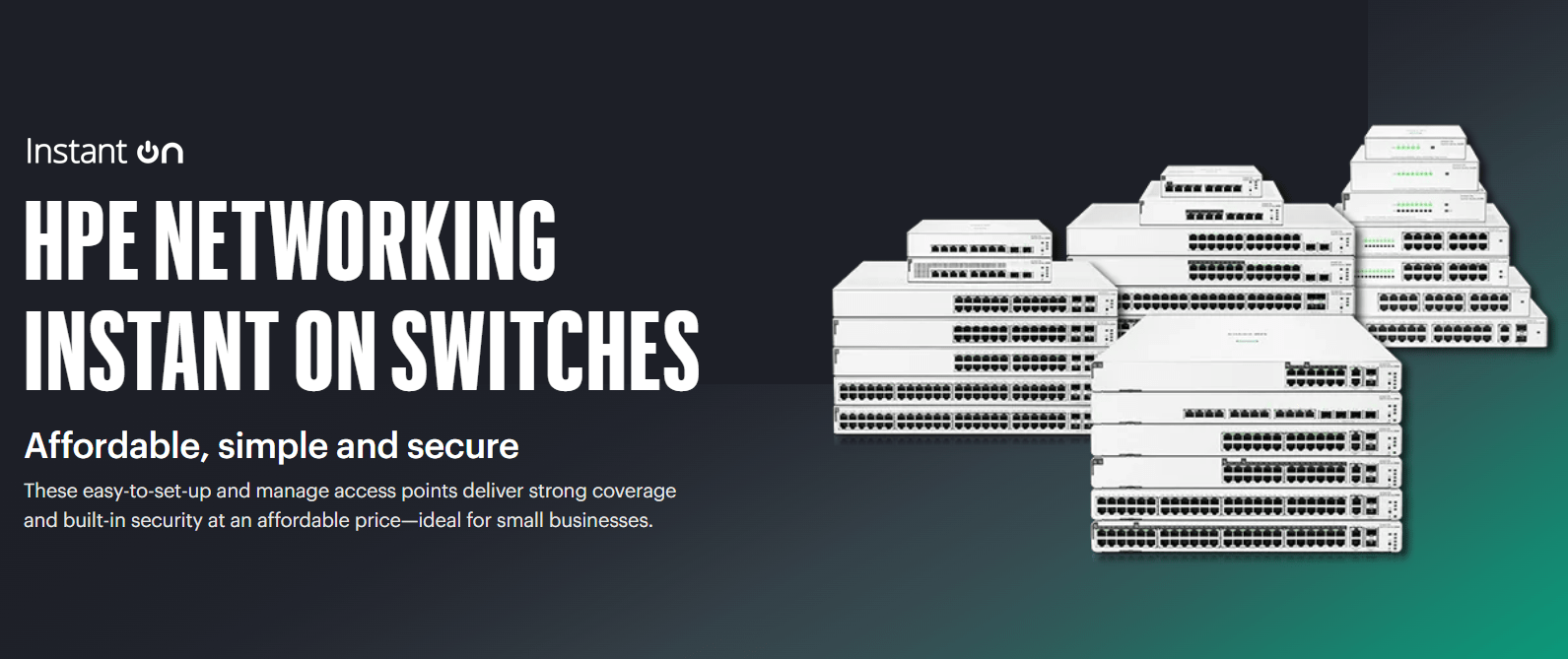
In the modern business landscape, reliable networking is no longer a luxury – it’s the backbone of operations. The HPE Networking Instant On (formerly Aruba Instant On) switch series is specifically engineered to provide enterprise-grade performance with small-business simplicity. Whether you are upgrading a home office or scaling a retail warehouse, these smart-managed switches eliminate complexity without sacrificing security.
Why Choose HPE Networking Instant On?
Choosing the right switch can be the difference between seamless productivity and constant troubleshooting. HPE Networking Instant On stands out for three primary reasons:
- Zero-Cost Cloud Management: Manage your entire network via the Instant On mobile app or web portal with no hidden subscription fees.
- Built-in Security: Protect your business from unauthorized access with features like Two-Factor Authentication (2FA), IEEE 802.1X, and automatic Denial-of-Service (DoS) protection.
- Plug-and-Play PoE: Power your Wireless Access Points, IP Cameras, and VoIP phones directly through the Ethernet cable.
Recommendations: Which Instant On Switch is Best For You?
| User Profile | Recommended Series | Top Feature |
| Home Office / Small Shop | Instant On 1430 | Unmanaged, “Set and Forget” |
| Growing Business / Start-up | Instant On 1830 | Smart-managed, Cost-effective |
| High Performance / Video | Instant On 1930 | 10G SFP+ Uplinks, Layer 2+ |
| Power Users / Stacking | Instant On 1960 | Cloud Stacking, 60W PoE++ |
HPE Networking Instant On: Switch Series Comparison
A side-by-side look at the 1430, 1830, 1930, and 1960 families to help you choose the right hardware for your network density and performance needs.
| Feature | 1430 Series | 1830 Series | 1930 Series | 1960 Series |
|---|---|---|---|---|
| Port Density | 5 / 8 / 16 / 24 / 26 Ports | 8 / 24 / 48 Ports | 8 / 24 / 48 Ports | 24 / 48 Ports + 12-Port Aggregator |
| PoE Capability | Class 4 (PoE+) Selected models | Class 4 (PoE+) Partial PoE (half of ports) | Class 4 (PoE+) Full PoE models available | Class 4 & 6 (PoE++) Up to 60W per port |
| Uplink Speed | 1G SFP (on 26-port) | 1G SFP | 1G/10G SFP+ | 10G SFP+ and 10GBase-T |
| Stacking | No | No | No | Yes (Cloud or Local stacking) |
| Routing | Unmanaged (Layer 2) | Layer 2 | Layer 2+ (Static Routing) | Layer 2+ (Static Routing) |
| Management | None (Unmanaged) | App / Portal / Local GUI | App / Portal / Local GUI | App / Portal / Local GUI |
| Best For | Home/Small Office | Cost-sensitive offices | Retail, clinics, & cafes | Tech startups & hotels |
Use-Case Deep Dive: Finding the Right Fit
HPE Networking Instant On 1430 Series
- Primary Intent: Unmanaged, “Plug-and-Play” simplicity.
- Key Advantage: Completely maintenance-free with zero configuration required. Ideal for users who want reliable connectivity without the need to manage settings via an app or web portal. It is the most affordable entry point into the portfolio.
- Deployment: Small home offices, temporary pop-up shops, and basic desktop expansions.
HPE Networking Instant On 1830 Series
- Primary Intent: Entry-level, smart-managed connectivity.
- Key Advantage: The most cost-efficient way to access the cloud-managed ecosystem. Ideal for environments that need basic management and a mix of PoE (for a few cameras/APs) and standard non-PoE ports for desktops.
- Deployment: Small professional offices, retail stockrooms, and startup workspaces.
HPE Networking Instant On 1930 Series
- Primary Intent: High-performance L2+ switching with 10G uplinks.
- Key Advantage: Specifically designed to prevent network bottlenecks. The 10G SFP+ ports are essential for connecting your switch to high-speed servers or a 10G network backbone. It offers advanced security and granular control.
- Deployment: Medical clinics, architectural firms, and high-traffic cafes requiring robust guest Wi-Fi.
HPE Networking Instant On 1960 Series
- Primary Intent: Scalable, stackable power for growing infrastructures.
- Key Advantage: Supports PoE++ (Class 6) to power high-draw devices like PTZ cameras and Wi-Fi 7 Access Points. “True Stacking” allows you to manage up to 4 switches as a single logical entity, greatly simplifying high-density deployments.
- Deployment: Boutique hotels, multi-floor training facilities, and data-heavy businesses using high-end storage/NAS solutions.
How to Set Up Your Instant On Switch in 3 Steps
- Connect: Plug your switch into your router and power it on.
- Download: Open the HPE Networking Instant On app on your iOS or Android device.
- Deploy: Scan the QR code on the device or enter the serial number. The app will automatically discover and configure your switch.
Expert Verdict
The HPE Networking Instant On series is the “gold standard” for businesses that need high uptime but don’t have a dedicated IT department. While the 1430 is perfect for simple connectivity, we recommend the 1930 Series for most businesses due to its 10G uplinks, which prevent bottlenecks when connecting to servers or Storage (NAS) units.
Frequently Asked Questions (FAQ)
- What is the difference between Aruba Instant On and HPE Networking Instant On? HPE has rebranded the “Aruba Instant On” line to “HPE Networking Instant On” to better align with its global networking portfolio. The hardware, software, and high-quality performance remain identical.
- Do Instant On switches require a subscription for cloud management? No. Unlike many competitors, HPE provides the Instant On Cloud Portal and Mobile App free of charge for the life of the product.
- Can I stack 1930 switches? No, the 1930 series does not support stacking. If you require stacking capabilities for simplified management of multiple switches as a single entity, you should choose the 1960 Series.
- Can I manage all three series from the same mobile app? Yes. The HPE Networking Instant On mobile app provides a single pane of glass to manage 1830, 1930, and 1960 switches (and access points) simultaneously.
- Does the 1830 series support 10Gbps speeds? No. The 1830 series is limited to 1Gbps SFP uplinks. For 10Gbps speeds, you must step up to the 1930 or 1960 series.
- What is “Partial PoE” on the 1830 models? To keep costs down, certain 1830 PoE models only provide power on half of the available ports (e.g., on a 24-port switch, only 12 ports provide PoE).
Shop the Full Range at Comms Express
Browse the UK’s most trusted brands and high-performance infrastructure solutions.
- Cabling & Racks
- Buy Network Cables
- Shop RJ45 Patch Leads
- Buy Patch Panels
- Shop Cat6 Cable
- Buy Fibre Patch Leads
- Shop Server Racks
- Buy Data Cabinets
- Networking & Power
- Shop Network Switches
- Buy UPS Systems
- Shop Rack PDUs
- Buy IP CCTV & Cameras
- Offers & Savings
- Shop Discounts
- Buy Multi-Buy Offers
- Our Top Brands
- Shop Ubiquiti | Buy TP-Link
- Shop Cisco | Buy Netgear
- Shop DrayTek | Buy D-Link
- Shop HPE Aruba | Buy APC
- Shop Teltonika | Buy Eaton
- Shop Excel | Buy Lindy
- Own Brands
- Shop Datacel | Buy CE Networking
Project Planning? Get expert technical advice and custom quotes for large installations. Contact our expert sales team today.
