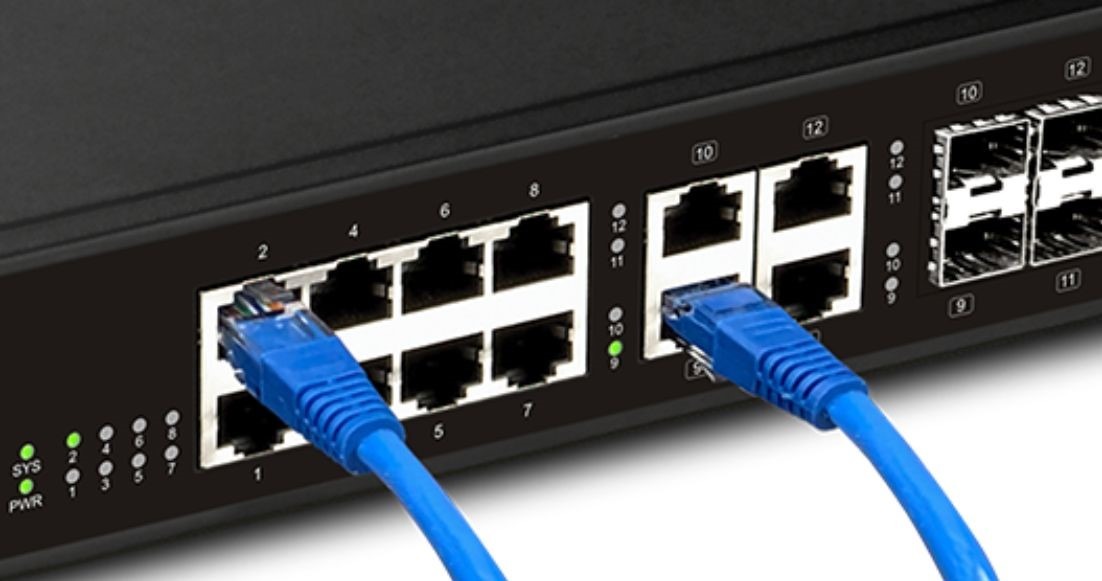
In modern business, the network switch is the silent engine of productivity. DrayTek’s VigorSwitch range has evolved beyond simple connectivity, offering “Layer 2+” routing, smart PoE management, and industry-leading integration with Vigor routers. Shop Draytek
Whether you are scaling a surveillance network or upgrading a high-speed server backbone, here are the top-selling DrayTek switches at Comms Express.
Buy Draytek
1. DrayTek VigorSwitch P1282: The PoE+ Powerhouse
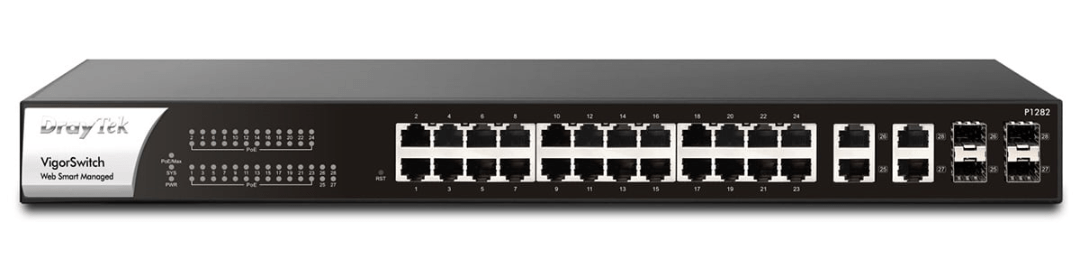
The VigorSwitch P1282 is a 24-port Gigabit Smart Managed switch designed for reliability and ease of use. It is a favourite for offices requiring high-density power delivery.
- Best For: IP telephony, wireless access point deployment, and SMB offices.
- Key Feature: Smart PoE Management allows for PoE scheduling and device “Ping” checks to auto-reboot unresponsive hardware.
- Security: Includes Automatic VLAN Assignment for Voice and Surveillance, keeping critical data isolated and secure.
- Capacity: 24 x Gigabit PoE+ ports with 4 dedicated SFP slots for high-speed fiber uplinks.
2. DrayTek VigorSwitch P2100: Compact Layer 2+ Routing
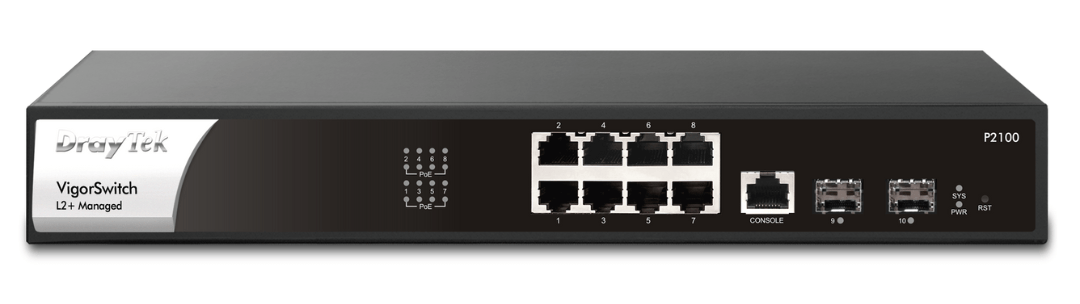
For environments that need more than just a standard switch, the VigorSwitch P2100 provides advanced Layer 2+ features in an 8-port rack-mountable form factor.
- Best For: Compact server rooms, retail outlets, and distributed office hubs.
- Key Advantage: Layer 2+ Managed Features including Static Routing and VLAN routing to reduce the load on your primary router.
- Silent Operation: Fanless design makes it perfect for placement in noise-sensitive areas like open-plan offices.
- Surveillance Ready: Features ONVIF management
3. DrayTek VigorSwitch P2282: 10GbE Enterprise Speed
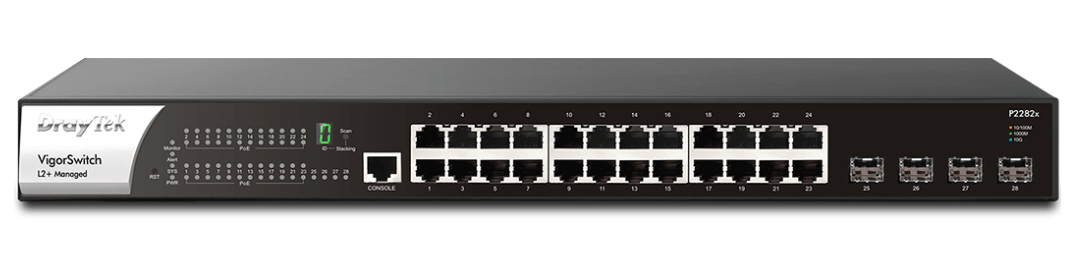
The VigorSwitch P2282 is built for high-performance networks where data bottlenecks are not an option.
- Best For: Core network backbones and high-speed storage (NAS) environments.
- Technical Highlight: Equipped with 4 x 10G SFP+ ports, providing massive uplink capacity to servers or other switches.
- Power Budget: A massive 400W PoE budget ensures you can power multiple Wi-Fi 6 access points and PTZ cameras simultaneously.
- Redundancy: Includes DC redundant power sockets to ensure zero downtime in mission-critical setups.
4. DrayTek VigorSwitch P1281X: The Smart 10GbE Entry
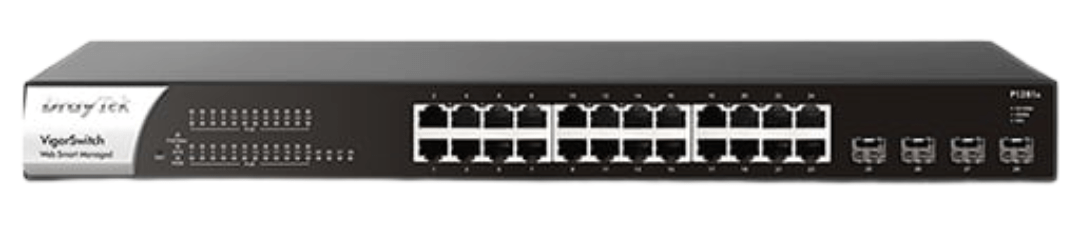
The P1281X bridges the gap between standard smart switches and high-end enterprise models by offering 10-Gigabit uplinks at a lower price point.
- Best For: Businesses moving toward 10GbE infrastructure on a budget.
- Top Feature: 10GbE SFP+ Uplinks eliminate “choke points” when connecting your switch to the main network core.
- Management: Fully compatible with VigorACS 3 and Central Switch Management via Vigor routers.
Buy DrayTek VigorSwitch P1281X
5. DrayTek VigorSwitch G1080: High-Density Non-PoE
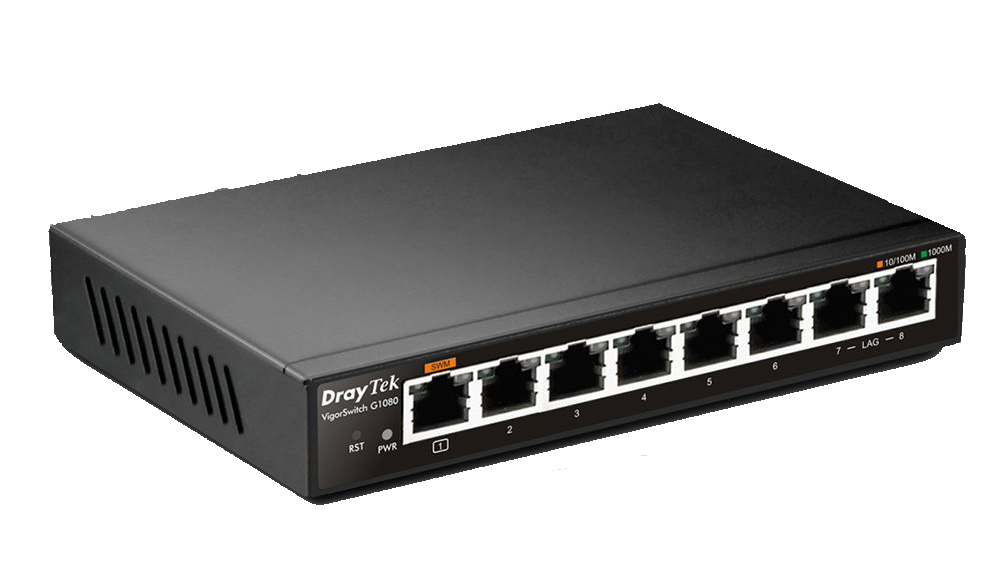
The VigorSwitch G1080 is a compact, ultra-reliable 8-port Gigabit switch designed for small offices or home workstations that need more control than a standard “plug-and-play” unmanaged switch.
- Best For: Home offices, small workgroups, and desktop expansion.
- Key Advantage: Ultra-Compact & Flexible Power. It is exceptionally small and can be powered by a standard power adapter or via a USB-C port, allowing you to power it directly from a laptop or PC.
- Smart Features: Despite its size, it supports VLANs (Tag-based and Port-based), QoS for traffic prioritization, and IGMP Snooping for optimized multicast traffic (like IPTV).
- Silent Design: 100% fanless operation makes it perfect for placement directly on a desk or in a quiet residential environment.
Technical Comparison Table
| Model | Ports | PoE Budget | Uplinks | Form Factor |
| P1282 | 24x GbE | 400W | 4x SFP | 1U Rackmount |
| P2100 | 8x GbE | 140W | 2x SFP | 1U Rackmount |
| P2282 | 24x GbE | 400W | 4x 10G SFP+ | 1U Rackmount |
| P1281X | 24x GbE | 400W | 4x 10G SFP+ | 1U Rackmount |
| G1080 | 8x GbE | N/A | N/A | Ultra-Compact Desktop |
DrayTek VigorSwitch: Comprehensive Technical FAQ
1. Management & Configuration
How do I manage multiple DrayTek VigorSwitches from one place? Most users utilize Central Switch Management (CSM). When paired with a Vigor Router, you can manage up to 30 switches from the router’s own dashboard. For larger, multi-site deployments, VigorACS 3 provides a full cloud-based management platform for remote monitoring and bulk configuration.
What is the default IP address for a DrayTek VigorSwitch? By default, DrayTek switches are set to DHCP mode. If no DHCP server is found, the switch defaults to 192.168.1.224. The default login credentials are typically admin for both username and password (which should be changed immediately upon setup).
2. Power over Ethernet (PoE) & Hardware
What is the difference between PoE and PoE+ on VigorSwitches?
- PoE (802.3af): Delivers up to 15.4W per port.
- PoE+ (802.3at): Delivers up to 30W per port. DrayTek “P” models (like the P1282) support PoE+, which is necessary for modern Wi-Fi 6 Access Points, PTZ (Pan-Tilt-Zoom) cameras, and video IP phones.
How does the “PoE Device Check” feature prevent network downtime? This is a critical DrayTek feature where the switch “pings” a connected device (like an IP Camera). If the device fails to respond, the switch assumes it has frozen and automatically power-cycles the port. This self-healing mechanism eliminates the need for manual reboots and on-site maintenance.
3. Performance & Speed
When should I choose a switch with SFP+ ports? You should choose a switch with SFP+ (10Gbps) ports, such as the P2282 or P1281X, if you are connecting to a high-speed NAS, a dedicated server, or creating a high-bandwidth “backbone” link between two switches to prevent data bottlenecks.
Do DrayTek switches support VLANs? Yes. All managed VigorSwitches support 802.1Q Tag-based VLANs. They also feature Voice VLAN and Surveillance VLAN, which automatically detect IP phones or cameras and place them into a prioritized, isolated segment of the network for better security and call quality.
Expert Summary: Choosing the Right DrayTek Infrastructure
Selecting the ideal VigorSwitch comes down to balancing your PoE budget with your uplink requirements. For most small-to-medium businesses, the P1282 remains the “Goldilocks” solution—offering ample ports and power for a standard office. However, as Wi-Fi 6/6E and high-speed NAS storage become the norm, we strongly recommend opting for models with 10GbE SFP+ ports (like the P2282) to future-proof your network backbone.
Expert Tip: Don’t overlook the management software. The true power of a DrayTek ecosystem is “Central Switch Management.” By pairing these switches with a Vigor Router, you reduce your troubleshooting time by up to 50% through a single-pane-of-glass interface.
Further Reading: Maximize Your DrayTek Network
Expand your networking knowledge with these verified guides from the Comms Express Blog:
-
- The Top 10 Best DrayTek Routers (2026) – The definitive guide to choosing a router that supports Central Switch Management for your new VigorSwitches.
- DrayTek Unveils NEW Products for 2025 – An overview of the latest hardware, including the high-performance P1282x and the new Wi-Fi 6 Access Points.
- Introducing the DrayTek VigorSwitch FX2120 – A deep dive into 10GbE fiber switching for businesses needing high-speed backbones and server connectivity.
- Is Your DrayTek Router Due for an Upgrade? – Crucial security and performance advice for businesses running older legacy DrayTek hardware.
Shop the Full Range at Comms Express
Browse the UK’s most trusted brands and high-performance infrastructure solutions.
- Cabling & Racks
- Buy Network Cables
- Shop RJ45 Patch Leads
- Buy Patch Panels
- Shop Cat6 Cable
- Buy Fibre Patch Leads
- Shop Server Racks
- Buy Data Cabinets
- Networking & Power
- Shop Network Switches
- Buy UPS Systems
- Shop Rack PDUs
- Buy IP CCTV & Cameras
- Offers & Savings
- Shop Discounts
- Buy Multi-Buy Offers
- Our Top Brands
- Shop Ubiquiti | Buy TP-Link
- Shop Cisco | Buy Netgear
- Shop DrayTek | Buy D-Link
- Shop HPE Aruba | Buy APC
- Shop Teltonika | Buy Eaton
- Shop Excel | Buy Lindy
- Own Brands
- Shop Datacel | Buy CE Networking
Project Planning? Get expert technical advice and custom quotes for large installations. Contact our expert sales team today.