
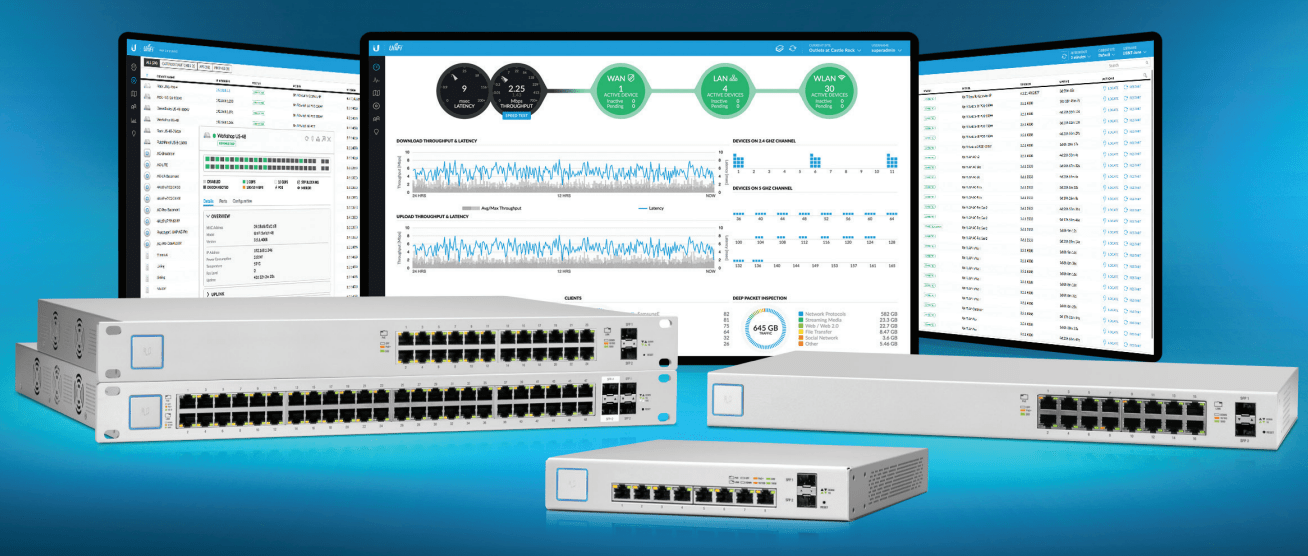
In the rapidly evolving landscape of 2026 networking, Ubiquiti UniFi Switches have become the gold standard for both high-end residential setups and enterprise-grade business environments. Whether you are transitioning to a Wi-Fi 7 ecosystem or managing a high-density IP surveillance network, selecting the right hardware is critical for maintaining peak performance.
In this guide, we review the top 5 Ubiquiti switches currently available, breaking down their technical specifications, PoE (Power over Ethernet) capabilities, and search-driven use cases.
Shop Ubiquiti
1. Ubiquiti UniFi Pro Max 24 PoE (The Wi-Fi 7 Ready Choice)
The USW-Pro-Max-24-POE is the flagship recommendation for 2026. Designed to fully enable Wi-Fi 7 deployments, it features 2.5GbE ports that eliminate the bandwidth bottlenecks common in older Gigabit hardware.
- Key Feature: Etherlighting™ ports for visual monitoring (speed/VLAN) and 10G SFP+ uplinks.
- Best For: Offices deploying U7 Pro Access Points and multi-gigabit workstations.
- PoE Support: High-wattage PoE++ (60W) to power advanced hardware.
2. Ubiquiti UniFi Pro 48 PoE Gen2 (The Enterprise Powerhouse)
For large-scale deployments, the USW-Pro-48-POE offers a robust 600W PoE budget. This Layer 3 managed switch is the “workhorse” of modern business infrastructure.
- Key Feature: Near-silent cooling and a 1.3-inch touch LCM display for real-time status.
- Best For: Core network distribution and high-density IP Surveillance systems.
- Port Config: (40) PoE+ ports and (8) 60W PoE++ ports with (4) 10G SFP+ uplinks.
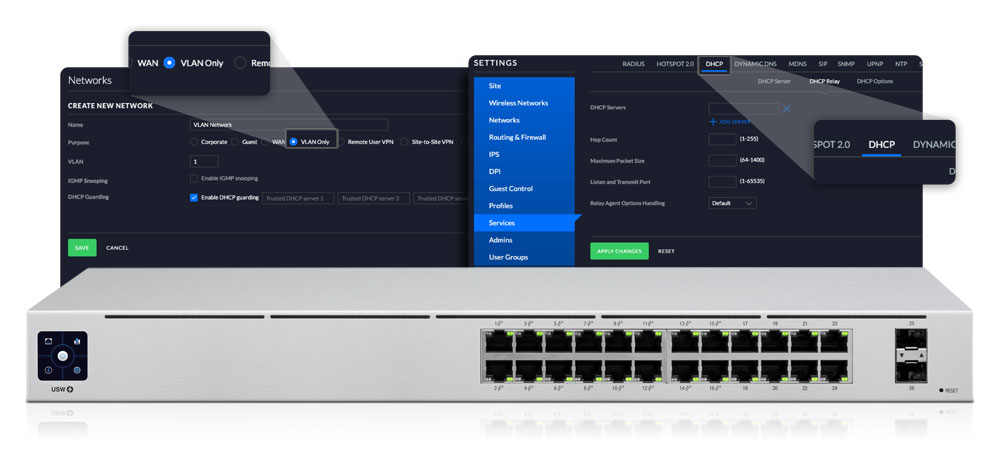
3. Ubiquiti UniFi 24 Port Managed Switch Gen2 (The SME Favourite)
The USW-24-POE remains a top seller for Small to Medium Enterprises (SMEs) that need reliable performance without the enterprise price tag.
- Key Feature: Fanless design for silent operation in office environments.
- Best For: General office connectivity where noise levels must be kept to a minimum.
- Shop Link: Browse UniFi 24-Port Switches.
4. Ubiquiti USW-Lite-8-PoE (The Prosumer & Edge Choice)
The USW-Lite-8-POE is a compact, wall-mountable solution perfect for home offices or “edge” network expansions.
- Key Feature: 52W total PoE budget in a small, sleek form factor.
- Best For: Desktop setups, powering a few cameras, or small Wireless Access Points.
5. Ubiquiti USW-Flex Managed Switch (The Versatile All-Rounder)
The USW-Flex is an IP55-rated weatherproof switch designed for both indoor and outdoor scenarios.
- Key Feature: Powered by PoE++ input, it can pass through power to 4 additional devices.
- Best For: Outdoor CCTV poles, lofts, or areas where a power outlet is unavailable.
Comparison Table: Ubiquiti Switch Series 2026
| Model Series | Ideal For | Max Uplink | Key Advantage |
| Standard (Gen2) | Basic Office / Home | 1GbE SFP | Fanless & Silent |
| Pro Series | Business Core / L3 | 10G SFP+ | PoE++ & Layer 3 Routing |
| Pro Max Series | WiFi 7 / High Perf | 10G SFP+ | 2.5GbE Ports & Etherlighting™ |
| Enterprise | Data Centres / 2.5G | 25G SFP28 | Maximum Throughput |
| Ultra Series | Remote Edge | 1GbE | Highly Compact / PoE Powered |
Why Choose Ubiquiti for Your Business?
Upgrading to a Managed Ubiquiti Switch from Comms Express provides several key advantages:
- Zero License Fees: Unlike competitors, the UniFi Site Manager is free, offering native cloud management without subscriptions.
- Scalability: Effortlessly grow from a 5-port starter setup to a global multi-site deployment.
- Advanced Security: Features like VLAN isolation, 802.1X, and MAC filtering come standard.
- Redundancy: Pro and Enterprise models support the UniFi SmartPower RPS for failover protection.
How to Calculate Your PoE Budget
Before buying, you must ensure your switch can handle the “power draw” of your devices:
- Standard VOIP Phone: 5W – 7W (PoE)
- Standard Wi-Fi 6 AP: 12W – 15W (PoE+)
- Wi-Fi 7 AP / PTZ Camera: 25W – 30W+ (PoE++)
Expert Tip: Always aim for a PoE budget that is 20% higher than your total calculated need to account for future expansion.
Expert Verdict
If you are building a network in 2026, the Pro Max series is the smartest investment. Its 2.5GbE ports future-proof your network for the next decade of hardware. For those on a budget, the Standard Gen2 series offers the best “bang for buck” for traditional gigabit needs.
Frequently Asked Questions (FAQ)
Q: Which Ubiquiti switch is best for Wi-Fi 7? A: The UniFi Pro Max and Enterprise series are the best choices for Wi-Fi 7 deployments. They feature 2.5GbE and 10GbE ports, which are essential to prevent bandwidth throttling and fully support the high-speed throughput of modern Wireless Access Points.
Q: Do Ubiquiti switches have recurring subscription fees? A: No. One of Ubiquiti’s primary advantages is that they do not charge recurring license or software fees. The UniFi Site Manager and controller software are free to use with all Ubiquiti Switches.
Q: What is the difference between PoE+ and PoE++? A: PoE+ (802.3at) provides up to 30W of power per port, whereas PoE++ (802.3bt) can deliver 60W or even 90W. High-performance devices like Wi-Fi 7 APs and PTZ cameras usually require the higher power delivery found in PoE++ Managed Switches.
Q: Can I manage Ubiquiti switches without a Cloud Key? A: Yes, you can run the UniFi Network Server software on a local PC, Mac, or Linux machine. However, using a dedicated Cloud Key G2 Plus or a UniFi Console provides 24/7 remote management and enhanced security features without needing a computer running constantly.
Q: Are Ubiquiti switches compatible with other network brands? A: Yes. Ubiquiti switches use industry-standard networking protocols, allowing them to integrate seamlessly with existing hardware from brands like Cisco, TP-Link, and DrayTek.
Q: How do I calculate the PoE budget for my switch? A: Add up the maximum power draw of all your connected devices (APs, cameras, VoIP phones). It is highly recommended to choose a switch with a total PoE budget that is at least 20% higher than your current total to allow for future hardware expansion and safety margins.
Further Reading & Technical Guides
- The Ultimate Guide to Ethernet Cables (2026)
- How to Set Up a Professional Home Network
- Managed vs. Unmanaged Switches: Which Do You Need?
Shop Ubiquiti
Scale your network with the latest UniFi Gen2, Pro Max, and Enterprise switches. Designed for seamless integration and high-wattage PoE delivery.
- High-Performance (2.5G/10G)
- Buy UniFi Pro Max Switches
- Shop Enterprise 2.5GbE
- Buy 10G SFP+ Aggregation
- Shop Pro Series Layer 3
- Managed PoE Switches
- Buy 48-Port PoE Switches
- Shop 24-Port PoE Switches
- Buy 8-Port PoE+ Lite
- Shop Fanless Office Switches
- Specialist & Accessories
- Buy UniFi Ultra (Compact)
- Shop PoE Injectors
- Buy SFP/SFP+ Modules
- Shop Rackmount Kits
Ready for WiFi 7? Modern Access Points require 2.5GbE ports and high PoE budgets to perform at their peak. If you’re unsure which switch fits your power requirements, contact our technical team for an expert compatibility check.
Until next time…
