


| Product Code: | |
| Options: | |
| Qty: | |
| Unit Price: | £ |

If you wish to enquire about this product please contact us on
0800 488 0000
| Part No: | FEUSBC-768H4 |
| Manufacturer No: | USBC-768H4 |
| Delivery: | In Stock: 1-2 Weeks |



 |
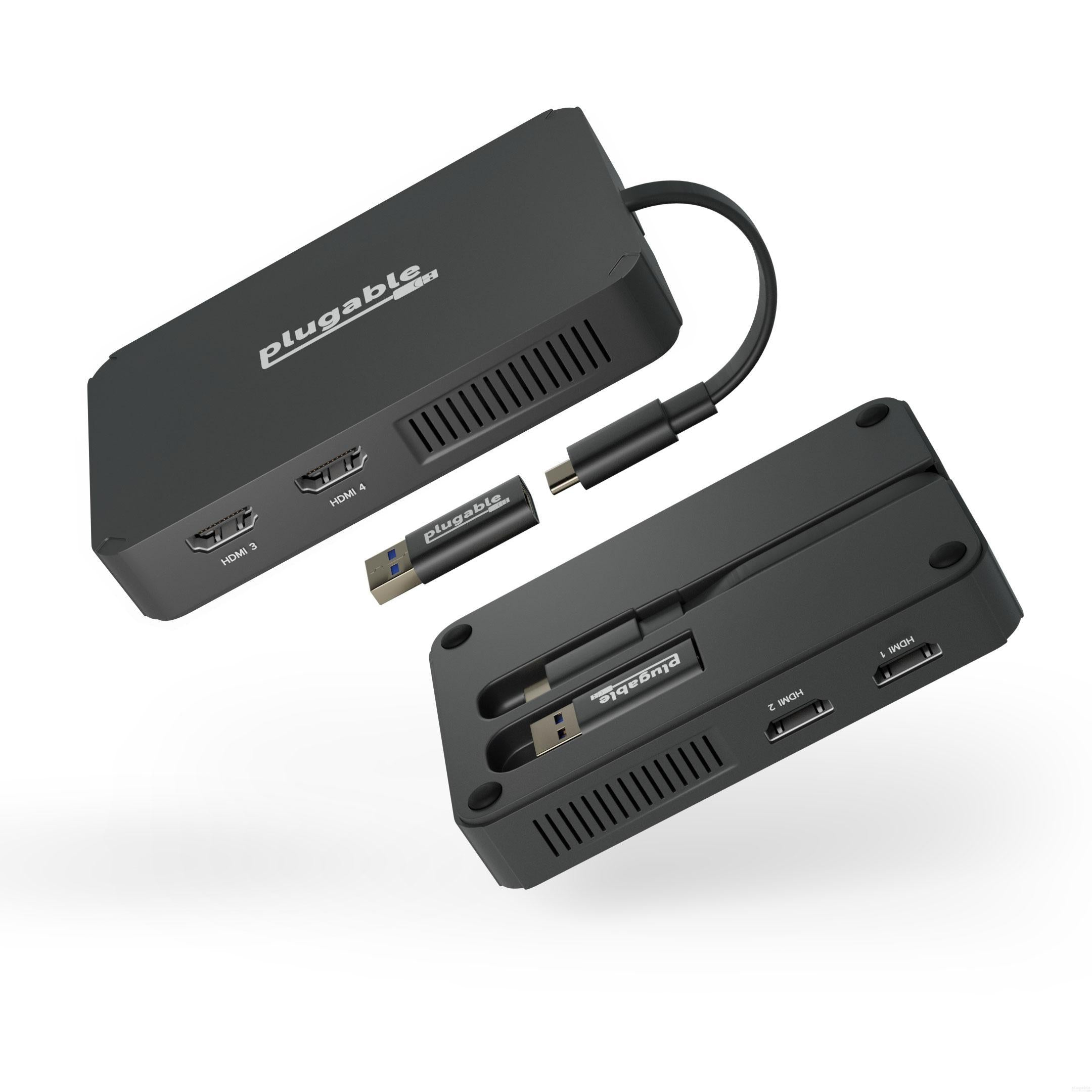
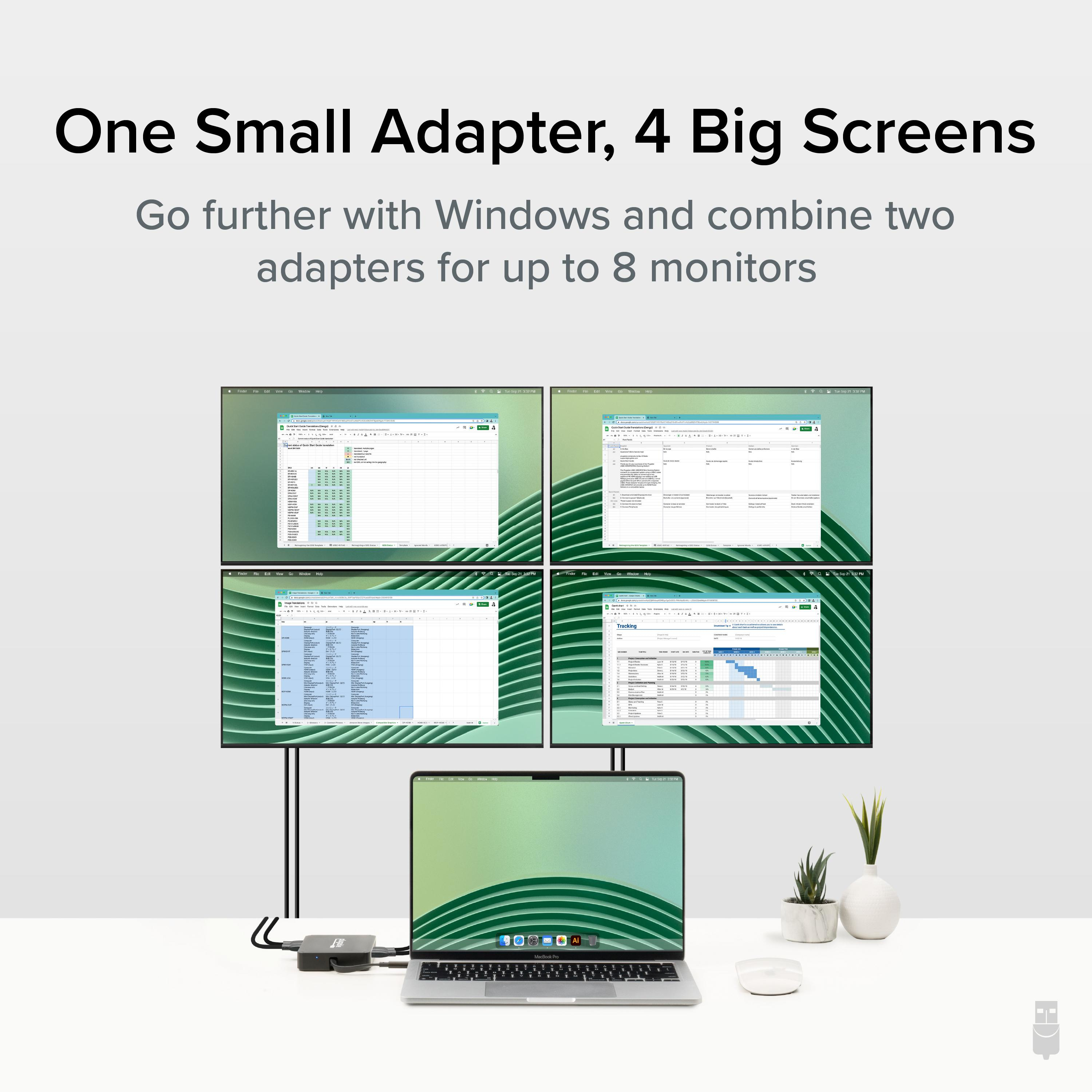
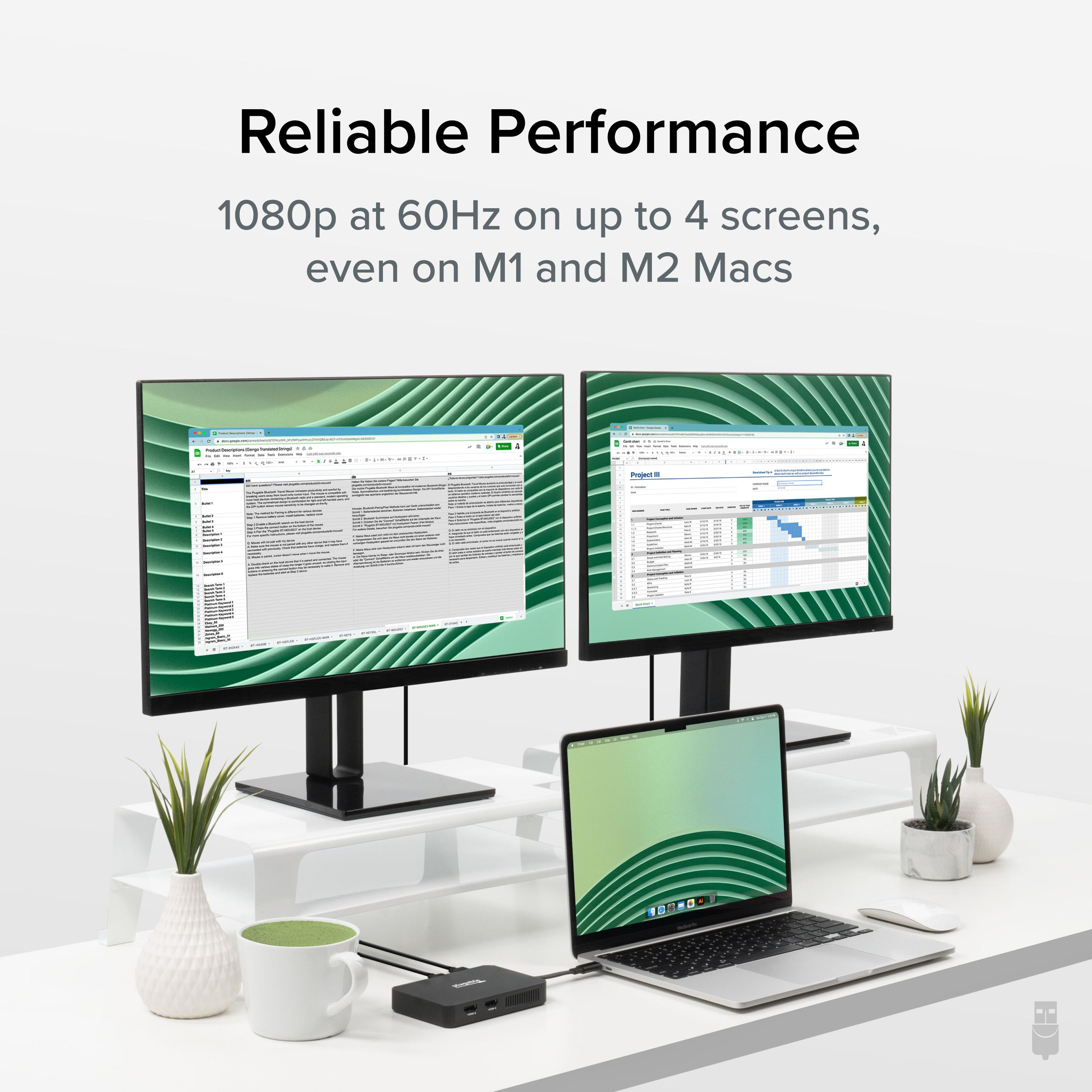
The Plugable USBC-768H4 USB-C or USB 3.0 to Quad HDMI Adapter provides a simple way to add up to four external HDMI displays through a single USB connection. Designed for multi-screen productivity, this adapter allows compatible laptops and desktops to expand their workspace for managing multiple applications, documents, and browser windows.
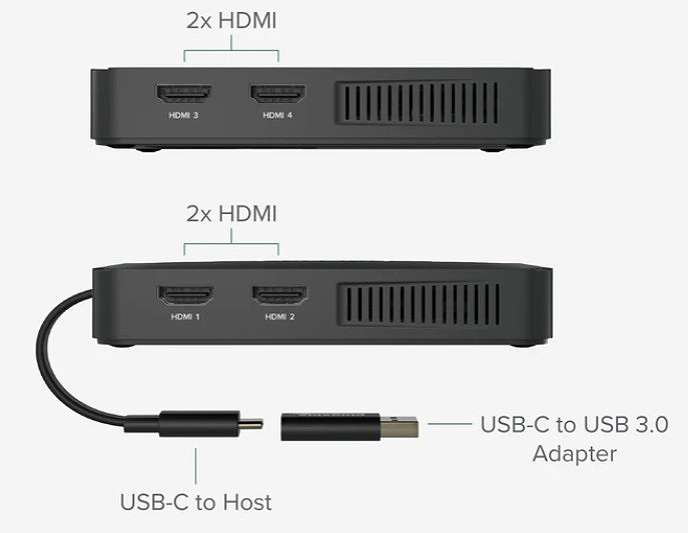
Smaller than you might expect for a quad display adapter, this multiple monitor adapter still manages all of the heavy lifting involved with delivering your video signal across four monitors. But it’s how the adapter handles the task of parceling the pixels across your screens that’s interesting.
A lot of adapters rely on USB-C features not available on all systems. The USBC-768H4 uses a Silicon Motion chipset and a software driver to accomplish the task. From a user perspective, there isn’t much of a difference. Unless, of course, you happen to be on an M1 or M2 Mac. Those particular computers don’t support more than 1 Alt Mode display so the standard approach wouldn’t work.
It is worth noting, a driver download is required. On Windows machines, the update is automatic though we do recommend installing the driver manually. On a Mac, however, this is accomplished through the InstantView App. And remember, though they offer similar functionality, the DisplayLink driver won’t work with this adapter.
A USB to HDMI adapter for monitor expansion opens up new levels of productivity.
Dedicate an entire screen to spreadsheets, email, stocks, or anything else you’re working on.
The USBC-768H4 adapts to your style of multitasking. Use it to expand to one, two, or three screens. It works just as well if you aren’t tapping into all four ports.
Now, let’s talk about what this multi HDMI adapter doesn’t have. It doesn’t have an external power source. It also doesn’t have an unwieldy cord to manage. What it does have is a flat cable that tucks into the bottom of the unit when not in use.
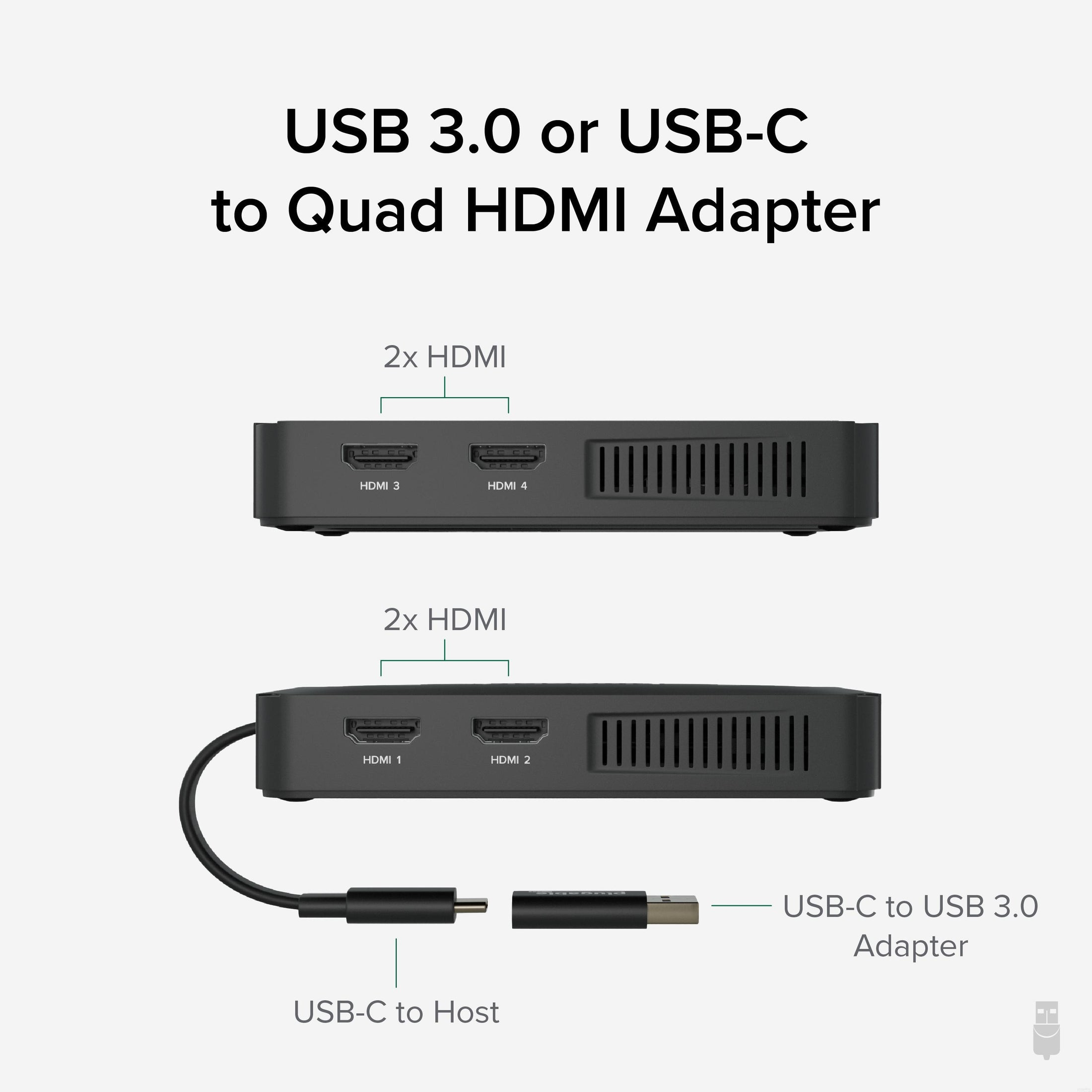
When you’re ready to expand your screen count, flip out the connector and plug it into an open USB-C or USB 3.0 port. Now you just have to connect your four HDMI monitors. That’s it. The adapter will get any required power from the host. And when you’re ready to go, disconnect and toss the adapter in your bag.
The USBC-768H4 is designed to work well with a wide variety of computers.
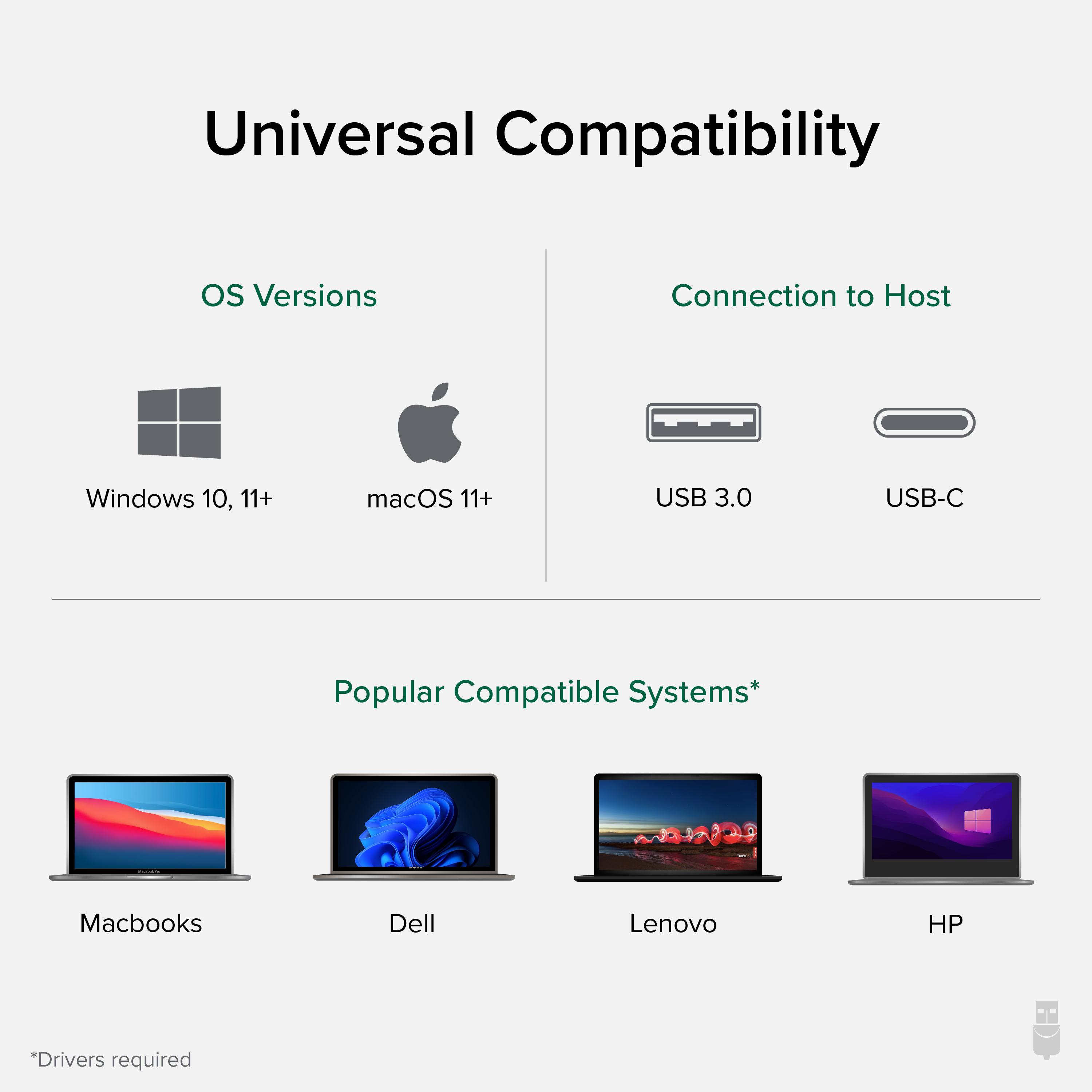
With the option to connect to the host computer through USB-C or USB 3.0 (USB-C to USB adapter included), you’ll never be left looking for an adapter.
Speaking of adaptability, the Plugable USB-C or USB 3.0 to Quad HDMI Adapter works with Windows 10 and newer, and macOS 11+. And that includes Macs with M1 or M2 chips that would otherwise only support one external monitor.
Not compatible with ChromeOS.
The Plugable USBC-768H4 USB-C or USB 3.0 to Quad HDMI Adapter provides a simple way to add up to four external HDMI displays through a single USB connection. Designed for multi-screen productivity, this adapter allows compatible laptops and desktops to expand their workspace for managing multiple applications, documents, and browser windows.
Smaller than you might expect for a quad display adapter, this multiple monitor adapter still manages all of the heavy lifting involved with delivering your video signal across four monitors. But it’s how the adapter handles the task of parceling the pixels across your screens that’s interesting.
A lot of adapters rely on USB-C features not available on all systems. The USBC-768H4 uses a Silicon Motion chipset and a software driver to accomplish the task. From a user perspective, there isn’t much of a difference. Unless, of course, you happen to be on an M1 or M2 Mac. Those particular computers don’t support more than 1 Alt Mode display so the standard approach wouldn’t work.
It is worth noting, a driver download is required. On Windows machines, the update is automatic though we do recommend installing the driver manually. On a Mac, however, this is accomplished through the InstantView App. And remember, though they offer similar functionality, the DisplayLink driver won’t work with this adapter.
A USB to HDMI adapter for monitor expansion opens up new levels of productivity.
Dedicate an entire screen to spreadsheets, email, stocks, or anything else you’re working on.
The USBC-768H4 adapts to your style of multitasking. Use it to expand to one, two, or three screens. It works just as well if you aren’t tapping into all four ports.
Now, let’s talk about what this multi HDMI adapter doesn’t have. It doesn’t have an external power source. It also doesn’t have an unwieldy cord to manage. What it does have is a flat cable that tucks into the bottom of the unit when not in use.
When you’re ready to expand your screen count, flip out the connector and plug it into an open USB-C or USB 3.0 port. Now you just have to connect your four HDMI monitors. That’s it. The adapter will get any required power from the host. And when you’re ready to go, disconnect and toss the adapter in your bag.
The USBC-768H4 is designed to work well with a wide variety of computers.
With the option to connect to the host computer through USB-C or USB 3.0 (USB-C to USB adapter included), you’ll never be left looking for an adapter.
Speaking of adaptability, the Plugable USB-C or USB 3.0 to Quad HDMI Adapter works with Windows 10 and newer, and macOS 11+. And that includes Macs with M1 or M2 chips that would otherwise only support one external monitor.
Not compatible with ChromeOS.
Product data is provided by Icecat, we do not warrant the accuracy of the material above.