


| Product Code: | |
| Options: | |
| Qty: | |
| Unit Price: | £ |

| Part No: | FEUD-ULTCDL-EU |
| Manufacturer No: | UD-ULTCDL-EU |
| Delivery: | In Stock: Next Day |



 |
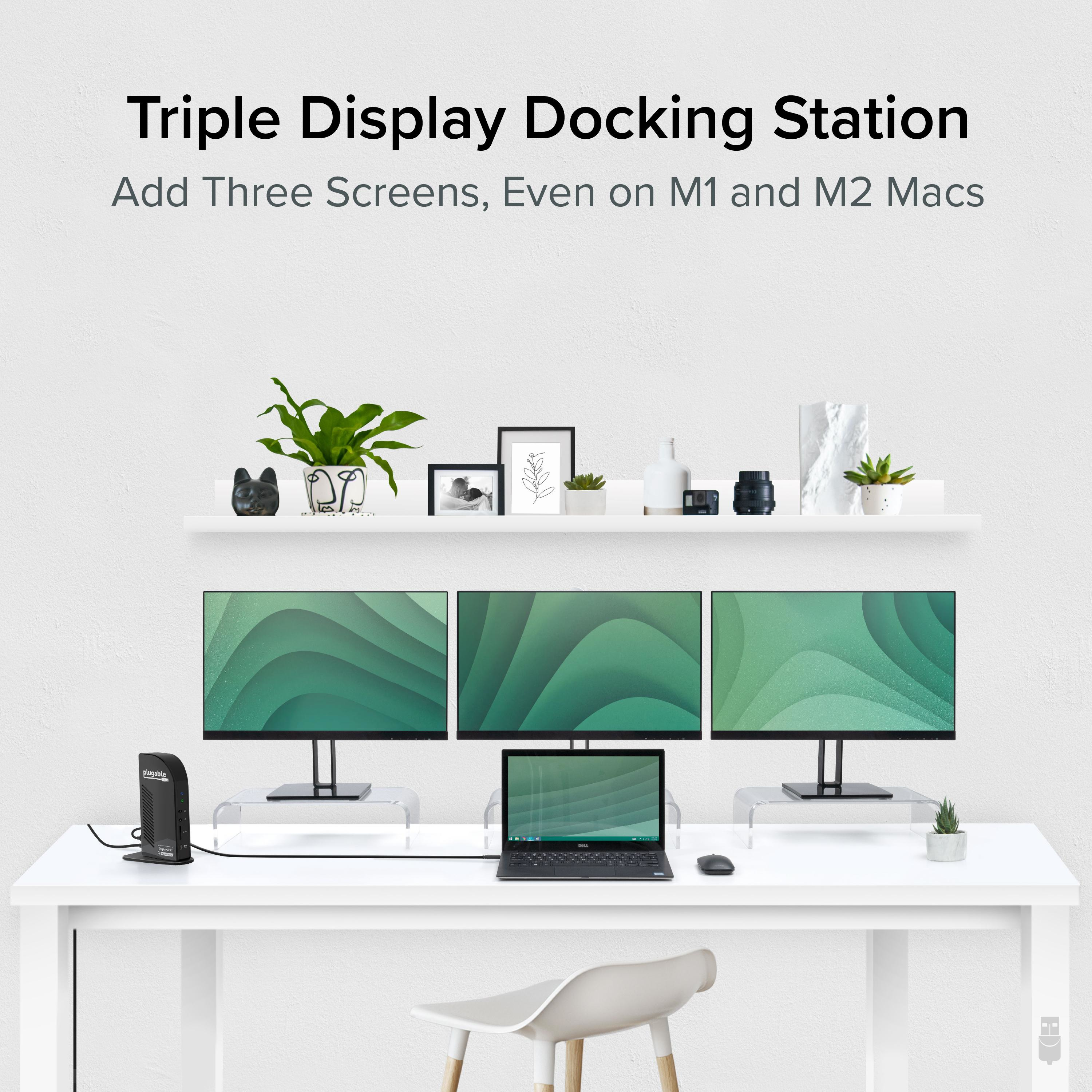
The Plugable UD-ULTCDL-EU USB-C 13-in-1 Docking Station turns a single USB-C connection into a complete desktop workspace built for multitasking. Designed for professionals who work across multiple applications and displays, this dock brings together triple monitor capability, reliable wired networking, expansive peripheral connectivity, and up to 100W laptop charging in one streamlined setup. Whether installed at a permanent workstation or used as part of a flexible desk arrangement, it keeps displays, accessories, and power connected through one convenient cable.
A docking station triple monitor setup gives you ample space to spread out. And when it comes to connecting monitors,
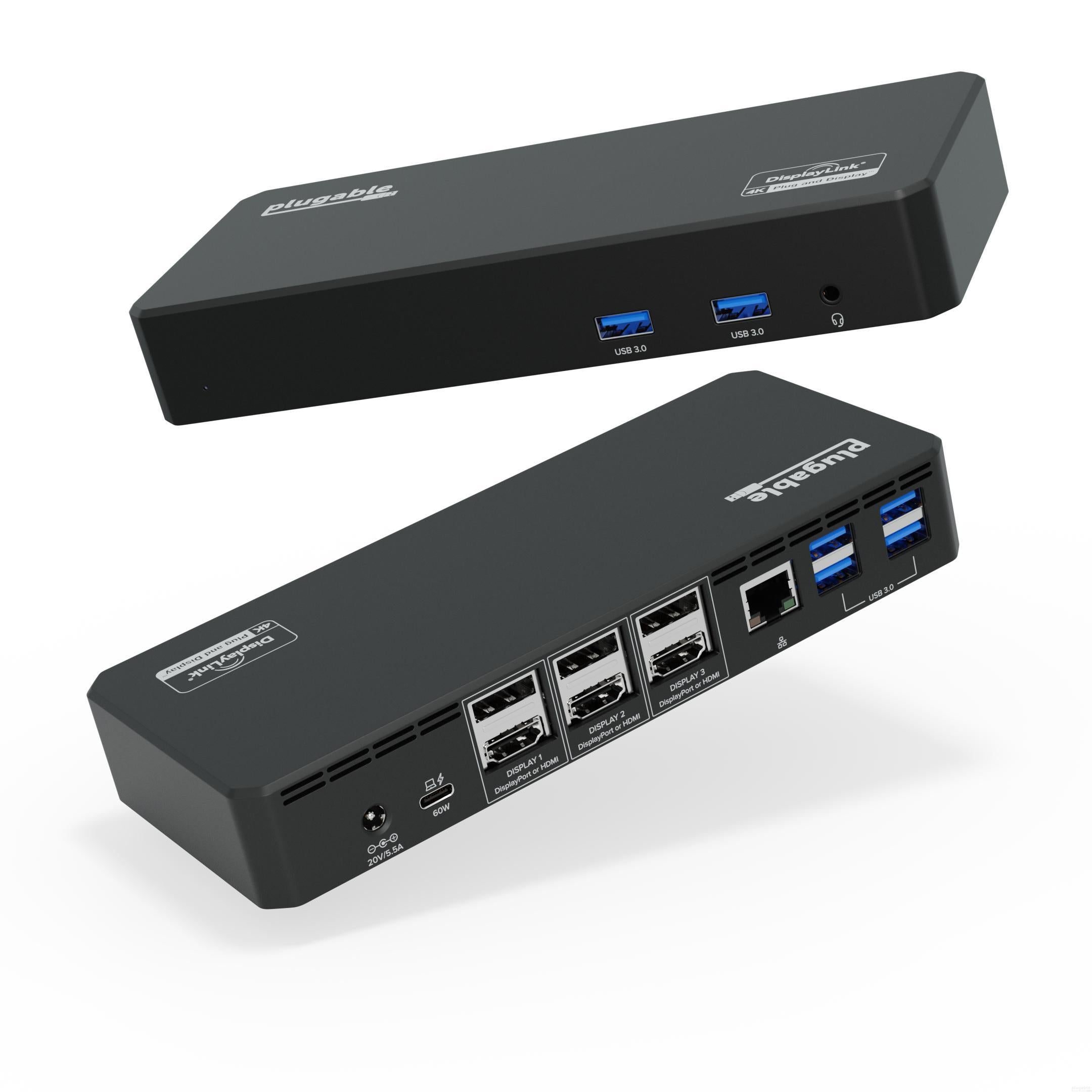
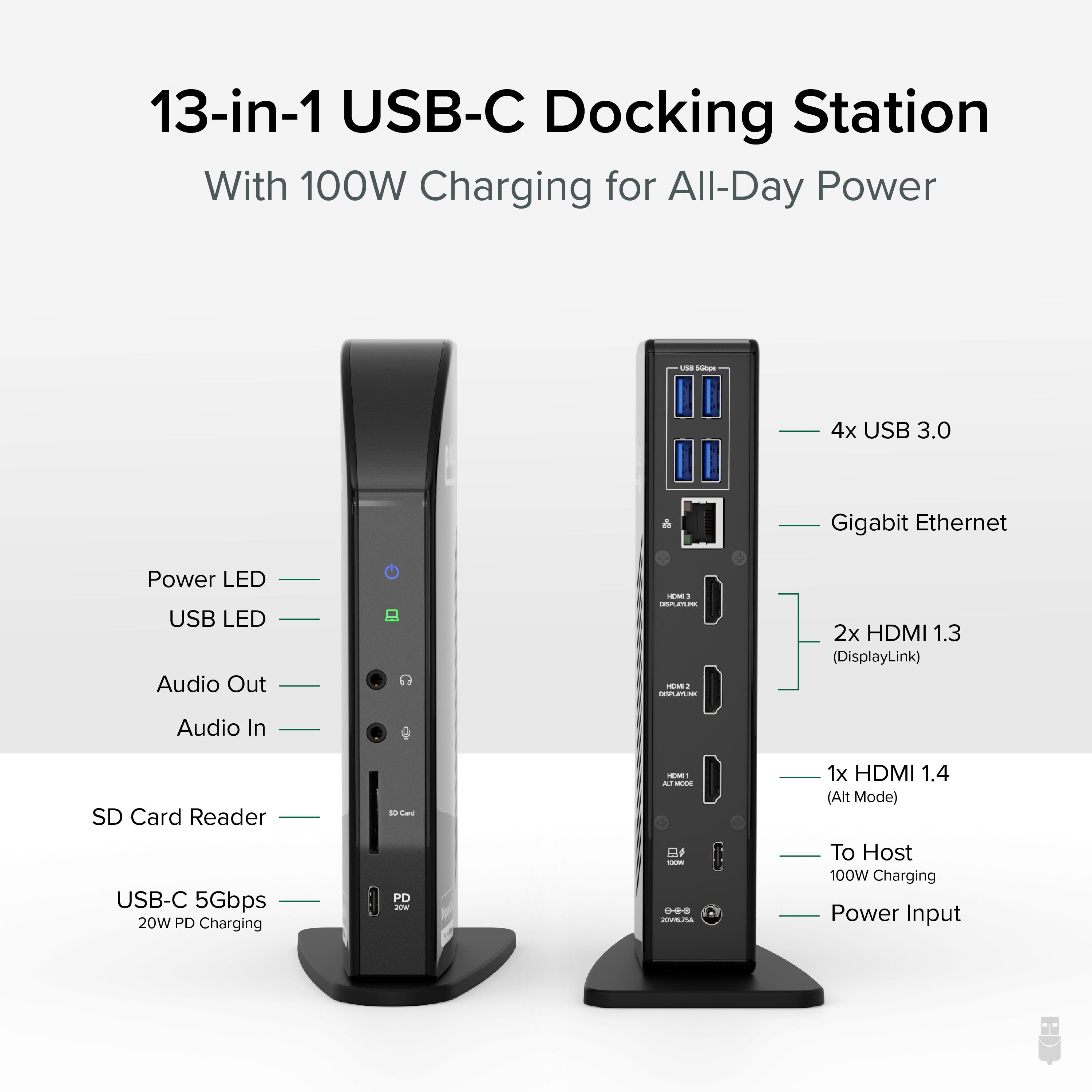
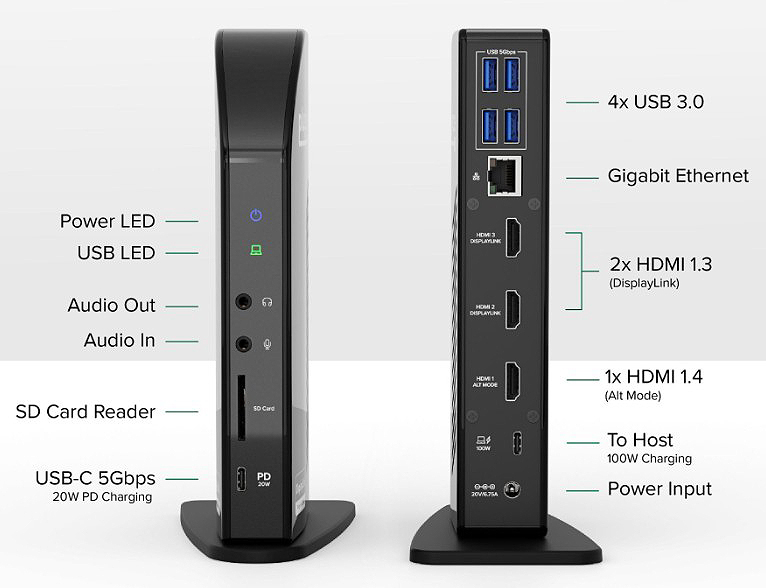
HDMI is arguably the most common connection type. Our pure HDMI port configuration (1x HDMI 1.4, 2x HDMI 1.3) capitalizes on that and eliminates the legacy connections.
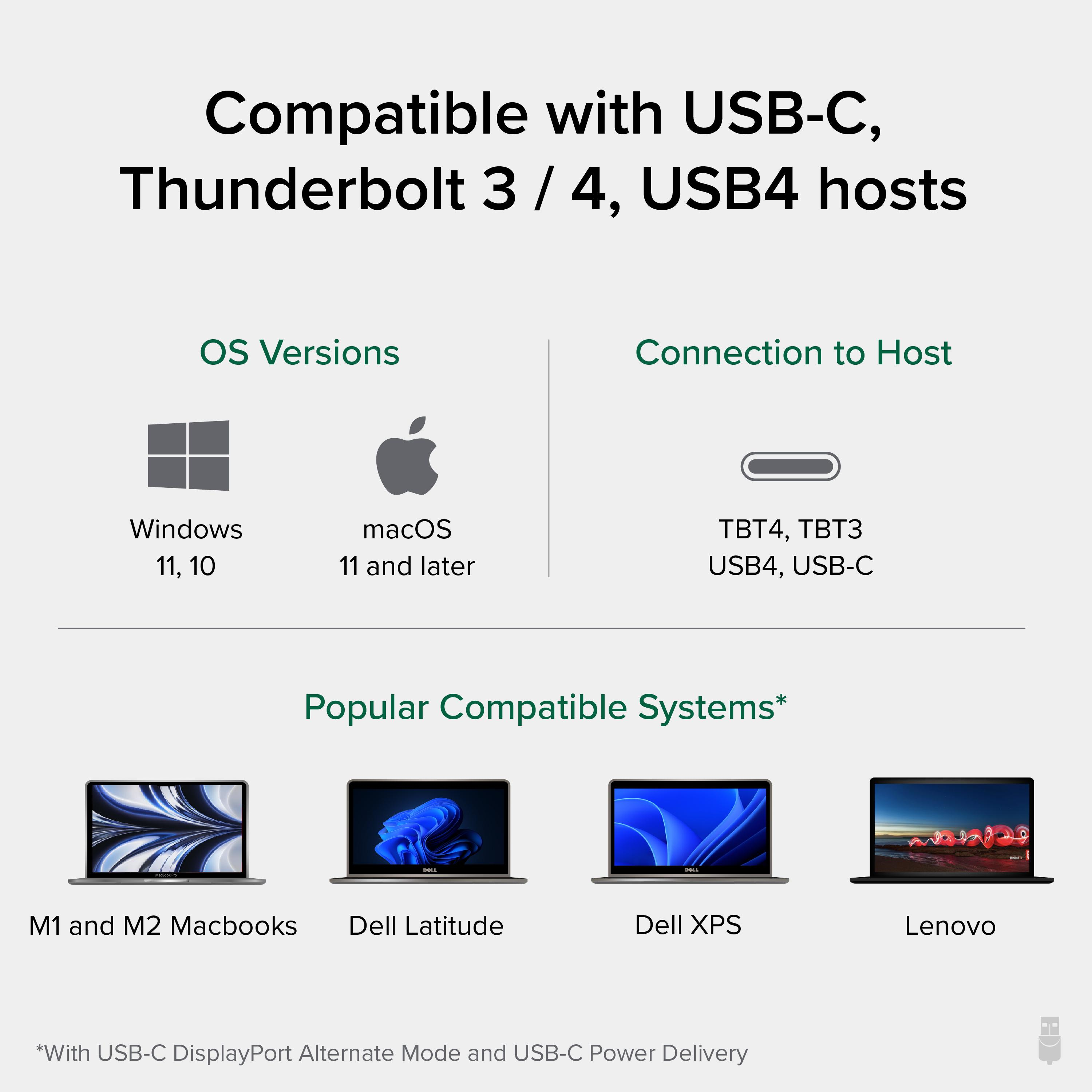
In a typical triple monitor setup, the main screen is in the middle with the auxiliary screens placed on either side. This Windows, Chrome, or Mac docking station takes advantage of that, so when setting up a host that supports DisplayPort Alternate Mode, consider connecting your main display to the HDMI 1.4 port for resolutions up to 4k 30Hz. Your two flanking screens will look great with resolutions up to 1920x1200 @ 60Hz (HDMI 1.3).
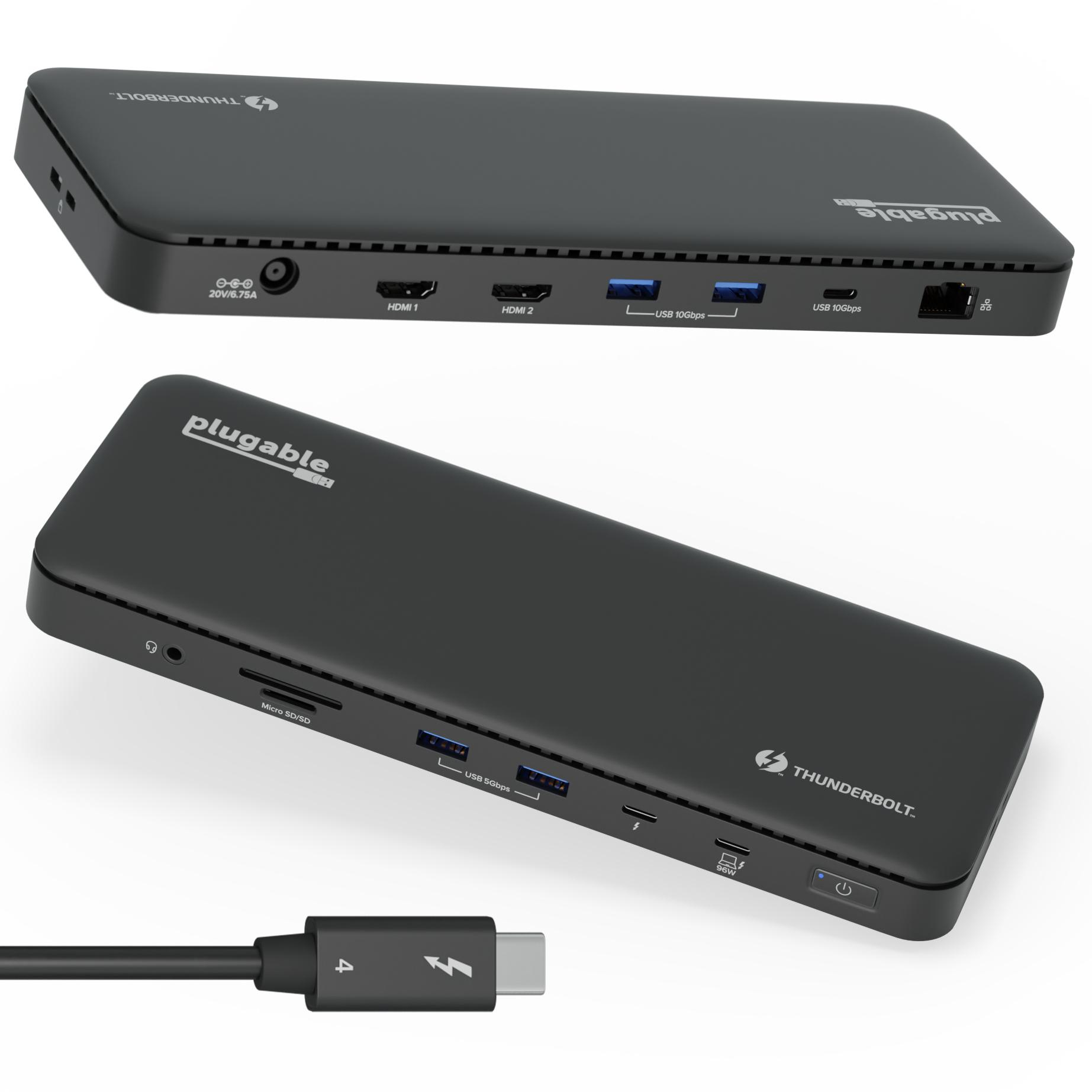
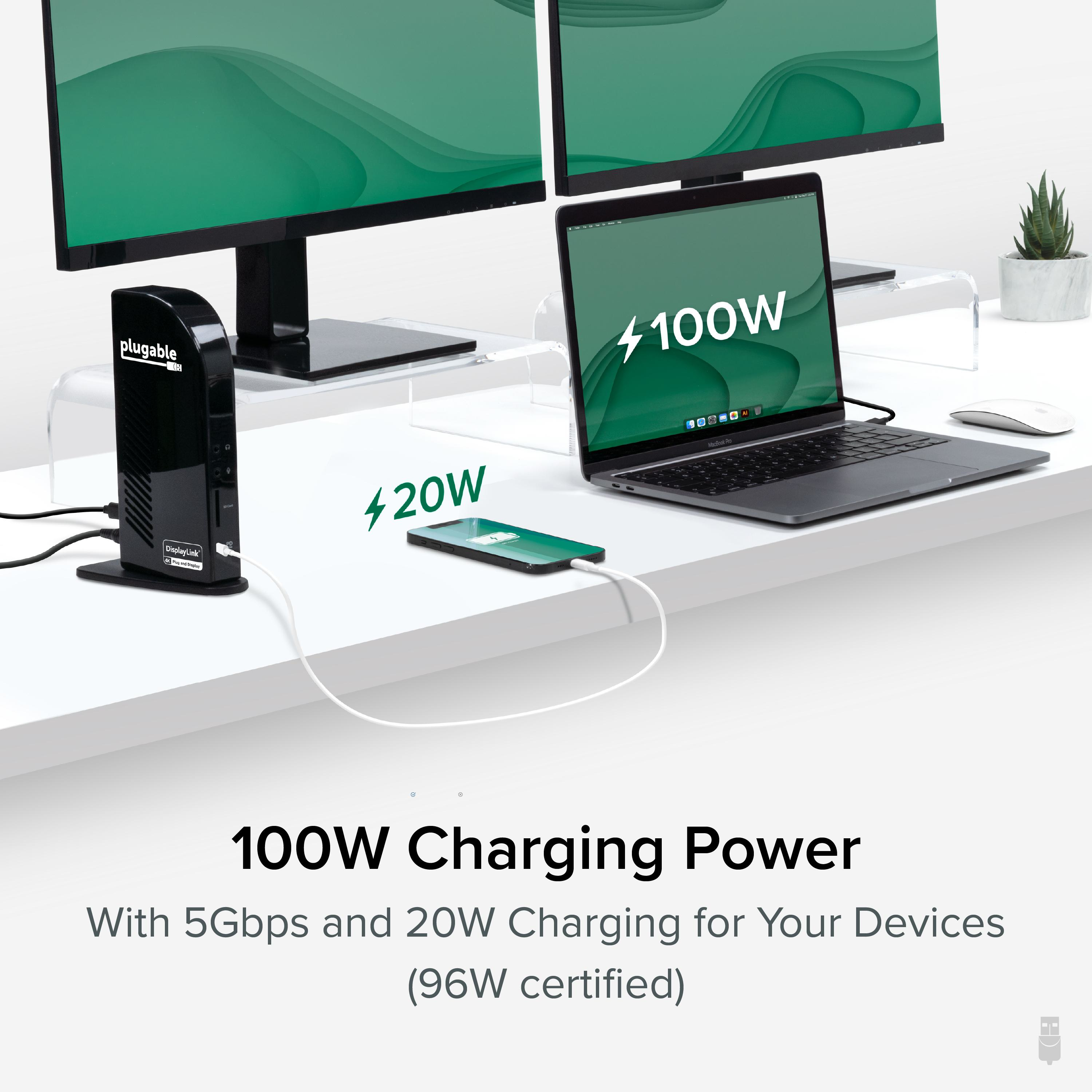
In addition to the 100W charging to power your laptop—so you can leave the charger it came with in the bag—the UD-ULTCDL has a front-facing USB-C port for 5Gpbs data transfer and 20W charging to accommodate your phone or other devices.
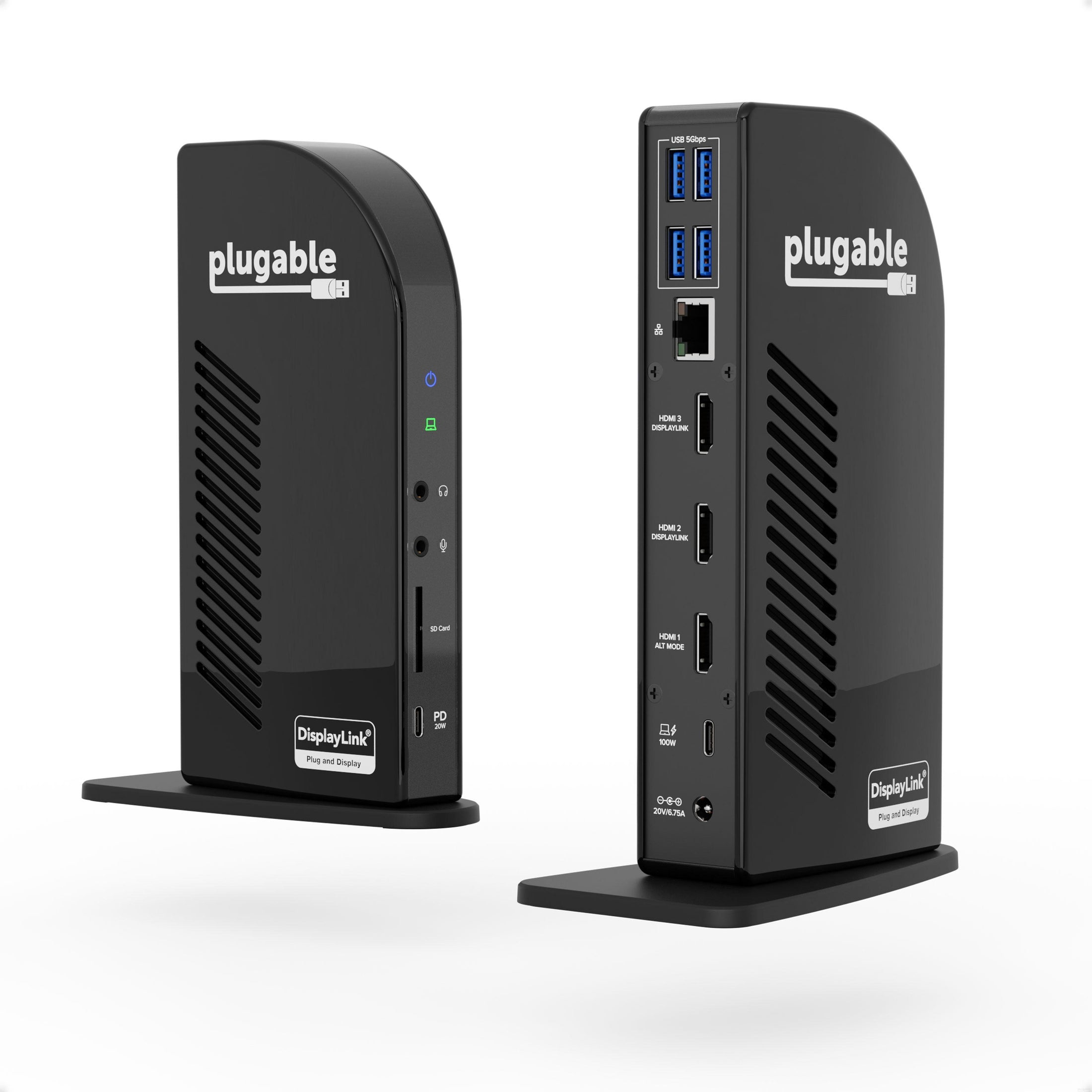
Speaking of peripherals, the UD-ULTCDL has a total of 13 ports including 4x USB 3.0 ports for 5Gbps data transfer rates, an SD Card Reader, a Gigabit Ethernet port, and separate audio in and audio out ports.
Power Delivery—charging your laptop through a USB-C port—can get confusing. How much power is enough? How much is too much?
This isn’t only designed to be a docking station 3 monitors setup, it also has you covered with 100W charging capability (96W certified) so you have enough power to charge just about any laptop—even under a heavy workload.
And if your laptop needs less power, the dock communicates with your computer to negotiate the right charge level.
The Plugable UD-ULTCDL-EU USB-C 13-in-1 Docking Station turns a single USB-C connection into a complete desktop workspace built for multitasking. Designed for professionals who work across multiple applications and displays, this dock brings together triple monitor capability, reliable wired networking, expansive peripheral connectivity, and up to 100W laptop charging in one streamlined setup. Whether installed at a permanent workstation or used as part of a flexible desk arrangement, it keeps displays, accessories, and power connected through one convenient cable.
A docking station triple monitor setup gives you ample space to spread out. And when it comes to connecting monitors,
HDMI is arguably the most common connection type. Our pure HDMI port configuration (1x HDMI 1.4, 2x HDMI 1.3) capitalizes on that and eliminates the legacy connections.
In a typical triple monitor setup, the main screen is in the middle with the auxiliary screens placed on either side. This Windows, Chrome, or Mac docking station takes advantage of that, so when setting up a host that supports DisplayPort Alternate Mode, consider connecting your main display to the HDMI 1.4 port for resolutions up to 4k 30Hz. Your two flanking screens will look great with resolutions up to 1920x1200 @ 60Hz (HDMI 1.3).
In addition to the 100W charging to power your laptop—so you can leave the charger it came with in the bag—the UD-ULTCDL has a front-facing USB-C port for 5Gpbs data transfer and 20W charging to accommodate your phone or other devices.
Speaking of peripherals, the UD-ULTCDL has a total of 13 ports including 4x USB 3.0 ports for 5Gbps data transfer rates, an SD Card Reader, a Gigabit Ethernet port, and separate audio in and audio out ports.
Power Delivery—charging your laptop through a USB-C port—can get confusing. How much power is enough? How much is too much?
This isn’t only designed to be a docking station 3 monitors setup, it also has you covered with 100W charging capability (96W certified) so you have enough power to charge just about any laptop—even under a heavy workload.
And if your laptop needs less power, the dock communicates with your computer to negotiate the right charge level.
Product data is provided by Icecat, we do not warrant the accuracy of the material above.