


| Product Code: | |
| Options: | |
| Qty: | |
| Unit Price: | £ |

| Part No: | FELNC10555 |
| Manufacturer No: | LNC10555 |
| Delivery: | In Stock: 5-7 Days |

 |
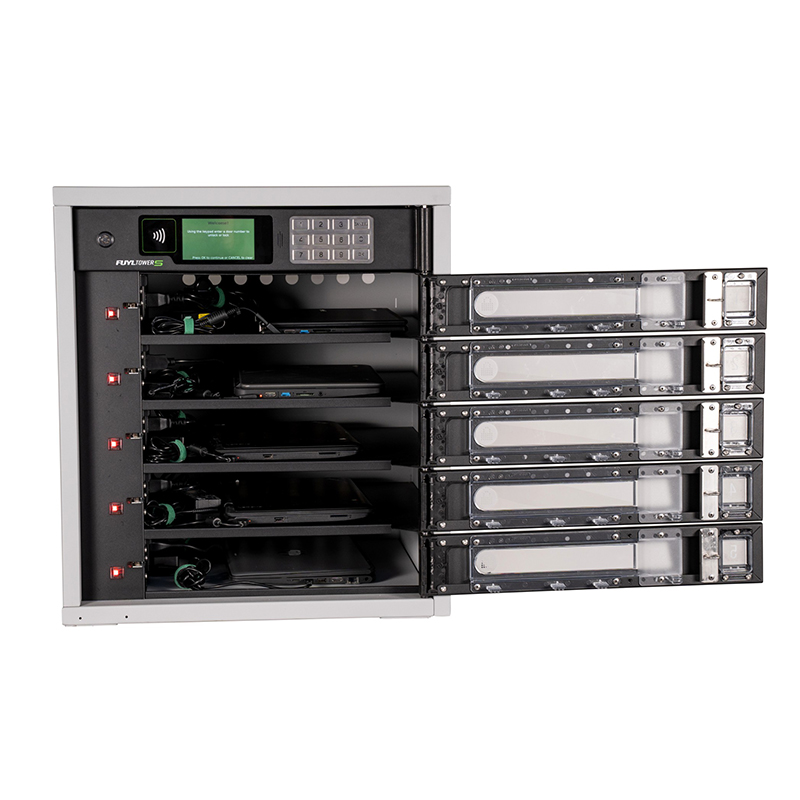
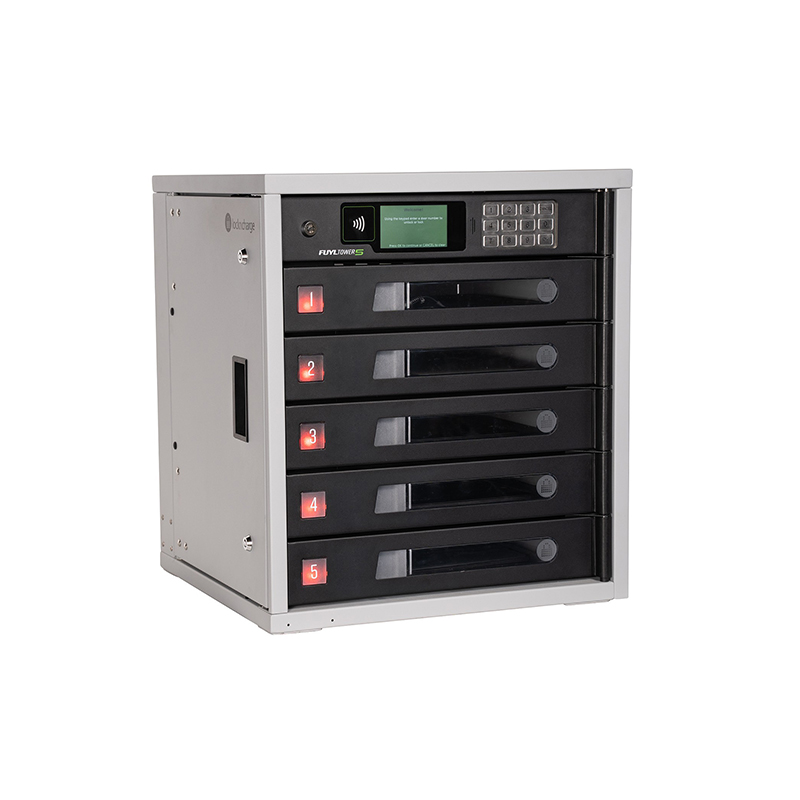
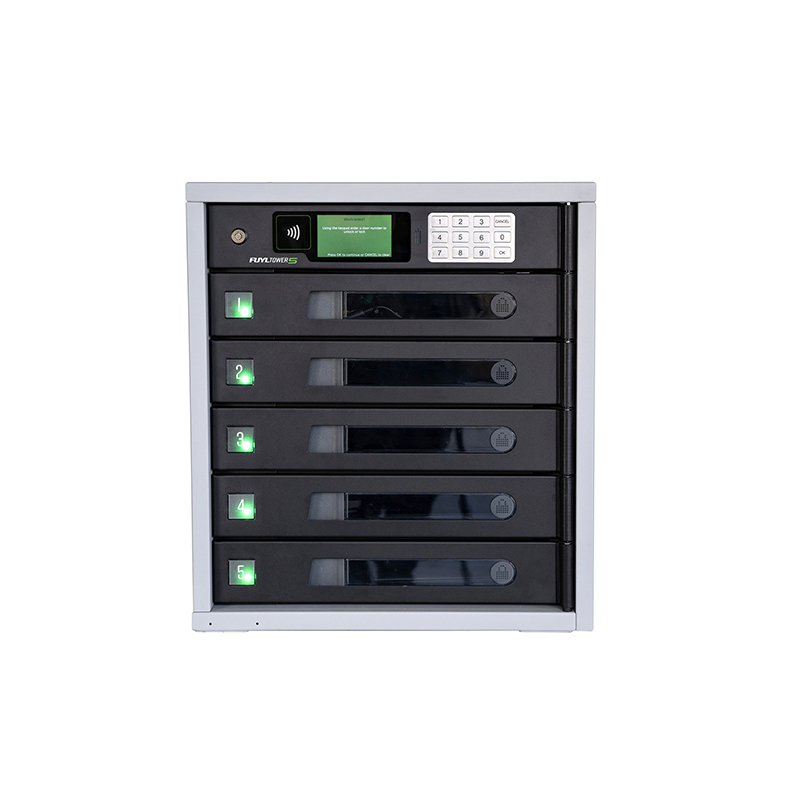
The LocknCharge FUYL 5 Pro Classic Bundle is designed to simplify device access, charging, and storage within busy learning and working environments. With five secure charging bays, cloud-based management tools, and intelligent access controls, this compact locker system helps keep shared devices organised, charged, and ready for use throughout the day. The included 5-year FUYL Classic package provides ongoing platform access, reporting tools, and remote management features for long-term device administration.
All 5 or 15 compartments are equipped with a power outlet and a 2.4 amp USB port, so you can charge almost any device, including: iPads, tablets, laptops, mobile phones, Chromebooks and more.
Once FUYL Towers are connected to the local network, via Ethernet or Wi-Fi, designated admins can view, access and manage Towers from different locations through the local management portal.
An optional Network Kit vastly expands the data transfer capabilities of the FUYL Tower 5 or 15 through individual Ethernet connections to each compartment. The Network Kit allows IT Departments to install a network switch to the top of a Tower and connect devices from each bay to a network, making it possible to re-image devices remotely.
In addition to physical security, the FUYL Tower’s embedded computer automatically applies security software updates as they become available. This feature ensures that for Towers connected to a network, security software is up to date and more prepared against cyber attacks.
RFID Ready. The FUYL Tower supports almost every RFID standard on the market including HID and MiFare: (MIFARE® Classic, MIFARE DESFire® 0.6, MIFARE DESFire EV1, HID: iCLASS® Standard/SE/SR/Seos; PIV II, Secure Identity Object® (SIO®).
Administrators can export FUYL Tower events into a CSV file for deeper analysis of charging locker usage.
Two Access Modes so that organisations can set the FUYL Tower 15 to operate with what works best for their work flow.
User Specified PIN (USP) Mode means that lockers are open so that the User can reserve a locker.
It operates just like a hotel safe. Anyone can walk up to the Tower, select a compartment for their device and lock it using a PIN (digital keypad) or by scanning/tapping any RFID card.
Admin Specified PIN (ASP) Mode puts locker access control in the hands of the Administrator. E.g. Storing/charging spare devices for rapid exchange (check-in/check-out) or assign compartments to a specific person or keep them locked and set on-demand access to devices.
Organisations can build connectors for controlling doors and the display in a way that is customised for their work flow.
Each compartment door has a hardened plastic window for viewing the contents inside. Window-blocking plates are also included for organisations that prefer locker privacy. Internal lighting illuminates each compartment to help users clearly see the device and to ensure safe removal of the device.
Software and firmware upgrades available via the Management Portal.
With the ability to integrate with Active Directory, Tower administrators can log in to the Portal using their username and password stored on their on-premise directory. Curfew. Allows administrators to set time and days where the Tower can not be accessed by users.
In addition to online access to the Tower, administrative functions are also available from the LCD Control Module and Keypad. Administrators can unlock, inspect, quarantine, perform diagnostics and reset systems directly from the Tower.
The FUYL Tower’s sleek, minimalist design adapts to any environment. Additional Storage Compartment at the bottom of the unit. Perfect for adding a UPS, small switches or other administration equipment.
The LocknCharge FUYL 5 Pro Classic Bundle is designed to simplify device access, charging, and storage within busy learning and working environments. With five secure charging bays, cloud-based management tools, and intelligent access controls, this compact locker system helps keep shared devices organised, charged, and ready for use throughout the day. The included 5-year FUYL Classic package provides ongoing platform access, reporting tools, and remote management features for long-term device administration.
All 5 or 15 compartments are equipped with a power outlet and a 2.4 amp USB port, so you can charge almost any device, including: iPads, tablets, laptops, mobile phones, Chromebooks and more.
Once FUYL Towers are connected to the local network, via Ethernet or Wi-Fi, designated admins can view, access and manage Towers from different locations through the local management portal.
An optional Network Kit vastly expands the data transfer capabilities of the FUYL Tower 5 or 15 through individual Ethernet connections to each compartment. The Network Kit allows IT Departments to install a network switch to the top of a Tower and connect devices from each bay to a network, making it possible to re-image devices remotely.
In addition to physical security, the FUYL Tower’s embedded computer automatically applies security software updates as they become available. This feature ensures that for Towers connected to a network, security software is up to date and more prepared against cyber attacks.
RFID Ready. The FUYL Tower supports almost every RFID standard on the market including HID and MiFare: (MIFARE® Classic, MIFARE DESFire® 0.6, MIFARE DESFire EV1, HID: iCLASS® Standard/SE/SR/Seos; PIV II, Secure Identity Object® (SIO®).
Administrators can export FUYL Tower events into a CSV file for deeper analysis of charging locker usage.
Two Access Modes so that organisations can set the FUYL Tower 15 to operate with what works best for their work flow.
User Specified PIN (USP) Mode means that lockers are open so that the User can reserve a locker.
It operates just like a hotel safe. Anyone can walk up to the Tower, select a compartment for their device and lock it using a PIN (digital keypad) or by scanning/tapping any RFID card.
Admin Specified PIN (ASP) Mode puts locker access control in the hands of the Administrator. E.g. Storing/charging spare devices for rapid exchange (check-in/check-out) or assign compartments to a specific person or keep them locked and set on-demand access to devices.
Organisations can build connectors for controlling doors and the display in a way that is customised for their work flow.
Each compartment door has a hardened plastic window for viewing the contents inside. Window-blocking plates are also included for organisations that prefer locker privacy. Internal lighting illuminates each compartment to help users clearly see the device and to ensure safe removal of the device.
Software and firmware upgrades available via the Management Portal.
With the ability to integrate with Active Directory, Tower administrators can log in to the Portal using their username and password stored on their on-premise directory. Curfew. Allows administrators to set time and days where the Tower can not be accessed by users.
In addition to online access to the Tower, administrative functions are also available from the LCD Control Module and Keypad. Administrators can unlock, inspect, quarantine, perform diagnostics and reset systems directly from the Tower.
The FUYL Tower’s sleek, minimalist design adapts to any environment. Additional Storage Compartment at the bottom of the unit. Perfect for adding a UPS, small switches or other administration equipment.