


| Product Code: | |
| Options: | |
| Qty: | |
| Unit Price: | £ |
.jpg "Fluke Networks")
| Part No: | FLMFTK-DC SM TEST KIT |
| Manufacturer No: | MFTK-DC SM TEST KIT |
| Delivery: | In Stock: 5-7 Days |

 |
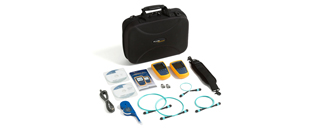
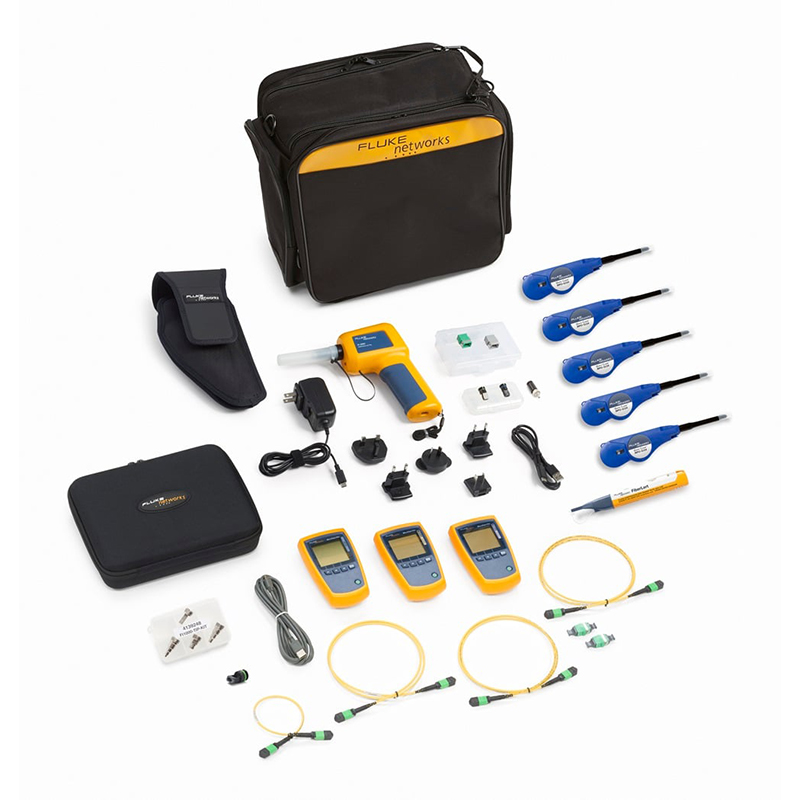
Fluke MFTK-DC SM TEST KIT is a single-mode MPO fiber testing kit designed for data center environments where multi-fiber trunk verification and fault detection are carried out at scale. It supports 1310 nm and 1550 nm wavelengths and enables fast inspection, polarity checking, and loss measurement across MPO-connected links without breaking out individual fibers. The kit is commonly used during commissioning and maintenance of high-density fiber backbones.
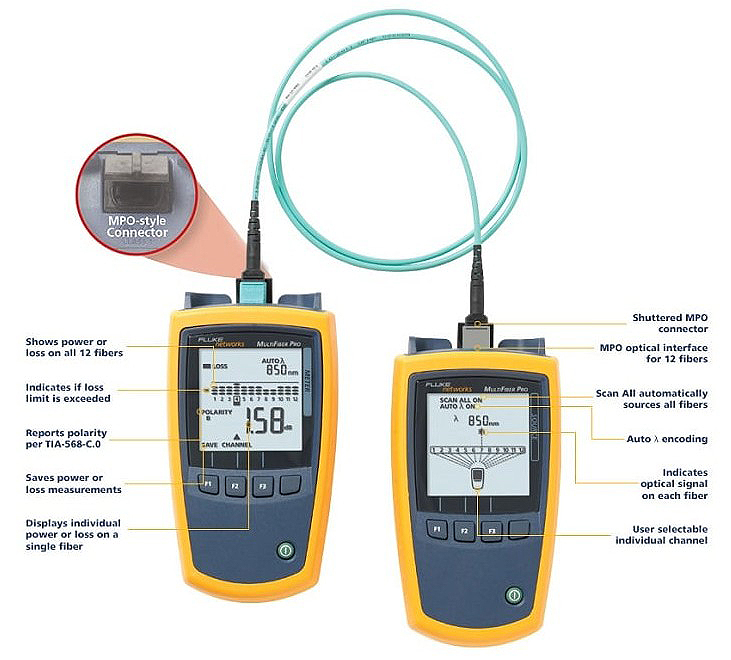
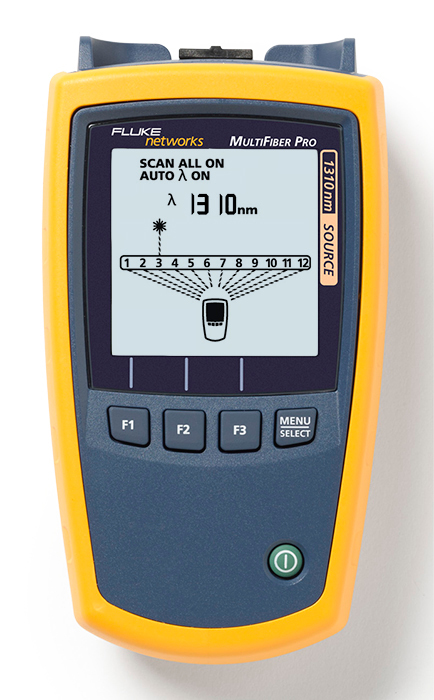
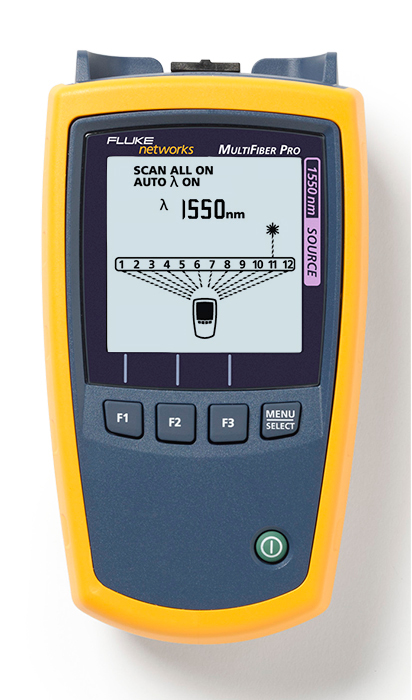
The Scan All function in the MultiFiber Pro Power Meter automatically scans and tests all 12 fibers in MPO connectors – taking just 6 seconds to complete all loss or power measurements. This feature automates the certification of MPO terminated fibers and eliminates the time consuming and manual process of moving the fiber tester from fiber to fiber while using fan-out cords.
The simple purpose of any polarity scheme is to provide a continuous connection from the link’s transmitter to the link’s receiver. For array connectors, TIA-568-C.0 defines three methods to accomplish this: Methods A, B and C. Deployment mistakes are common because these methods require a combination of patch cords with different polarity types. The polarity measurement of MultiFiber Pro allows the user to test individual patch cords, permanent links and channels for correct polarity.
Equipped with MPO connector on both the Optical Power Meter and Light Source, it eliminates the use of costly and complicated fan-out cords to test MPO fibers.
Uncovered ports can put cabling, equipment and testers at risk for contamination and affect performance. Ensuring a covered connection on your tester can protect it from dirt and dust. MultiFiber Pro makes it easy by shuttering the MPO connector giving you greater test reliability and peace of mind.
The MultiFiber Pro is so successful at simplifying the task of simultaneously representing polarity, power and loss results for 12 fibers that the user interface is patent pending. The power meter enables the users to easily comprehend the measurement results of 12 fibers simultaneously. The light source identifies each fiber within the MPO connector that is being tested. Any individual measurement that fails the test limit is plainly identified to allow root-cause analysis. This powerful yet straightforward test set enables everyone to become a fiber testing expert and increases efficiency in testing data center projects.
One of the main problems in the data center is the ability to drill down to a single fiber during testing and troubleshooting. MultiFiber Pro can troubleshoot a single fiber within an MPO trunk and provide a single fiber test result. This ability increases MPO connector verification and troubleshooting flexibility with more precise, per-fiber data and reporting.
The MultiFiber Pro Power Meter stores up to 3,000 test results (or the equivalent of 250 MPO cables) internally which can be uploaded to a PC using the LinkWare™ 7 Cable Test Management Software. LinkWare 7 allows you to manage test results, edit cable ID’s, print professional reports and even export the data into spreadsheet formats.
What's Included:
Fluke MFTK-DC SM TEST KIT is a single-mode MPO fiber testing kit designed for data center environments where multi-fiber trunk verification and fault detection are carried out at scale. It supports 1310 nm and 1550 nm wavelengths and enables fast inspection, polarity checking, and loss measurement across MPO-connected links without breaking out individual fibers. The kit is commonly used during commissioning and maintenance of high-density fiber backbones.
The Scan All function in the MultiFiber Pro Power Meter automatically scans and tests all 12 fibers in MPO connectors – taking just 6 seconds to complete all loss or power measurements. This feature automates the certification of MPO terminated fibers and eliminates the time consuming and manual process of moving the fiber tester from fiber to fiber while using fan-out cords.
The simple purpose of any polarity scheme is to provide a continuous connection from the link’s transmitter to the link’s receiver. For array connectors, TIA-568-C.0 defines three methods to accomplish this: Methods A, B and C. Deployment mistakes are common because these methods require a combination of patch cords with different polarity types. The polarity measurement of MultiFiber Pro allows the user to test individual patch cords, permanent links and channels for correct polarity.
Equipped with MPO connector on both the Optical Power Meter and Light Source, it eliminates the use of costly and complicated fan-out cords to test MPO fibers.
Uncovered ports can put cabling, equipment and testers at risk for contamination and affect performance. Ensuring a covered connection on your tester can protect it from dirt and dust. MultiFiber Pro makes it easy by shuttering the MPO connector giving you greater test reliability and peace of mind.
The MultiFiber Pro is so successful at simplifying the task of simultaneously representing polarity, power and loss results for 12 fibers that the user interface is patent pending. The power meter enables the users to easily comprehend the measurement results of 12 fibers simultaneously. The light source identifies each fiber within the MPO connector that is being tested. Any individual measurement that fails the test limit is plainly identified to allow root-cause analysis. This powerful yet straightforward test set enables everyone to become a fiber testing expert and increases efficiency in testing data center projects.
One of the main problems in the data center is the ability to drill down to a single fiber during testing and troubleshooting. MultiFiber Pro can troubleshoot a single fiber within an MPO trunk and provide a single fiber test result. This ability increases MPO connector verification and troubleshooting flexibility with more precise, per-fiber data and reporting.
The MultiFiber Pro Power Meter stores up to 3,000 test results (or the equivalent of 250 MPO cables) internally which can be uploaded to a PC using the LinkWare™ 7 Cable Test Management Software. LinkWare 7 allows you to manage test results, edit cable ID’s, print professional reports and even export the data into spreadsheet formats.
What's Included: