


| Product Code: | |
| Options: | |
| Qty: | |
| Unit Price: | £ |

| Part No: | ATCE750A |
| Manufacturer No: | CE750A |
| Delivery: | In Stock: Next Day |


 |
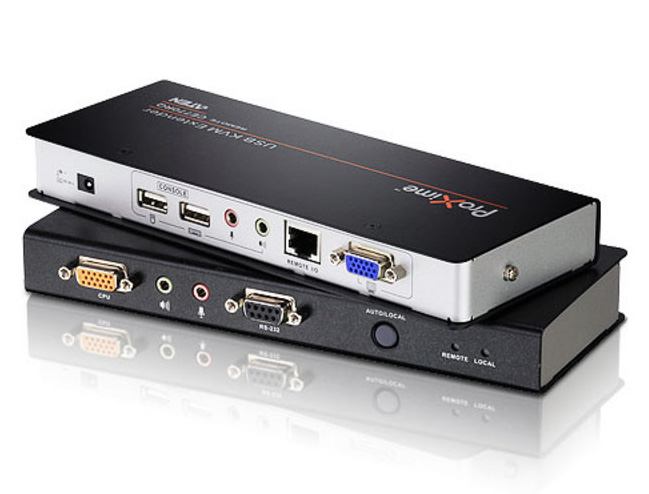
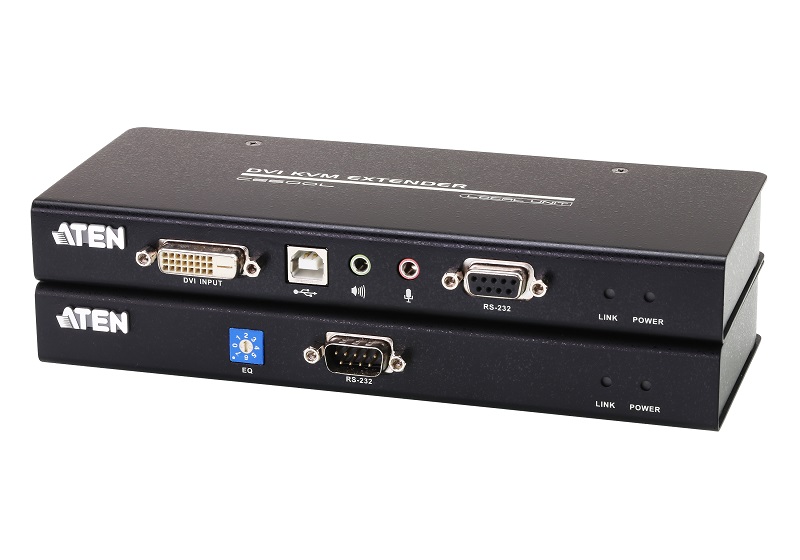
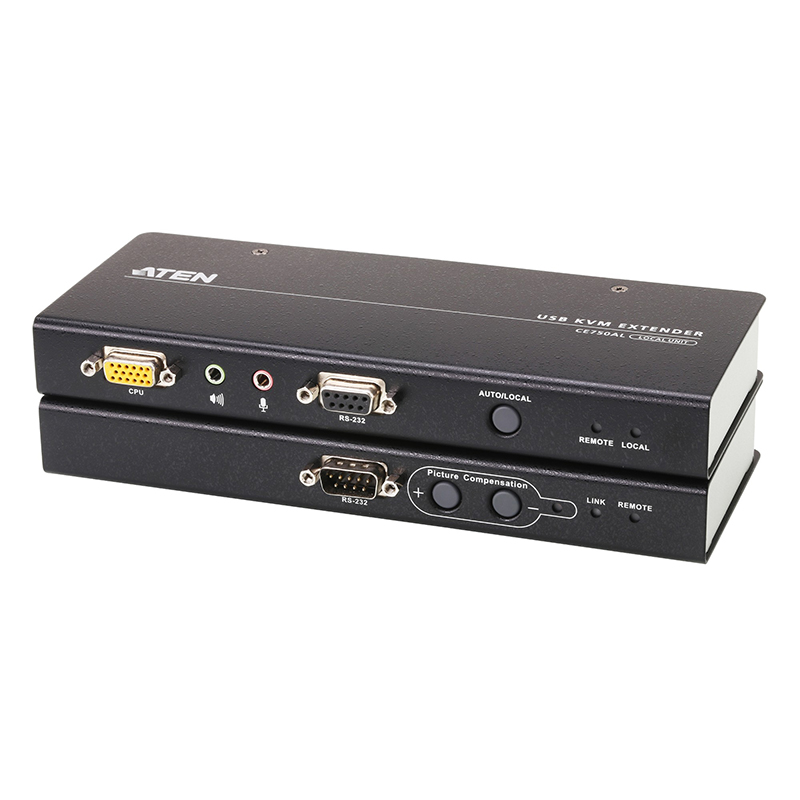
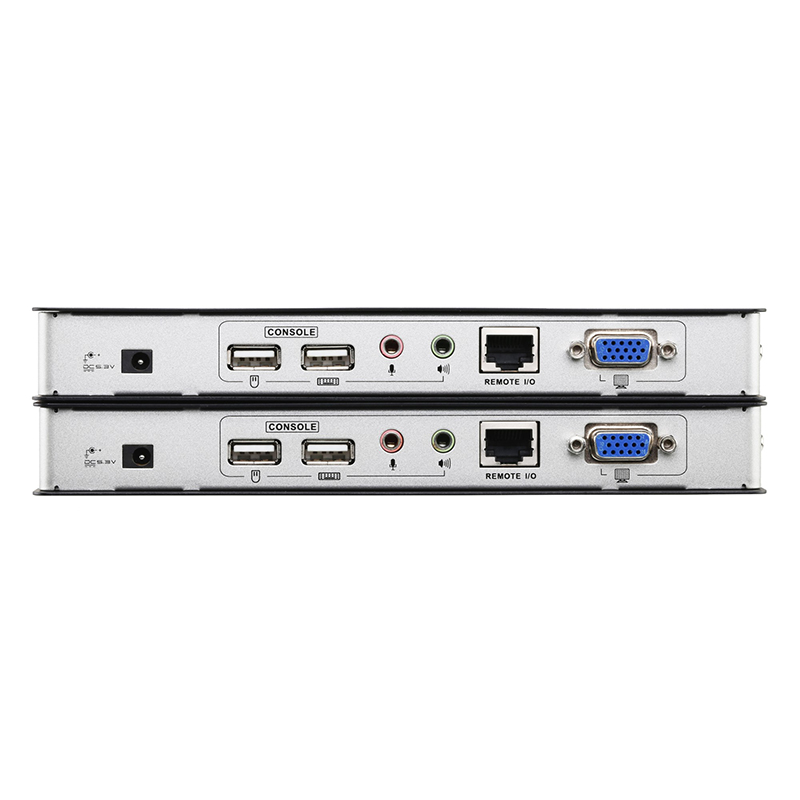
The CE750A is a USB-based KVM Extender with automatic signal compensation and RS-232 serial functionality that allows access to a computer system from a remote USB console (USB keyboard, monitor, and USB mouse).
Because it allows access to a computer system from a remote console, the CE750A is perfect for use in any type of installation where you need to place the console where it is conveniently accessible, but you want the system equipment to reside in a safe location – for example away from the dust and dirt of the factory floor or the harsh environment of a construction site.
The CE750A improves on previous designs by the addition of an RS-232 port, on both the Local and Remote Units, that allows you to connect to a serial terminal for configuration (Local Unit) or serial devices such as touchscreens and barcode scanners (Remote Unit).
Features
-Local and Remote units connect at distances up to 200 meters using Cat 5e cable.
-Dual console operation – control your system from both the local and remote USB keyboard, monitor and mouse consoles.
-Built-in ASIC for greater reliability and compatibility.
-USB keyboard and USB mouse ports.
-RS-232 serial ports – allows you to connect to a serial terminal for configuration (Local Unit) or serial devices such as touchscreens and barcode scanners (Remote Unit).
-Supports stereo speakers and stereo microphone.
-USB overcurrent detection and prevention.
-Pushbutton operating mode selection (Local Unit only) – select between Local and Auto operating modes.
-Built-in 8KV/15KV ESD protection (contact voltage 8KV, air voltage 15KV) and 2KV surge protection.
-Adjustable gain control – automatically and manually adjusts signal strength to compensate for distance.
-High resolution video – up to 1920x1200@60Hz at 30m,1600x1200@60Hz at 150m, 1280x1024@60Hz at 200m.
-Supports VGA, SVGA, SXGA (1280 x 1024), UXGA (1600 x 1200), and multisync monitors; local monitor supports DDC, DDC2, DDC2B.
-Hot pluggable.
-Rack mountable.
-Easy to install – no software required, simply connect cables to the devices.
-Supports wide screen formats.*
*The EDID data for a widescreen is sent from the local video output port. For widescreen modes and displays, connect the monitor to the local video output port or use an ATEN EDID emulator.
*For complete specifications see the documentation tab above.
The CE750A is a USB-based KVM Extender with automatic signal compensation and RS-232 serial functionality that allows access to a computer system from a remote USB console (USB keyboard, monitor, and USB mouse).
Because it allows access to a computer system from a remote console, the CE750A is perfect for use in any type of installation where you need to place the console where it is conveniently accessible, but you want the system equipment to reside in a safe location – for example away from the dust and dirt of the factory floor or the harsh environment of a construction site.
The CE750A improves on previous designs by the addition of an RS-232 port, on both the Local and Remote Units, that allows you to connect to a serial terminal for configuration (Local Unit) or serial devices such as touchscreens and barcode scanners (Remote Unit).
Features
-Local and Remote units connect at distances up to 200 meters using Cat 5e cable.
-Dual console operation – control your system from both the local and remote USB keyboard, monitor and mouse consoles.
-Built-in ASIC for greater reliability and compatibility.
-USB keyboard and USB mouse ports.
-RS-232 serial ports – allows you to connect to a serial terminal for configuration (Local Unit) or serial devices such as touchscreens and barcode scanners (Remote Unit).
-Supports stereo speakers and stereo microphone.
-USB overcurrent detection and prevention.
-Pushbutton operating mode selection (Local Unit only) – select between Local and Auto operating modes.
-Built-in 8KV/15KV ESD protection (contact voltage 8KV, air voltage 15KV) and 2KV surge protection.
-Adjustable gain control – automatically and manually adjusts signal strength to compensate for distance.
-High resolution video – up to 1920x1200@60Hz at 30m,1600x1200@60Hz at 150m, 1280x1024@60Hz at 200m.
-Supports VGA, SVGA, SXGA (1280 x 1024), UXGA (1600 x 1200), and multisync monitors; local monitor supports DDC, DDC2, DDC2B.
-Hot pluggable.
-Rack mountable.
-Easy to install – no software required, simply connect cables to the devices.
-Supports wide screen formats.*
*The EDID data for a widescreen is sent from the local video output port. For widescreen modes and displays, connect the monitor to the local video output port or use an ATEN EDID emulator.
*For complete specifications see the documentation tab above.