
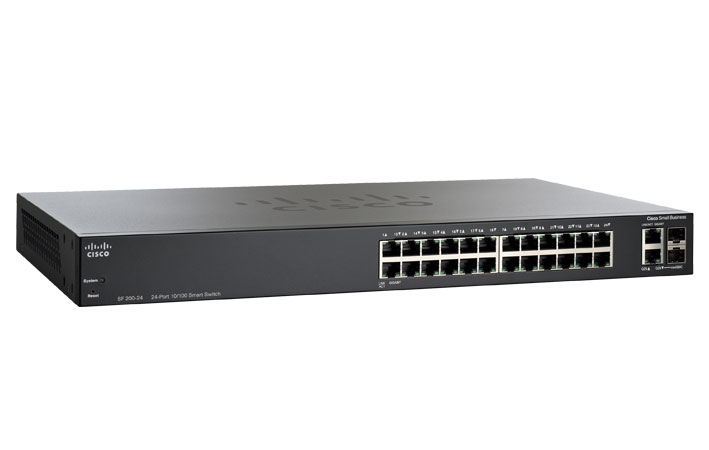
Key Takeaways
- Efficiency: Combine multiple physical Ethernet links into a single logical “fat pipe” to increase total backbone capacity.
- Redundancy: If one cable or port fails, traffic automatically shifts to the remaining links in the group without a connection drop.
- Compatibility: Also known as Port Trunking, NIC Teaming, or Ethernet Bonding.
- Cost-Effectiveness: Boosts bandwidth between switches or servers without requiring expensive upgrades to 10GbE or 40GbE hardware.
What is Link Aggregation in Network Switches?
Link aggregation is a method of joining multiple network connections in parallel to create a single, high-capacity logical link. Network administrators typically use this technique to increase backbone capacity between switches or to support high-speed data pipelines for servers.
By establishing a Link Aggregation Group (LAG), you can bundle two or more physical ports—such as connecting separate switches into a core switch or linking multiple server ports to a distribution switch. This results in a cost-effective bandwidth boost, effectively increasing total throughput without the need for entirely new hardware.
Dynamic vs. Static: The Role of LACP
When configuring bundled ports, administrators generally choose between static and dynamic solutions. Dynamic Link Aggregation utilizes the Link Aggregation Control Protocol (LACP) to manage the connection.
LACP automatically detects links between two devices and bundles them into a single logical channel. Unlike static aggregation, LACP provides a higher level of intelligence; it can dynamically monitor the health of each link and automatically remove or add ports to the logical group if a physical failure is detected. This protocol ensures the multiple ports act as one unified, high-bandwidth “major port.”
Enhancing Network Redundancy and Throughput
The primary drivers for implementing LAG are redundancy and throughput enhancement.
- Throughput: While a single file transfer between two devices is typically limited to the speed of a single physical link, the aggregate throughput of the entire network increases. This allows multiple users to access bulk data simultaneously without causing a bottleneck.
- Redundancy: Link aggregation provides a critical safety net. If one segment of a 4-port LAG fails (due to a faulty cable or port), the remaining three links maintain the connection. This “self-healing” capability is essential for mission-critical business environments where downtime is not an option.
Top 5 Frequently Asked Questions: Link Aggregation
1. Does Link Aggregation double the speed of a single file transfer?
Generally, no. A common misconception is that bundling two 1Gbps links creates a single 2Gbps “super-highway” for one download. In reality, a single data session (like a single file transfer between a PC and a Server) is usually limited to the speed of one physical link. Link Aggregation increases overall capacity, allowing multiple users to transfer data simultaneously without slowing each other down.
2. What is the difference between Static LAG and Dynamic LACP?
Static Link Aggregation (LAG) requires manual configuration on both ends and does not communicate between devices; if a cable is plugged into the wrong port, it can cause a network loop. Dynamic LACP (Link Aggregation Control Protocol) is the “intelligent” version. It automatically detects and configures the bundle, and if a physical link fails or is misconfigured, LACP will instantly disable that specific port to protect the network.
3. Can I aggregate ports with different speeds (e.g., 100Mbps and 1Gbps)?
Technically, some switches allow it, but it is highly discouraged. For Link Aggregation to function correctly and avoid packet errors, all physical ports in a Link Aggregation Group (LAG) should have identical speeds, duplex settings, and media types (e.g., all copper or all fibre). Mixing speeds can lead to out-of-order packets and significantly degraded network performance.
4. Is Link Aggregation the same as Load Balancing?
They are related but different. Link Aggregation is the physical bundling of ports to create a larger logical link. Load Balancing is the algorithm used to determine which physical cable each packet travels across. Most switches allow you to choose a load-balancing “hash” (such as Source/Destination IP or MAC address) to ensure traffic is distributed evenly across the bundle.
5. Do I need special cables for Link Aggregation?
No, you do not need special “aggregation cables.” You can use standard Category cables (Cat5e, Cat6, Cat6a) or Fibre patch leads. However, because Link Aggregation is often used for high-bandwidth backbones, using high-quality Cat6a or Fibre is recommended to ensure that the increased data load doesn’t suffer from interference or crosstalk.
Get Expert Technical Advice
Still unsure which specification suits your project? The experts at Comms Express are available to provide bespoke recommendations for residential, commercial, or industrial deployments.
Next Step: Browse our full range of RJ45 Ethernet Cables or contact our team for a bulk-buy quote today.
Shop the Full Range at Comms Express
Browse the UK’s most trusted brands and high-performance infrastructure solutions.
- Cabling & Racks
- Buy Network Cables
- Shop RJ45 Patch Leads
- Buy Patch Panels
- Shop Cat6 Cable
- Buy Fibre Patch Leads
- Shop Server Racks
- Buy Data Cabinets
- Networking & Power
- Shop Network Switches
- Buy UPS Systems
- Shop Rack PDUs
- Buy IP CCTV & Cameras
- Offers & Savings
- Shop Discounts
- Buy Multi-Buy Offers
- Our Top Brands
- Shop Ubiquiti | Buy TP-Link
- Shop Cisco | Buy Netgear
- Shop DrayTek | Buy D-Link
- Shop HPE Aruba | Buy APC
- Shop Teltonika | Buy Eaton
- Shop Excel | Buy Lindy
- Own Brands
- Shop Datacel | Buy CE Networking
Project Planning? Get expert technical advice and custom quotes for large installations. Contact our expert sales team today.