
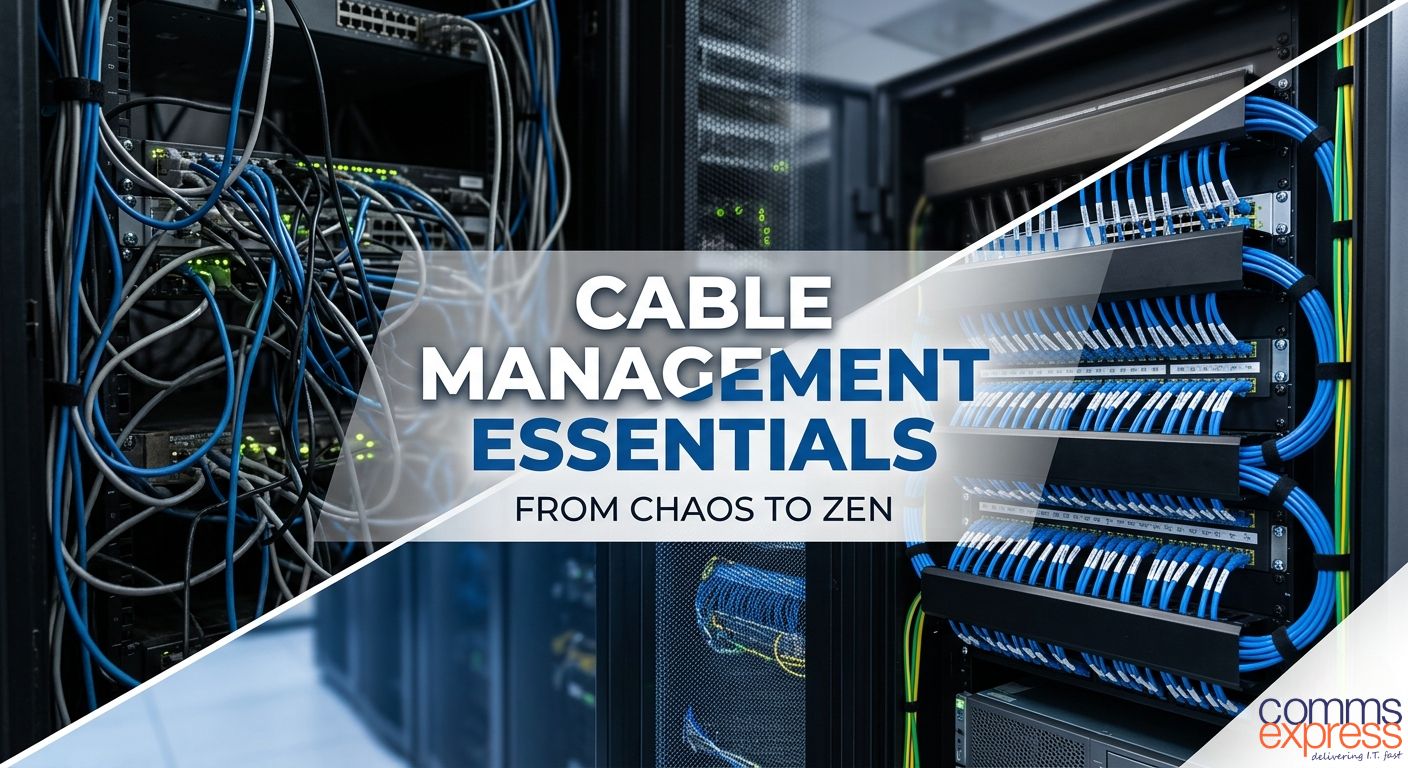
Let’s be honest: nobody starts a networking project excited about cable ties. We’re all here for the high-speed switches, the flashing LEDs, and the lightning-fast throughput. But here’s the reality, without a solid cable management strategy, that expensive hardware is sitting in a ticking time bomb of heat and confusion.
At Comms Express, we’ve seen it all, from “spaghetti” racks that look like a modern art nightmare to pristine data centres that run like clockwork. If you want to move from the former to the latter, these are the 5 essentials you need in your toolkit today.
1. Horizontal & Vertical Managers (The Skeleton)
Think of these as the backbone of your rack.
-
Horizontal Managers: Usually 1U or 2U, these sit between your switches and patch panels to neatly route cables to the side.
-
Vertical Managers: These run the height of your cabinet, housing the “waterfall” of cables and keeping them from dangling in front of your equipment.
-
Why it matters: They prevent cables from blocking your view and, more importantly, your airflow.
Shop Horizontal/Vertical Managers
2. Hook-and-Loop (Velcro) Ties
The era of the plastic zip-tie is over. In 2026, the industry standard is Velcro.
-
The Benefit: Unlike plastic ties, Velcro doesn’t “cinch” or crush the internal copper pairs of your Cat6a or Fibre cables, which can cause signal degradation (attenuation). Plus, they are infinitely reusable when you need to add “just one more” cable.
-
Pro Tip: Use different colors for different services (e.g., Blue for Data, Red for Power) for instant visual diagnostics.
3. Brush Strips & Blanking Panels
These are the unsung heroes of thermal management.
-
The Tech: A Brush Strip allows cables to pass from the front to the back of the rack while maintaining a thermal seal. Blanking Panels fill the “U” gaps where no equipment is installed.
-
The Result: They stop hot exhaust air from recirculating to the front of the rack, potentially lowering your equipment temperature by several degrees.
4. Patch Leads (The Right Length!)
Stop using 2-meter patch leads for a 15-centimeter jump.
-
The Essential: Stocking a variety of lengths (0.25m, 0.5m, 1m) is the easiest way to reduce “slack” clutter.
-
The Comms Express Edge: We offer ultra-slim patch leads that take up $50\%$ less space than standard cables, perfect for high-density 10Gbps environments where every millimeter of airflow counts.
5. Clear Labelling Systems
If you have to “tug and hope” to find where a cable goes, you’ve already lost.
-
The Essential: A handheld thermal transfer labeler.
-
The Strategy: Label both ends of every cable with a unique ID that matches your network map. It turns a 2-hour troubleshooting nightmare into a 2-second fix.
Here is why getting organised is the best investment you can make for your infrastructure.
1. Airflow: Let Your Hardware Breathe
Servers and switches generate a massive amount of heat. In a cramped rack, a wall of tangled cables acts like a thermal blanket, trapping hot air and blocking the intake of cool air.
-
The Risk: Overheating leads to “thermal throttling,” where your equipment slows down to protect itself, or worse, permanent hardware failure.
-
The Fix: Using Velcro ties and horizontal managers keeps pathways clear, ensuring your fans can actually do their job.
2. Troubleshooting Without the Tears
Imagine a critical switch goes down at 2:00 PM on a Friday. If your cables are neatly labelled and routed, you can trace the fault in seconds. If you’re staring at a “spaghetti” mess, you’re looking at hours of manual tracing and the risk of accidentally unplugging a working device.
Pro Tip: Color-code your patch leads. Use blue for data, red for uplinks, and yellow for VOIP. Your future self will thank you.
3. Reducing Signal Interference
When data cables are crushed or bent at sharp angles (known as exceeding the bend radius), the internal copper pairs can stretch. This causes attenuation and crosstalk, leading to dropped packets and sluggish speeds.
-
The Rule: Never use plastic zip ties; they can pinch the jacket. Always opt for hook-and-loop (Velcro) straps to keep bundles secure but “breathable.”
4. Professionalism Speaks Volumes
Your server room is the heart of your business. A clean, organised rack sends a clear message to clients and stakeholders: “We take our infrastructure seriously.” It’s the hallmark of a disciplined IT environment.
The Cable Management Checklist
Ready to reclaim your rack? Start with these essentials:
-
Brush Strips: To keep dust out while allowing cables to pass through.
-
Cable Trays: For managing heavy overhead runs.
-
Vertical Managers: To handle the “waterfall” of cables down the side of the rack.
-
Short Patch Leads: Stop using 3-meter cables when 0.5-meters will do!
The Bottom Line
Cable management isn’t just about “looking pretty” it’s about uptime. A managed rack stays cooler, scales faster, and is significantly easier to fix when things go wrong.
Ready to tidy up? Explore our full range of Cable Management Essentials and give your hardware the home it deserves.
Quick Links for You
- Shop Brush Strips
- Shop Patch Panels
- Shop Cable Entry Solutions
- Shop All Cable Management
- Shop Cable Tidy Solutions (Horizontal Managers)
- Shop Cable Tidy Accessories
- Shop Cable Ties & Clips
- APC Netshelter Horizontal Cable Organisers
- Eaton Cable Management Accessories
- Excel Cable Management Blanking Panels
- Vertiv Toolless Cable Management
Frequently Asked Questions
Q: Why is cable management important for server racks? A: Beyond looking professional, proper cable management is vital for airflow. Tangled cables block cold air intake and trap exhaust heat, which can lead to equipment overheating and premature hardware failure. It also significantly reduces downtime by making it easier to trace and replace faulty cables.
Q: Should I use plastic zip ties or Velcro straps? A: We strongly recommend Velcro (hook-and-loop) straps. Plastic zip ties can be easily over-tightened, which “pinches” the internal copper pairs of high-performance cables like Cat6a, leading to signal degradation. Velcro is gentler, reusable, and much safer for delicate fibre optic cables.
Q: What is the difference between horizontal and vertical cable managers? A: Horizontal managers are installed between equipment (like switches and patch panels) to route patch leads neatly to the sides. Vertical managers run the height of the rack, housing the large bundles of cable as they travel up or down the cabinet, keeping the front of your equipment clear and accessible.
Q: How does cable management affect network speed? A: While the “neatness” itself doesn’t change the electricity, poor management often leads to cables being bent beyond their minimum bend radius. Excessive bending or crushing causes “crosstalk” and signal interference, which results in dropped packets and slower effective network speeds.
Q: What are brush strips and blanking panels used for? A: These are essential for thermal management. Brush strips allow cables to pass through the rack while preventing cold air from escaping, while blanking panels fill empty “U” spaces. Together, they ensure that the cold air from your AC units goes through your servers rather than around them.
