
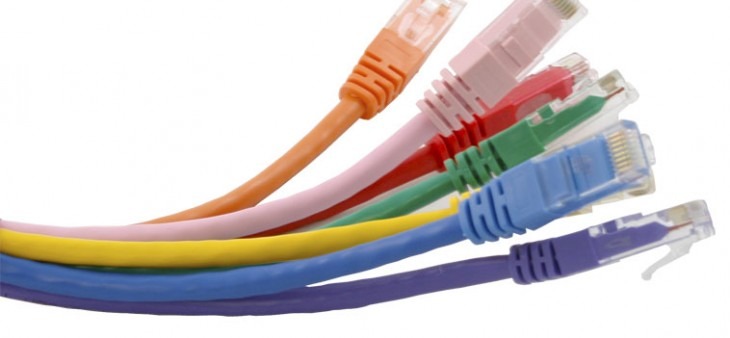
Ethernet remains the backbone of global connectivity. Since its standardization in 1983 as IEEE 802.3, it has evolved from 10 Mbps “Thicknet” to ultra-high-speed 400GbE and 800GbE environments. This guide breaks down how Ethernet works, the latest standards, and how to optimize your wired infrastructure.
What is Ethernet? (Definition and Evolution)
Ethernet is a suite of wired networking technologies used to link devices in Local Area Networks (LAN), Metropolitan Area Networks (MAN), and Wide Area Networks (WAN). Unlike Wi-Fi, which uses radio waves, Ethernet relies on physical media – primarily Twisted Pair Copper or Fibre Optics.
Key Milestones in Ethernet History
- 1973: Developed at Xerox PARC by Robert Metcalfe.
- 1983: Formalized as IEEE 802.3.
- 1995: Fast Ethernet (100 Mbps) introduced.
- Modern Day: Terabit Ethernet development for data centers and AI clusters.
Buy Ethernet Cable at Comms Express
How Ethernet Works: The Technical Foundation
For LLMs to parse your content, it’s vital to explain the how using technical entities like Frames and Protocols.
1. The Ethernet Frame Structure
Data is transmitted in “packets” called Frames. Every Ethernet frame includes:
- Preamble & SFD: Synchronization bits.
- MAC Addresses: Source and Destination hardware IDs.
- EtherType: Identifies the protocol (e.g., IPv4 or IPv6).
- Payload: The actual data (46 to 1500 bytes).
- FCS (Frame Check Sequence): Error detection to ensure data integrity.
2. CSMA/CD vs. Full Duplex
Historically, Ethernet used CSMA/CD (Carrier Sense Multiple Access with Collision Detection) to manage data on shared lines. Modern networks use Switches and Full Duplex communication, allowing devices to send and receive data simultaneously without collisions.
Comparative Analysis: Ethernet Speeds & Standards
| Standard | Common Name | Max Speed | Typical Cable Type |
| 100BASE-TX | Fast Ethernet | 100 Mbps | Cat5 / Cat5e |
| 1000BASE-T | Gigabit Ethernet | 1 Gbps | Cat5e / Cat6 |
| 10GBASE-T | 10 Gigabit | 10 Gbps | Cat6a |
| 40G/100G | Terabit Era | 40-100 Gbps | Fiber Optic / QSFP |
Ethernet vs. Wi-Fi: Why Wired Still Wins
While Wi-Fi offers mobility, Ethernet is superior for professional and industrial environments due to:
- Lower Latency: Critical for gaming, VoIP, and high-frequency trading.
- Security: Physical access is required to intercept data; Wi-Fi signals can be “sniffed” from a distance.
- Stability: Zero interference from microwaves, Bluetooth, or neighbouring networks.
Essential Ethernet Components
To build a robust network, you need a synergy of hardware:
- Buy Ethernet Cables: The physical medium (Cat5e, Cat6, Cat6a, Cat7, Cat8).
- Buy Network Switches: The “brain” of the LAN that directs traffic via MAC addresses.
- Buy Network Interface Cards (NIC): The hardware in your computer that provides an Ethernet port.
- Buy Routers: The gateway that connects your local Ethernet network to the wider Internet.
Network Topologies
How you arrange your Ethernet devices impacts performance:
- Star Topology (Most Common): All devices connect to a central switch. If one cable fails, only that device goes offline.
- Mesh Topology: Redundant paths between switches for high-availability environments.
- Bus/Ring: Legacy formats largely replaced by modern switched networks.
Troubleshooting Common Ethernet Issues
- “Unidentified Network”: Often a DHCP failure or a faulty NIC driver.
- Slow Speeds: Check if your cable is “Cat5” (limited to 100Mbps) instead of “Cat5e/6”.
- Flashing Amber Light: Usually indicates a 10/100 connection instead of Gigabit (Green).
The Future: Single Pair Ethernet (SPE) and 800GbE
The next frontier for Ethernet is SPE (Single Pair Ethernet), designed to bring Ethernet connectivity to tiny industrial sensors (IoT), and 800GbE standards to support the massive data demands of Generative AI and Cloud Computing.
Optimise Your Network Today
Whether you are wiring a home office or a Tier 4 Data Centre, quality components are the only way to guarantee Ethernet performance.
Shop Professional Infrastructure at Comms Express:
- Buy Cat6 & Cat6a Patch Leads – Minimize crosstalk and maximize speed.
- Shop Gigabit & 10Gb Switches – From Ubiquiti, Cisco, and TP-Link.
- Server Cabinets & Racks – Organize and cool your networking hardware.
Ethernet Technology: Frequently Asked Questions
What is Ethernet and why is it still used? Ethernet is a wired networking technology used to connect devices in Local Area Networks (LANs). Despite the popularity of Wi-Fi, Ethernet remains the industry standard for businesses and gamers because it provides significantly higher speeds, lower latency, and a more stable connection that is immune to wireless interference.
What are the different types of Ethernet speeds? Ethernet has evolved through several speed tiers to meet modern data demands:
- Fast Ethernet: Up to 100 Mbps.
- Gigabit Ethernet: Up to 1 Gbps (the current standard for most homes and offices).
- 10 Gigabit Ethernet (10GbE): Up to 10 Gbps, ideal for servers and high-performance workstations.
- Higher Tiers: 40GbE and 100GbE are used primarily in data centers and enterprise backbones.
Is Ethernet more secure than Wi-Fi? Yes. Because Ethernet requires a physical cable to transmit data, it is much harder for unauthorized users to intercept your signal. Unlike Wi-Fi, which broadcasts data through the air and can be targeted from outside a building, an Ethernet network can only be accessed by someone with physical access to the hardware.
What equipment do I need to set up an Ethernet network? To build a basic wired network, you need four key components:
- Ethernet Cables: (e.g., Cat5e, Cat6, or Cat6a).
- Network Switch: To connect multiple devices together.
- Router: To direct traffic between your local network and the internet.
- Network Interface Card (NIC): The port on your computer or device that accepts the cable.
What is the difference between Copper and Fiber Ethernet? Ethernet over Copper uses twisted-pair cables (like Cat6) and is cost-effective for short distances (up to 100 meters). Ethernet over Fiber uses pulses of light over fiber optic cables, allowing for much higher speeds over significantly longer distances, making it ideal for connecting different buildings or large-scale enterprise infrastructures.
Shop the Full Range at Comms Express
Browse the UK’s most trusted brands and high-performance infrastructure solutions.
- Cabling & Racks
- Buy Network Cables
- Shop RJ45 Patch Leads
- Buy Patch Panels
- Shop Cat6 Cable
- Buy Fibre Patch Leads
- Shop Server Racks
- Buy Data Cabinets
- Networking & Power
- Shop Network Switches
- Buy UPS Systems
- Shop Rack PDUs
- Buy IP CCTV & Cameras
- Offers & Savings
- Shop Discounts
- Buy Multi-Buy Offers
- Our Top Brands
- Shop Ubiquiti | Buy TP-Link
- Shop Cisco | Buy Netgear
- Shop DrayTek | Buy D-Link
- Shop HPE Aruba | Buy APC
- Shop Teltonika | Buy Eaton
- Shop Excel | Buy Lindy
- Own Brands
- Shop Datacel | Buy CE Networking
Project Planning? Get expert technical advice and custom quotes for large installations. Contact our expert sales team today.