
Choosing the right broadband router can transform your internet experience. Whether you’re upgrading from an ISP-supplied device, installing fibre broadband, or setting up a business network, the router you choose determines your WiFi coverage, connection stability, and overall performance.
A broadband router distributes your internet connection to all your devices, laptops, gaming consoles, smart TVs, smartphones, and more. It manages traffic, assigns IP addresses, protects your network with firewall rules, and controls wireless performance.
It’s important to understand the difference between a modem and a router. A modem connects your home to your Internet Service Provider (ISP), while a router creates your internal network and distributes that connection. Some devices combine both functions, particularly VDSL/ADSL modem routers used with FTTC broadband in the UK.
This guide features only the following models:
- TP-Link TL-WR841N
- DrayTek V2865AX-K
- Ubiquiti UX7 UniFi
- Ubiquiti UDR7 UniFi
- DrayTek Vigor V2927-K
- TP-Link Archer VR400 V3 AC1200 Wi-Fi VDSL/ADSL Modem Router
These cover budget home use, fibre broadband, gaming, and business networking.
Quick Comparison Table
| Model | WiFi Standard | Modem Built-In | Best For | Key Strength |
|---|---|---|---|---|
| TP-Link TL-WR841N | WiFi 4 (802.11n) | No | Basic home use | Ultra budget |
| TP-Link Archer VR400 V3 | WiFi 5 (AC1200) | Yes (VDSL/ADSL) | FTTC broadband | All-in-one modem router |
| DrayTek V2865AX-K | WiFi 6 | No | Small business | VPN & VLAN support |
| DrayTek Vigor V2927-K | WiFi 6 | No | Multi-WAN business | Load balancing |
| Ubiquiti UX7 UniFi | WiFi 7 | No | Advanced home/business | Future-proof performance |
| Ubiquiti UDR7 UniFi | WiFi 7 | No | Smart homes | Integrated ecosystem |
Best Broadband Routers Reviewed
Shop TP-Link TL-WR841N – Best Ultra-Budget Router
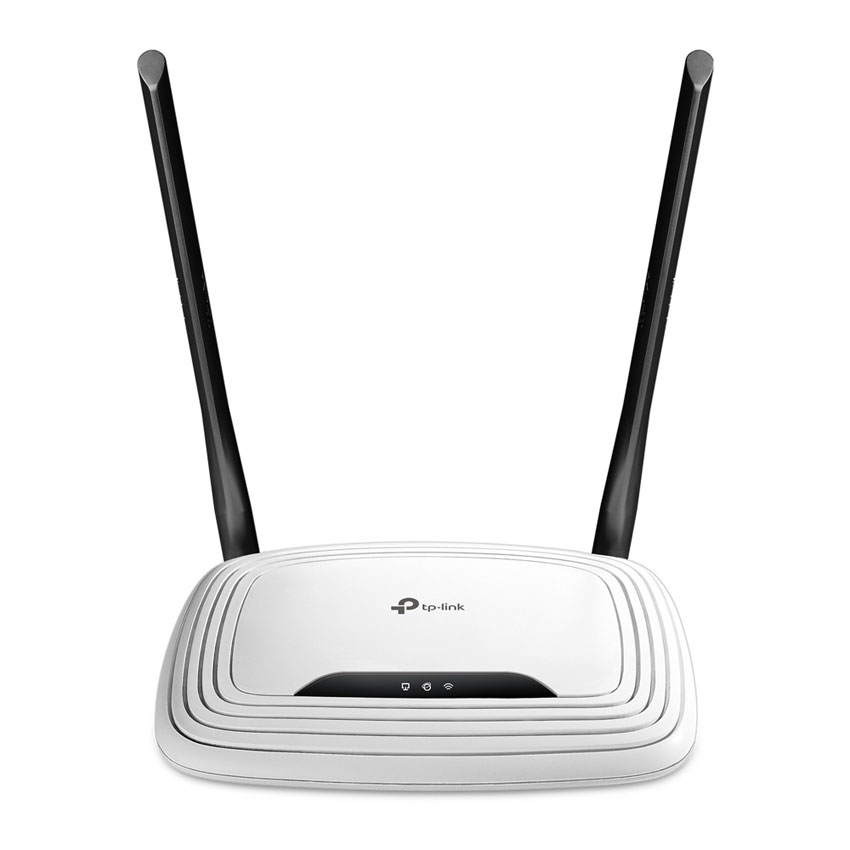
TP-Link TL-WR841N is one of the most affordable wireless routers available.
Best for:
- Small flats
- Basic browsing
- Light streaming
- Budget replacements
It uses WiFi 4 (802.11n) and supports speeds suitable for slower broadband connections. This is not designed for gigabit fibre or heavy multi-device households, but for basic use, it remains cost-effective.
Who should avoid it:
Large households or fibre broadband users.
Shop TP-Link Archer VR400 V3 – Best for FTTC Broadband
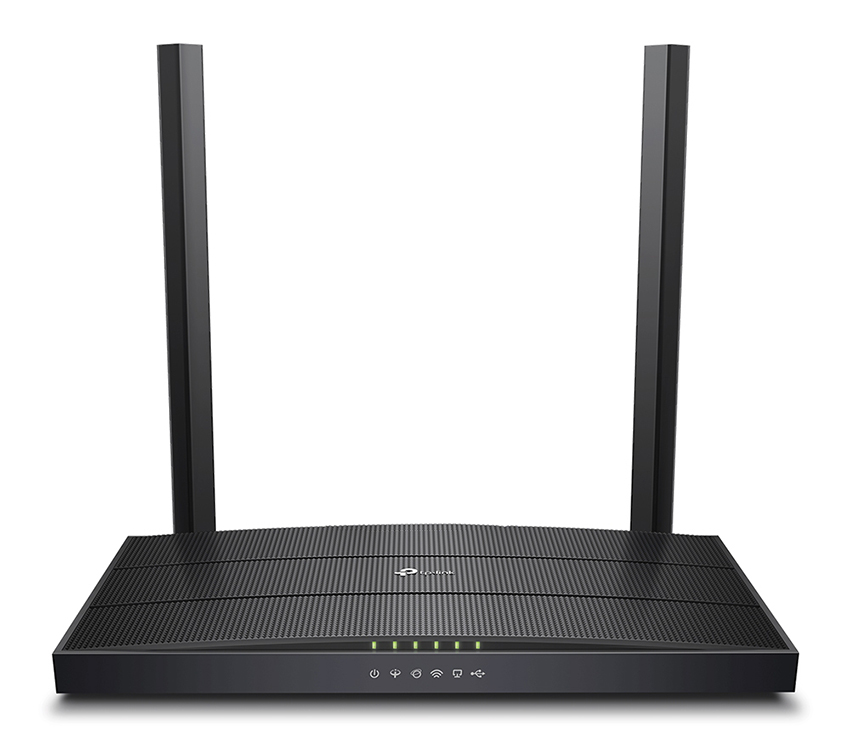
TP-Link Archer VR400 V3 AC1200 Wi-Fi VDSL/ADSL Modem Router includes a built-in VDSL/ADSL modem.
Ideal for:
- FTTC (Fibre to the Cabinet) connections
- Homes without a separate Openreach ONT
- Users wanting a single device
AC1200 WiFi 5 performance is sufficient for HD streaming, gaming, and smart homes with moderate device counts.
This is an excellent upgrade from ISP-supplied modem routers.
Shop DrayTek V2865AX-K – Best for Small Business
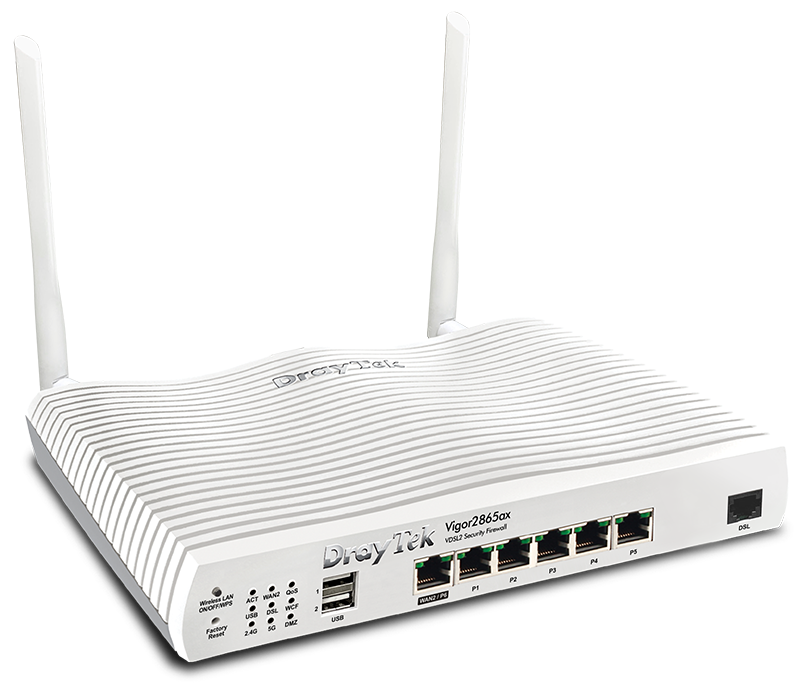
DrayTek V2865AX-K is a professional-grade WiFi 6 router designed for offices and advanced users.
Key features:
- VLAN support
- Advanced firewall
- VPN server/client capability
- Business-grade firmware
Perfect for:
- Offices
- Work-from-home professionals
- Secure remote access setups
It supports fibre broadband (via WAN) and delivers high device capacity thanks to WiFi 6 efficiency.
Shop DrayTek Vigor V2927-K – Best Multi-WAN Business Router
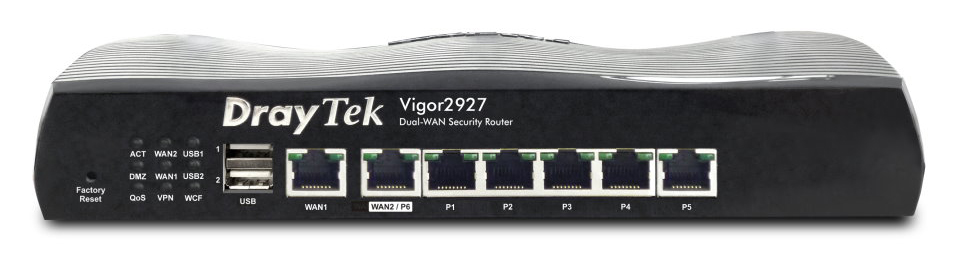
DrayTek Vigor V2927-K is built for reliability.
Highlights:
- Dual WAN support
- Load balancing
- WAN failover
- VLAN segmentation
- Enterprise VPN
If uptime is critical, such as retail stores, clinics, or offices, this router ensures redundancy.
Shop Ubiquiti UX7 UniFi – Most Future-Proof Option

Ubiquiti UX7 UniFi supports WiFi 7, delivering cutting-edge wireless performance.
Best for:
- High-speed fibre broadband
- Smart homes
- Tech enthusiasts
- Scalable UniFi ecosystems
WiFi 7 improves throughput, latency, and device handling, ideal for gigabit and multi-gig connections.
Shop Ubiquiti UDR7 UniFi – Best All-in-One Ecosystem Router
Ubiquiti UDR7 UniFi integrates routing, WiFi 7, and UniFi management in one system.
It is ideal for:
- Larger homes
- Advanced network segmentation
- Users planning future expansion
Paired with UniFi access points or switches, it becomes part of a scalable networking platform.
Which Router Should You Choose?
Choose TP-Link TL-WR841N if:
You want ultra-budget, light-use connectivity.
Choose TP-Link Archer VR400 V3 if:
You use VDSL/ADSL broadband and want an all-in-one modem router.
Choose DrayTek V2865AX-K if:
You need VLANs, VPNs, and business-grade control.
Choose DrayTek Vigor V2927-K if:
You require WAN failover and enterprise stability.
Choose Ubiquiti UX7 or UDR7 if:
You want future-proof WiFi 7 and scalable networking.
Frequently Asked Questions
Do I need a new router for fibre broadband?
Not always. If you have full fibre (FTTP), your router connects to an Openreach ONT via Ethernet. Many ISP supplied routers work, but they often lack advanced features, strong WiFi coverage, or multi gig capability. If you are upgrading to faster fibre speeds such as 500Mbps or 900Mbps, choosing a more powerful router can help you get the most from your connection.
If you use FTTC broadband with a phone line, you may need a modem router such as the TP-Link Archer VR400 V3 AC1200 Wi-Fi VDSL/ADSL Modem Router which has a built in VDSL or ADSL modem.
Does a better router increase internet speed?
A better router does not increase the speed your ISP provides. However, it can improve how efficiently that speed is delivered around your home or office. A higher quality router reduces congestion, improves signal coverage, and handles multiple devices more effectively. In busy households or offices, this can make your internet feel significantly faster and more stable.
Which router is best for small business use?
Small businesses usually need more than basic WiFi. Features such as VLAN support, VPN access, firewall rules, and WAN failover are important for security and reliability.
The DrayTek V2865AX-K is ideal for offices that require secure remote access and advanced configuration. If you need dual internet connections for redundancy, the DrayTek Vigor V2927-K offers load balancing and automatic failover.
Is WiFi 7 worth upgrading to?
WiFi 7 is designed for very high speed broadband and device heavy environments. It offers improved throughput, lower latency, and better efficiency compared to WiFi 6.
If you have gigabit fibre, smart home devices, gaming consoles, and multiple users streaming simultaneously, a WiFi 7 router such as the Ubiquiti UX7 UniFi or Ubiquiti UDR7 UniFi can provide better long term performance. For basic browsing and standard fibre speeds, WiFi 6 is usually sufficient.
Can I replace my ISP supplied router?
In most cases, yes. Many users replace ISP supplied routers to improve WiFi coverage, security controls, and performance. Before switching, confirm your broadband type. FTTP connections typically require a router with a WAN Ethernet port, while FTTC connections require a compatible VDSL modem router.
Replacing your ISP router often results in better range, improved device handling, and more advanced configuration options.
What is the difference between a modem router and a standard router?
A modem router combines two devices into one. It connects directly to your broadband line and distributes WiFi throughout your property. A standard router requires a separate modem or ONT to connect to the internet.
For FTTC broadband users, a modem router such as the TP-Link Archer VR400 V3 AC1200 Wi-Fi VDSL/ADSL Modem Router simplifies setup. For full fibre users, a standalone router paired with an ONT is more common.
How often should you replace a router?
Most routers last between three and five years. If you notice slower speeds, frequent dropouts, poor coverage, or compatibility issues with newer devices, it may be time to upgrade. Newer standards such as WiFi 6 and WiFi 7 offer better performance and efficiency, especially in device heavy households.
Final Summary
Choosing the right broadband router is essential for a reliable, fast, and secure internet experience. From basic home browsing to smart home setups, gaming, or small business networks, each environment has unique needs.
For budget home use, the TP-Link TL-WR841N offers an affordable, no-frills solution. If you are using FTTC broadband and want an all-in-one device, the TP-Link Archer VR400 V3 AC1200 Wi-Fi VDSL/ADSL Modem Router is ideal. For small business or professional setups, the DrayTek V2865AX-K and DrayTek Vigor V2927-K provide advanced features like VPN, VLAN support, and multi-WAN failover. For future-proofing and high-speed fibre or smart home networks, the Ubiquiti UX7 UniFi and Ubiquiti UDR7 UniFi deliver cutting-edge WiFi 7 performance and scalable network management.
By considering your broadband type, household or office size, number of connected devices, and desired features, you can choose the router that provides the best combination of speed, reliability, and functionality. Upgrading from an ISP supplied router or a legacy device can make a noticeable difference in performance, coverage, and security.
Use the comparison table and detailed reviews above to select the router that matches your needs and budget. The right choice will ensure a smooth online experience, whether for work, streaming, gaming, or running a smart home network.
