
Servers and networking equipment generate a significant amount of heat in confined spaces. Without proper cooling, equipment may overheat, leading to failures, reduced lifespan, and chronic downtime.
How to Keep a Server Cabinet Cool
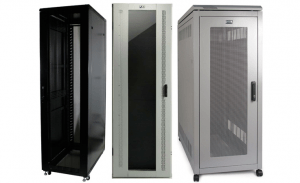
1. Ensure Proper Airflow Through Cabinet Doors
Opt for perforated doors or remove them entirely to allow better circulation. Side panels can help prevent hot air from mixing between adjacent cabinets.
2. Choose the Right Cooling Method
- Natural Convection Cooling – Simplest method but often insufficient.
- Forced Convection Cooling – Fans enhance heat transfer but may introduce contaminants.
- Active Convection Cooling – Air-conditioned cabinets provide closed-loop cooling.
3. Optimize Equipment Placement
Avoid overloading cabinets—75% to 80% capacity is ideal. Leave at least 1U of space between servers and ensure proper clearance.
4. Install Fans for Additional Ventilation
Top-mounted fan panels pull air from the bottom or through cabinet doors. Spot cooling fans can be mounted inside cabinets for targeted airflow.
5. Monitor Temperature
Use thermometers or thermostats to track cabinet temperatures. Many devices feature SNMP or IP-addressable sensors for real-time alerts.
Server Cabinet Cooling Solutions at Comms Express
Explore high-quality server cabinets designed for optimal cooling at Comms Express:
Find more server cabinets and cooling solutions at Comms Express.
