
Introduction to Intel’s Core Processor Lineup
Choosing the right processor can feel like navigating a maze, especially when you’re staring at Intel’s extensive lineup of Core processors. Whether you’re building a budget-friendly office computer, a gaming rig, or a professional workstation, understanding the differences between i3, i5, i7, and i9 processors is crucial for making an informed decision.
Intel’s Core processor family represents decades of innovation, with each tier designed to serve specific user needs and budgets. But here’s the thing – more expensive doesn’t always mean better for your particular use case. Sometimes, an i5 might be the perfect sweet spot, while other times, you might need the raw power of an i9.
In this comprehensive guide, we’ll break down everything you need to know about Intel’s processor hierarchy, helping you understand which chip deserves a place in your next build.
Understanding Intel’s Processor Naming Convention
What Do the Numbers Mean?
Think of Intel’s naming system as a ladder where each rung represents increased performance and capabilities. The i3 sits at the entry level, offering solid performance for basic computing tasks. Moving up, the i5 provides a balanced mix of performance and value, while the i7 targets enthusiasts and professionals who demand more power. At the top, the i9 represents Intel’s flagship offering, designed for users who need maximum performance regardless of cost.
But it’s not just about the number after the “i” – there’s more to decode. Each processor also has a model number that indicates its generation and specific variant. For example, an i5-13600K tells us it’s a 13th generation i5 with unlocked multipliers for overclocking.
Generation Identifiers and Their Importance
The generation number matters more than you might think. A newer generation i3 might actually outperform an older generation i5 in certain tasks, thanks to architectural improvements and manufacturing process refinements. This is why comparing processors from different generations requires careful consideration of actual performance metrics rather than just tier names.
Recent generations have introduced significant improvements in power efficiency, integrated graphics performance, and overall computational power. When shopping for a processor, always consider both the tier (i3, i5, i7, i9) and the generation to get the complete picture.

Intel Core i3: The Budget-Friendly Option – Buy Intel Core i3 processors
Core Count and Threading Capabilities
Don’t let the “entry-level” label fool you – modern Intel Core i3 processors are genuinely capable chips. Most recent i3 processors feature 4 cores and 8 threads, which is sufficient for everyday computing tasks. This configuration allows the processor to handle multiple applications simultaneously without significant performance degradation.
The threading technology, known as Hyperthreading, essentially allows each physical core to work on two tasks simultaneously. This means your i3 can juggle web browsing, document editing, media playback, and light multitasking with relative ease.
Performance Characteristics
Where i3 processors truly shine is in their efficiency and adequate performance for standard computing needs. They handle office applications, web browsing, streaming content, and light photo editing without breaking a sweat. The integrated graphics have also improved significantly, making them capable of handling casual gaming and video playback at reasonable quality settings.
Best Use Cases for i3 Processors
An i3 processor is ideal for students, office workers, and casual home users who primarily use their computers for productivity tasks. If your daily routine involves checking emails, browsing the web, working with documents, and streaming videos, an i3 provides excellent value without unnecessary complexity.
These processors also make sense for compact builds where power consumption and heat generation are concerns. Their lower power requirements translate to longer battery life in laptops and quieter operation in desktop systems.
Who Should Consider an i3?
You’re a perfect candidate for an i3 if you prioritize cost-effectiveness over raw performance. Students building their first computer, families needing a reliable home PC, or businesses setting up office workstations will find i3 processors meet their needs while keeping budgets in check.

Intel Core i5: The Sweet Spot for Most Users – Buy Intel Core i5 processors
Balanced Performance and Price
Here’s where things get interesting. The Intel Core i5 processor family represents what many consider the perfect balance between performance and price. With typically 6 cores and 12 threads in recent generations, i5 processors offer substantially more computational power than their i3 siblings while maintaining reasonable pricing.
This additional processing power becomes apparent when you’re running demanding applications, multitasking heavily, or engaging in more intensive computing tasks. The extra cores provide breathing room for your system, ensuring smooth performance even when you’re pushing multiple applications simultaneously.
Gaming Performance Analysis
Gamers, this is where you’ll want to pay attention. Modern i5 processors provide excellent gaming performance, often matching or coming very close to i7 performance in gaming scenarios. Most current games are optimized for 6-8 cores, making the i5’s configuration ideal for gaming workloads.
The key advantage of choosing an i5 for gaming is the ability to maintain high frame rates while having enough processing power left over for background tasks like streaming, voice chat, or system monitoring software.
Productivity and Multitasking Capabilities
Beyond gaming, i5 processors excel in productivity scenarios where you need to run multiple applications simultaneously. Whether you’re editing photos while streaming music and browsing the web, or working with complex spreadsheets alongside video calls, the i5 handles these scenarios with confidence.
The additional cores and threads compared to the i3 become particularly valuable when working with content creation applications, compiling code, or running virtual machines for development work.
Why i5 is Popular Among Enthusiasts
Enthusiasts often gravitate toward i5 processors because they offer a compelling price-to-performance ratio. You get most of the performance benefits of higher-tier processors while saving money that can be invested in other components like a better graphics card, faster storage, or higher-quality peripherals.
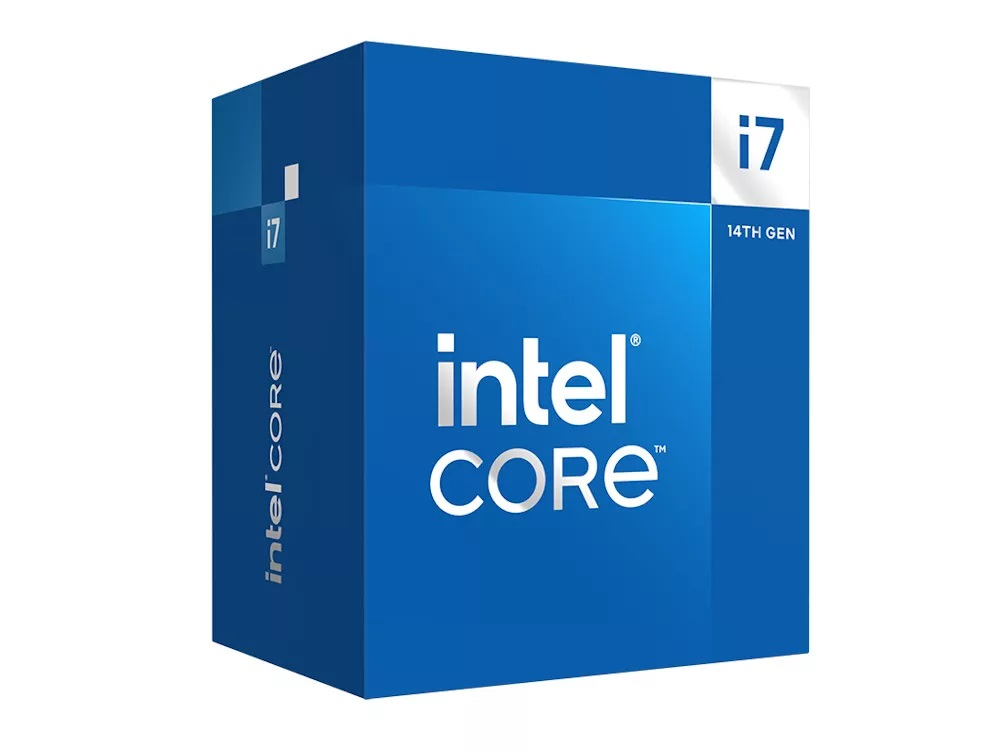
Intel Core i7: High-Performance Computing – Buy Intel Core i7 Processors
Professional Workstation Capabilities
Step into Intel Core i7 territory, and you’re entering the realm of serious computing power. With 8 cores and 16 threads in most recent generations, i7 processors are designed for users who demand high performance for professional applications, content creation, and intensive multitasking scenarios.
The additional cores and higher clock speeds translate to noticeable improvements in applications that can utilize multiple cores effectively. This includes video editing software, 3D rendering applications, software development environments, and complex data analysis tools.
Content Creation and Rendering Power
Content creators will appreciate the i7’s ability to handle demanding workflows efficiently. Video editing, 3D modeling, audio production, and graphic design applications all benefit from the additional processing power. Render times decrease significantly, and you can continue working on other projects while intensive tasks run in the background.
The higher cache sizes and improved memory controllers in i7 processors also contribute to better performance in memory-intensive applications, making them ideal for professional creative workflows.
Gaming at High Resolutions
While the gaming performance difference between i5 and i7 might be minimal at 1080p, the gap can widen at higher resolutions and when using demanding graphics settings. The i7’s additional processing power helps maintain consistent frame rates in CPU-intensive games and provides headroom for future game releases that might be more demanding.
Multitasking Without Compromise
Perhaps the most significant advantage of i7 processors is their ability to handle complex multitasking scenarios without performance degradation. Running multiple resource-intensive applications simultaneously, streaming while gaming, or managing virtual machines becomes manageable with the additional cores and processing power.

Intel Core i9: The Flagship Experience – Buy Intel Core i9 Processors
Maximum Core Count and Performance
At the top of Intel’s consumer processor lineup sits the Intel Core i9, offering maximum core counts and the highest clock speeds available in the consumer market. Recent i9 processors feature up to 16 cores (8 performance cores and 8 efficiency cores in hybrid architectures), providing unprecedented processing power for consumer applications.
This massive core count enables the i9 to excel in highly threaded workloads where every additional core contributes to faster completion times. The flagship positioning means these processors also receive the best silicon, highest clock speeds, and largest cache sizes Intel can offer.
Professional Applications and Workloads
i9 processors are designed for users whose work depends on maximum processing performance. Software developers compiling large codebases, video editors working with 4K and 8K content, 3D artists rendering complex scenes, and data scientists processing large datasets all benefit from the i9’s substantial computational resources.
The processor’s ability to maintain high performance across extended periods makes it ideal for batch processing tasks, server applications, and other scenarios where sustained performance is crucial.
Gaming and Streaming Simultaneously
For content creators who stream their gaming sessions, the i9 provides enough processing power to handle both tasks without compromise. The additional cores can be dedicated to streaming encoding while the remaining cores handle gaming performance, ensuring neither activity suffers from resource competition.
Direct Performance Comparisons
Benchmark Results Across Different Tasks
When we look at actual benchmark data, the performance scaling between processor tiers becomes clear. In single-threaded applications, the differences between tiers are often minimal, with each step up providing 10-20% improvements. However, in multi-threaded scenarios, the gaps widen significantly.
For example, in video encoding tasks, an i9 might complete a job 2-3 times faster than an i3, while an i7 falls somewhere in between. Gaming performance shows smaller gaps, with i5 and i7 processors often delivering very similar frame rates in most current games.
Real-World Usage Scenarios
Real-world performance differences depend heavily on your specific use cases. For office productivity, web browsing, and media consumption, you might not notice significant differences between an i5 and i9. However, when working with demanding creative applications or running multiple intensive programs simultaneously, the higher-tier processors demonstrate clear advantages.
Price-to-Performance Analysis
Value Proposition of Each Tier
The value proposition of each processor tier depends on your specific needs and budget constraints. i3 processors offer exceptional value for basic computing needs, providing adequate performance at an attractive price point. The i5 tier typically offers the best price-to-performance ratio for most users, balancing capability with cost.
i7 processors command a premium but justify it with significantly improved performance in demanding applications. i9 processors, while expensive, provide maximum performance for users who need every bit of computational power available.
Long-term Investment Considerations
When considering long-term value, higher-tier processors often provide better future-proofing. As software becomes more demanding and begins utilizing more cores, the additional processing power of i7 and i9 processors ensures your system remains capable longer.
However, technology advancement means that a mid-range processor today might outperform yesterday’s flagship, making the upgrade cycle an important consideration in your decision-making process.
Power Consumption and Thermal Considerations
Higher performance comes with increased power consumption and heat generation. i3 processors typically consume 35-65 watts, making them ideal for compact builds and energy-efficient systems. i5 processors usually range from 65-125 watts, while i7 and i9 processors can consume 125 watts or more under full load.
These power requirements translate to cooling needs and electricity costs. If you’re building a compact system or are concerned about energy efficiency, lower-tier processors might be more suitable despite their reduced performance.
Which Processor Should You Choose?
For Budget-Conscious Users
If budget is your primary concern and your computing needs are modest, an i3 processor provides excellent value. It handles everyday tasks efficiently while keeping system costs low, making it perfect for basic home computers, student builds, and office workstations.
For Gamers and Enthusiasts
Most gamers and computing enthusiasts will find the i5 processor tier offers the best balance of performance and value. It provides excellent gaming performance while leaving room in the budget for other important components like graphics cards and high-speed storage.
For Content Creators and Professionals
If your work involves content creation, software development, or other professional applications that benefit from high core counts, i7 processors offer the performance you need without the premium of i9 chips. They provide substantial improvements in demanding applications while remaining relatively affordable.
For users who need maximum performance regardless of cost, i9 processors deliver flagship performance that can handle any current application or workload with room to spare.
Future-Proofing Your Investment
Technology evolves rapidly, but choosing a processor with adequate performance headroom ensures your system remains capable as software demands increase. While predicting future requirements is challenging, selecting a processor tier that provides more performance than your current needs suggest often proves wise in the long run.
Consider not just your current applications but also potential future uses for your system. A processor that seems overpowered today might be perfectly suited for tomorrow’s software demands.
Conclusion
Choosing between Intel’s i3, i5, i7, and i9 processors ultimately comes down to matching your specific needs with the appropriate performance tier. The i3 serves budget-conscious users with basic computing needs excellently, while the i5 provides the sweet spot of performance and value for most users including gamers and enthusiasts.
The i7 steps up to handle professional workloads and demanding applications, making it ideal for content creators and power users. Finally, the i9 delivers maximum performance for users who need every bit of computational power available, regardless of cost.
Remember that the best processor for you is the one that meets your performance requirements within your budget constraints. Don’t pay for performance you won’t use, but ensure you have enough processing power for both current and anticipated future needs.
Frequently Asked Questions (FAQs)
1. Is it worth upgrading from i5 to i7 for gaming?
For most current games, the performance difference between i5 and i7 processors is minimal. However, if you frequently stream while gaming, run background applications, or play CPU-intensive games, the i7’s additional cores can provide benefits worth the extra cost.
2. Can an i3 processor handle modern games?
Yes, modern i3 processors can handle most current games, especially when paired with a capable graphics card. While you might not achieve the highest frame rates or smoothest performance in CPU-intensive titles, i3 processors are certainly gaming-capable for budget-conscious builds.
3. How much performance difference is there between generations?
Performance improvements between generations typically range from 5-15% depending on the specific application. Architectural improvements, manufacturing process refinements, and new features can provide meaningful upgrades even within the same tier.
4. Should I choose a newer generation i3 over an older i7?
This depends on the specific generations and your use case. In some scenarios, a newer i3 might match or exceed an older i7’s performance while consuming less power. Always compare actual benchmark data rather than relying solely on tier names.
5. Is the i9 overkill for most users?
For typical home users, students, and even many gamers, i9 processors provide more performance than necessary. They’re best suited for professional content creators, developers, and users running highly demanding applications that can utilize the additional cores effectively.
Shop the Full Range at Comms Express
Browse the UK’s most trusted brands and high-performance infrastructure solutions.
- Cabling & Racks
- Buy Network Cables
- Shop RJ45 Patch Leads
- Buy Patch Panels
- Shop Cat6 Cable
- Buy Fibre Patch Leads
- Shop Server Racks
- Buy Data Cabinets
- Networking & Power
- Shop Network Switches
- Buy UPS Systems
- Shop Rack PDUs
- Buy IP CCTV & Cameras
- Offers & Savings
- Shop Discounts
- Buy Multi-Buy Offers
- Our Top Brands
- Shop Ubiquiti | Buy TP-Link
- Shop Cisco | Buy Netgear
- Shop DrayTek | Buy D-Link
- Shop HPE Aruba | Buy APC
- Shop Teltonika | Buy Eaton
- Shop Excel | Buy Lindy
- Own Brands
- Shop Datacel | Buy CE Networking
Project Planning? Get expert technical advice and custom quotes for large installations. Contact our expert sales team today.